 ASTRO DEFENDER
SOURCE CODE GUIDE
ASTRO DEFENDERTake the game apart,
one line at a time.
A neon arcade shooter with no libraries and no assets: everything lives in a single game.html.
This guide walks through that file in 23 chapters, written for people who have just started learning HTML, CSS and JavaScript.
Contents
CHAPTER 00 How to read this guide
A game is fun twice: once to play, once to take apart. Here is how to get the most out of the second round.
Who is this for?
You have learned the basics of JavaScript — variables, functions, arrays, objects, for loops, addEventListener — and you would like to read
a complete, working program for the first time. You do not need any experience with Canvas or Web Audio: every new mechanism is explained where it first appears.
Three kinds of notes
Explains an API or a language feature the first time it shows up. Skip it if you already know it.
The design intent behind the code — the “why”. These are ideas you can reuse in your own games.
Hands-on exercises. The labs (marked LAB) run right here in the page.
Reading the code blocks
A code block labeled game.html with a range like L345–355
is a verbatim excerpt from the real source, and the numbers are the real line numbers. Open game.html in your editor and jump to those lines as you read.
Blocks labeled example are short snippets written just for this guide.
What you need
- Get the repository:
git clone https://github.com/hnakada123/astro-defender.git, or use “Code → Download ZIP” on GitHub. - Open
game.htmlin a browser (Chrome, Firefox, Edge, …). No server needed. - Open the same file in a text editor (VS Code or similar).
With the game open, press F12 (⌘+⌥+I on a Mac), open the Console tab, and during play type lives = 9 and press Enter.
You now have nine lives. Every variable and function in this game is global, so you can poke at them directly from the console.
The same property makes the game easy to test, as chapter 20 shows.
CHAPTER 01 The big picture — one file
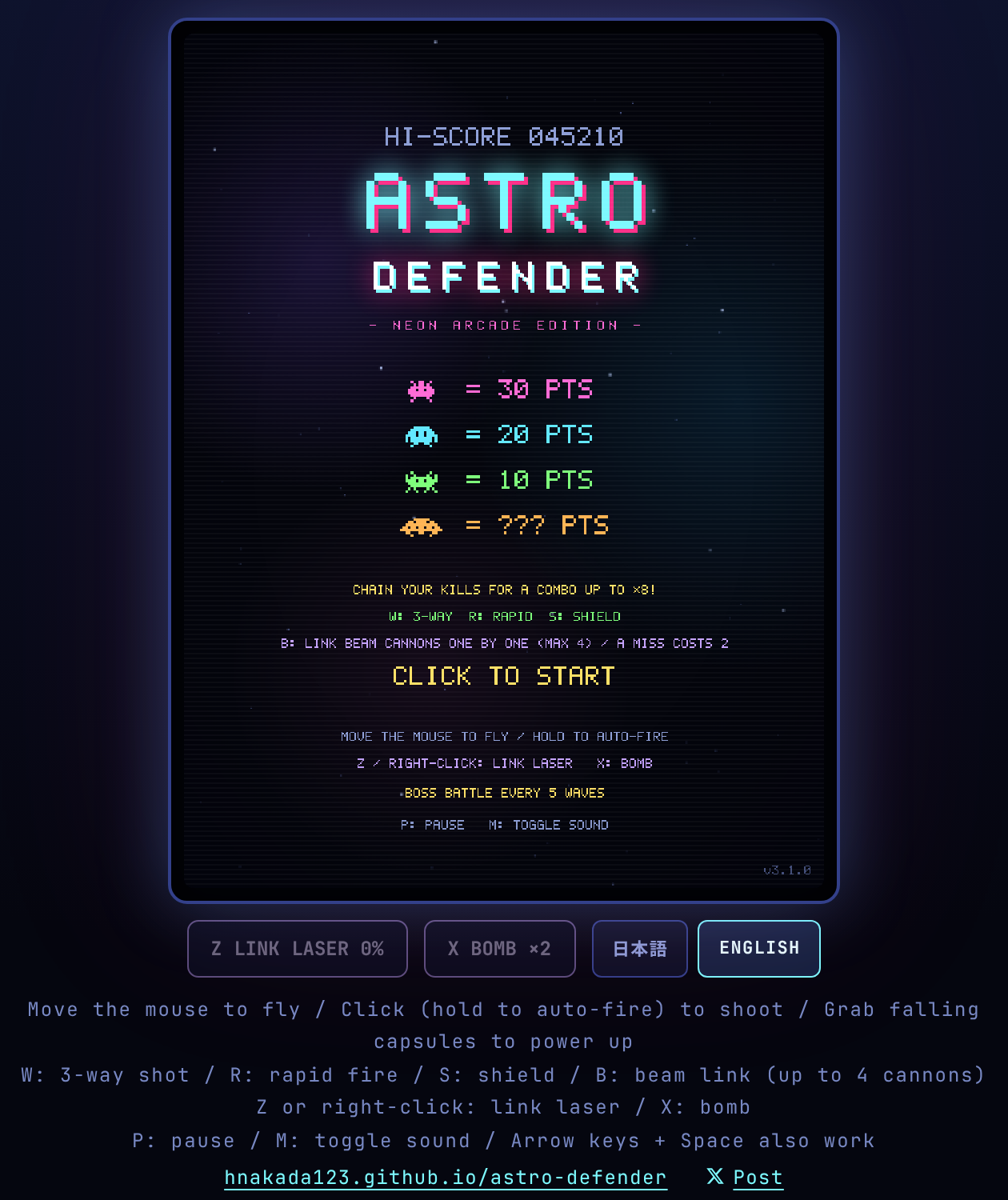
game.html has three layers: CSS for the look, a little HTML for the skeleton, and JavaScript for the game itself.
Only a few pieces of HTML
The page needs just a <canvas> for the screen, a row of buttons under it, a paragraph for the control hints, and a line of links to the game’s website and for posting on X.
66<div class="frame"><canvas id="game" width="480" height="640"></canvas></div>
67<div class="actions">
68  <button id="laserButton" type="button" disabled>Z 合体レーザー 0%</button>
69  <button id="bombButton" type="button" disabled>X ボム ×2</button>
70  <div class="lang" role="group" aria-label="Language / 言語">
71    <button id="langJa" type="button" aria-pressed="true">日本語</button>
72    <button id="langEn" type="button" aria-pressed="false">ENGLISH</button>
73  </div>
74</div>
75<p class="hint" id="hint"></p>
76<p class="site-link">
77  <a href="https://hnakada123.github.io/astro-defender/">hnakada123.github.io/astro-defender</a>
78  <a id="shareLink" href="https://x.com/intent/post?url=https%3A%2F%2Fhnakada123.github.io%2Fastro-defender%2Fgame.html" target="_blank" rel="noopener noreferrer"><svg role="img" aria-label="X" viewBox="0 0 24 24" width="12" height="12"><path fill="currentColor" d="M18.244 2.25h3.308l-7.227 8.26 8.502 11.24H16.17l-5.214-6.817L4.99 21.75H1.68l7.73-8.835L1.254 2.25H8.08l4.713 6.231zm-1.161 17.52h1.833L7.084 4.126H5.117z"/></svg><span id="shareLabel">でポスト</span></a>
79</p>
<canvas width="480" height="640">— the game screen: a 480 × 640 pixel sheet of paper that the JavaScript repaints about 60 times a second.#laserButton/#bombButton— the special-attack buttons. They are real HTML buttons so that touch players can use them too.- The two
.langbuttons — the display-language switch (chapter 19). #hint— the control hints. It starts empty; JavaScript fills it with text in the current language..site-link— links to the game’s website and for posting on X. The website link shows the address itself, so it reads the same in both languages; the post link follows the display language (chapter 19).
CSS builds the arcade cabinet
The screen is a fixed 480 × 640, but CSS scales it to fit the window. The important line is image-rendering: pixelated:
without it the browser would blur the enlarged pixels, and the retro look would be lost.
37  canvas {
38    width: min(92vw, max(240px, calc(75dvh - 162px))); aspect-ratio: 3 / 4;
39    image-rendering: pixelated; background: #04050c; border-radius: 6px;
40    touch-action: none; user-select: none;
41  }
42  /* CRT風の走査線とビネット */
43  .frame::after {
44    content: ""; position: absolute; inset: 8px; border-radius: 6px; pointer-events: none;
45    background:
46      repeating-linear-gradient(to bottom, rgba(255,255,255,.03) 0 1px, transparent 1px 3px),
47      radial-gradient(ellipse at center, transparent 55%, rgba(0,0,10,.35));
48 }.frame::after means “put one more transparent layer on top of the frame”. Thin horizontal stripes (repeating-linear-gradient) and
darkened corners (radial-gradient) together imitate an old CRT television. pointer-events: none makes the layer invisible to clicks.
A map of the JavaScript
The main <script> is about 2,200 lines long, but comments of the form /* ===== heading ===== */ divide it into 17 blocks.
From top to bottom they go: tools → assets → data → rules → input → update → draw → loop.
| Line | Block | What it does | Chapter |
|---|---|---|---|
| L84 | Utilities | Screen size and small helpers such as clamp, rand, hit | 04 06 |
| L104 | Localization | The Japanese / English string table and the switch | 19 |
| L194 | Dot font | The 5 × 7 pixel letters and digits, and drawing text with them | 04 05 |
| L328 | Sound | Sound effects synthesized with Web Audio | 18 |
| L426 | Music | A synthwave loop generated in real time | 18 |
| L505 | Sprites | Pixel art, glows and trails built from strings and gradients | 05 |
| L794 | Game state | Constants, every variable, wave creation, scoring, game over | 03 07 11 |
| L995 | Combo & power-ups | Multiplier math, capsule drops and their effects | 11 12 |
| L1037 | Specials | Link laser and bomb | 13 |
| L1101 | Battleship | Boss creation, levels, damage and attack patterns | 15 |
| L1212 | Flights | Dives, zigzags and flanking runs out of the formation | 16 |
| L1260 | Effects | Particles, shockwave rings, floating text | 17 |
| L1285 | Input | Mouse, touch, keyboard, buttons, language switch | 08 |
| L1396 | Barriers | How the green shields crumble | 10 |
| L1440 | Update | Difficulty curve and per-frame simulation: movement, firing, collisions, wave clear and the next wave | 07 09 14 |
| L1807 | Draw | Background, enemies, player, HUD and every screen | 04 17 |
| L2294 | Main loop | Update and draw, about 60 times a second | 02 |
How data flows
Almost every game program has the same skeleton. Input changes some variables, update advances those variables according to the rules, and draw turns them into a picture. Those three steps just go round and round.
You can usually tell what a function does from the first word of its name.
make… creates something (makeWave, makeBarriers, makeSprite),
update… advances it every frame (updatePlay, updateBoss),
draw… paints it (drawHud, drawTitle),
and spawn… launches an effect. When you get lost, look at the prefix.
CHAPTER 02 The game loop — a heartbeat at 60 Hz
The last forty or so lines of the file drive the entire game.
2296let last = performance.now();
2297let rafId = 0; // 予約中の requestAnimationFrame。0 ならループは止まっている
2298// 描画の目標間隔。プレイ中は 60fps、動きの少ないタイトルとゲームオーバーは 30fps に抑える。
2299// 120Hz・144Hz などの画面では requestAnimationFrame がもっと頻繁に呼ばれるので、間引いて更新と描画の回数を減らす
2300// (動きは経過時間 dt で進めるので、間引いても速さは変わらない)。
2301const PLAY_FRAME_MS = 1000 / 60, IDLE_FRAME_MS = 1000 / 30;
2302let vsyncMs = 1000 / 60, lastVsync = last; // 画面の更新間隔の推定値(rAF が呼ばれる間隔の移動平均)と、直前に呼ばれた時刻
2303
2304function frame(now) {
2305  rafId = 0;
2306  const gap = now - lastVsync;
2307  lastVsync = now;
2308  if (gap > 0 && gap < 50) vsyncMs += (gap - vsyncMs) * 0.1; // ポーズ明けなどの長い間隔は推定に使わない
2309  // 目標間隔に収まる回数(60Hz のプレイ中は 1、120Hz なら 2)ごとに描く。90Hz や 100Hz は毎回描き、60fps を下回らせない。
2310  // 判定には半回分の余裕を持たせ、呼ばれる時刻の揺れで描くはずの回を飛ばさないようにする。
2311  const target = state === "title" || state === "gameover" ? IDLE_FRAME_MS : PLAY_FRAME_MS;
2312  const every = Math.max(1, Math.floor(target / vsyncMs + 0.15));
2313  if (now - last < (every - 0.5) * vsyncMs) {
2314    rafId = requestAnimationFrame(frame);
2315    return;
2316  }
2317  const dt = Math.min((now - last) / 1000, 0.05);
2318  last = now;
2319  if (!paused) update(dt);
2320  draw(now / 1000);
2321  // ポーズ中は静止画のままにしてループを止める。再開は setPaused(false) → ensureLoop()。
2322  if (!paused) rafId = requestAnimationFrame(frame);
2323}
2324
2325function ensureLoop() {
2326  if (rafId || paused) return;
2327  last = performance.now();
2328  rafId = requestAnimationFrame(frame);
2329}
2330
2331// ポーズ中はループが止まっているので、表示に関わる設定を変えた時は 1 フレームだけ描き直す。
2332function redrawIfPaused() {
2333  if (paused) draw(performance.now() / 1000);
2334}
2335
2336ensureLoop();
frame does five things.
- Decide whether to draw this time at all. On a fast display it may simply book the next call and return (below).
- Compute
dt, the seconds elapsed since the previous frame.nowis in milliseconds, so it is divided by 1000. - Advance the world by
dtseconds withupdate(dt). Skipped while paused. - Paint the current state with
draw(t). This still runs for the first frame after pausing, which is how the “PAUSED” text gets on screen. - Unless paused, ask the browser to call
frameagain at the next screen refresh withrequestAnimationFrame(frame). That keeps it spinning. While paused nothing is booked, so the loop stops;setPaused(false)restarts it throughensureLoop().
Three small devices keep the loop from burning CPU for no reason. rafId remembers whether the next frame is already booked, and ensureLoop() books one only if it is not (booking twice would run the game at double speed).
At the top of frame, a call that comes sooner than the target interval — 1/60 s during play (PLAY_FRAME_MS), 1/30 s on quiet screens such as the title and game over (IDLE_FRAME_MS) — just re-books itself and returns, so play stays at about 60 fps and those screens at 30 fps even on a 120 Hz display.
And because the loop is stopped while paused, switching the language or the sound during a pause goes through redrawIfPaused(), which paints a single frame.
The browser only works when there is something to show.
Skipping refreshes on fast displays
requestAnimationFrame fires once per screen refresh: 60 times a second on a 60 Hz display, but 120 or 144 times on a fast one.
Updating and drawing on every one of those would double the work for no visible gain, so the first half of frame decides how many refreshes to let pass between drawn frames.
- Estimate the refresh interval.
vsyncMsis a moving average of the gap between calls; each new gap moves it 10 % of the way, so a single late call barely shifts it. Gaps of 50 ms or more, such as the first call after a pause, are ignored. - Work out how many refreshes fit the target interval.
every = floor(target / vsyncMs + 0.15)is 1 on a 60 Hz display and 2 on a 120 Hz one. Because it rounds down, 90 Hz and 100 Hz displays get 1 and are never pushed below 60 fps. - Return early until that many have passed. The check uses
(every - 0.5)refreshes rather than exactlyevery, so the slight jitter in call times never makes it skip a frame it meant to draw. The+ 0.15is a similar margin: on a 120 Hz display an estimate slightly above 8.33 ms (16.67 ÷ 8.4 ≈ 1.98) still gives 2.
| Display | During play | Title / game over |
|---|---|---|
| 60 Hz | every refresh (60 fps) | every 2nd (30 fps) |
| 90 Hz | every refresh (90 fps) | every 3rd (30 fps) |
| 120 Hz | every 2nd (60 fps) | every 4th (30 fps) |
| 144 Hz | every 2nd (72 fps) | every 4th (36 fps) |
Because everything moves by “speed × dt” (next), skipping refreshes changes how often the screen is drawn, never how fast anything moves.
Why everything moves by “speed × dt”
Look through the code and you will find that everything that moves is written as position += speed * dt. The player’s bullets, for example, use p.y -= SHOT_SPEED * dt
with SHOT_SPEED = 600: “600 pixels per second”. At 1/60 of a second per frame that is 10 pixels per frame.
// Bad: "5 px per frame" runs twice as fast on a 120 Hz display
x += 5;

// Good: "300 px per second" × elapsed seconds. Same speed at 60 Hz, at 120 Hz, or when frames are dropped
x += 300 * dt;Math.min((now - last) / 1000, 0.05) says “dt is never more than 0.05 seconds”.
If you switch tabs and come back ten seconds later, a naive dt = 10 would fling every bullet 6,000 pixels in a single step, straight through everything.
With the cap, a long gap turns into “a small step”, and nothing breaks.
update comes in two layers
update first advances the things that move on every screen (stars, particles, the animated score) in updateCommon, then branches on state:
updatePlay during play, timed screen changes otherwise. That state variable is the subject of the next chapter.
1791function update(dt) {
1792  stateT += dt;
1793  updateCommon(dt);
1794  if (state === "play") {
1795    updatePlay(dt);
1796  } else if (state === "dying") {
1797    if (stateT > 1.15) {
1798      if (lives > 0) { player.alive = true; player.inv = 2; setState("play"); if (saucer) saucerSoundStart(); }
1799      else gameOver();
1800    }
1801  } else if (state === "clear") {
1802    // 操作を止めずに次のウェーブへ。押しっぱなしの射撃・移動キーもそのまま引き継ぐ。
1803    if (stateT > 1.6) { wave++; makeWave(); setState("play"); }
1804  }
1805}
Both timed branches end in a setState call. After a miss, the frame in which stateT passes 1.15 seconds brings the ship back (or ends the game when no lives are left), and restarts the saucer’s hum that hitPlayer stopped if a saucer is still on screen. After a clear, the frame in which stateT passes 1.6 seconds increments wave, builds the next wave and goes straight back to play;
as the comment says, fire and movement controls that are still held carry over (chapter 14).
CHAPTER 03 States — which screen are we on?
Title, playing, dying… one variable names the current screen, and the code branches on it.
837let state = "title";       // title | play | dying | clear | gameover
838let stateT = 0;
839let paused = false;| state | What is on screen | How it moves on |
|---|---|---|
| title | Title screen with the score table and controls | Click / Space / Enter → startGame() → play |
| play | Playing. The only state in which updatePlay runs | Hit → dying / formation wiped out → clear / invaded → gameover |
| dying | The 1.15 seconds while the ship explodes | Lives left → play / no lives → gameover |
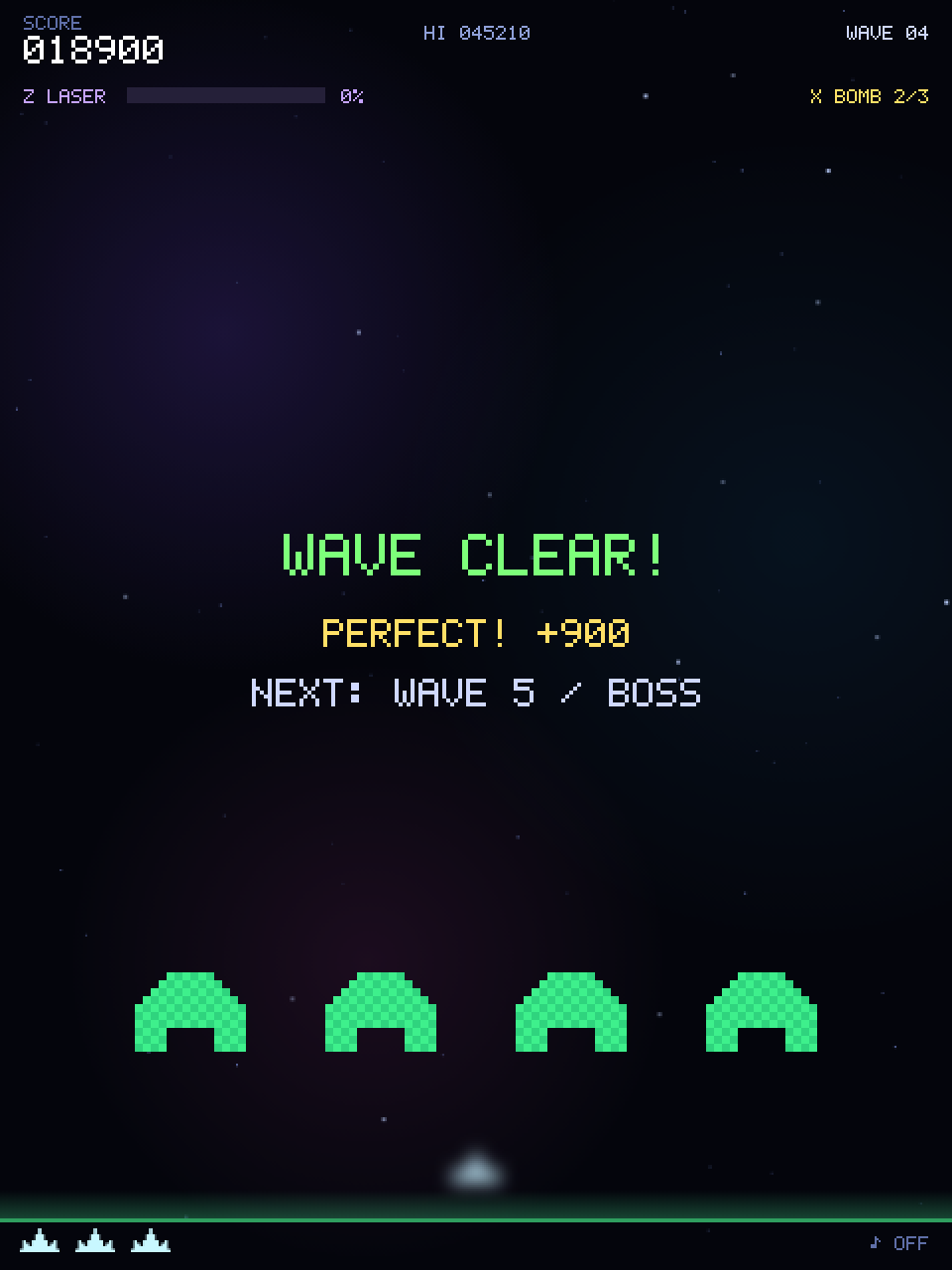
| clear | “WAVE CLEAR!” for 1.6 seconds. Combat is frozen | Timer → wave++, makeWave() → play (no input needed) |
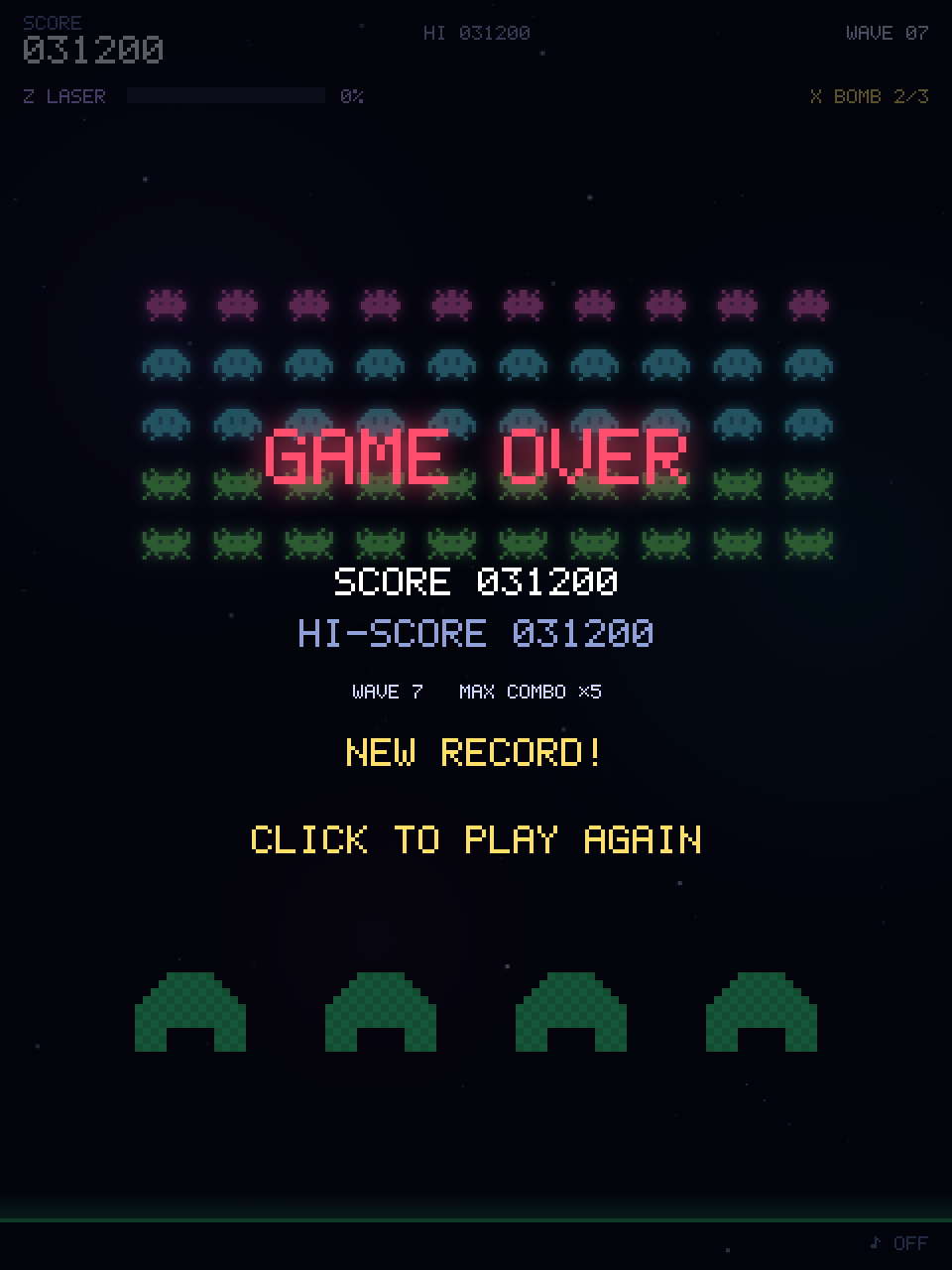
| gameover | Results | Click after 0.6 s → startGame() → play |
All changes go through setState()
872function setState(s) {
873  state = s; stateT = 0;
874  cvs.style.cursor = (s === "play" && !paused) ? "none" : "pointer";
875}
The state is only ever changed through setState(). It resets stateT (seconds spent in the current state) to zero and hides the mouse cursor during play.
stateT keeps growing inside update (stateT += dt), so timing rules such as “1.15 seconds after entering dying” or “1.6 seconds after clear”
all come from this one variable.
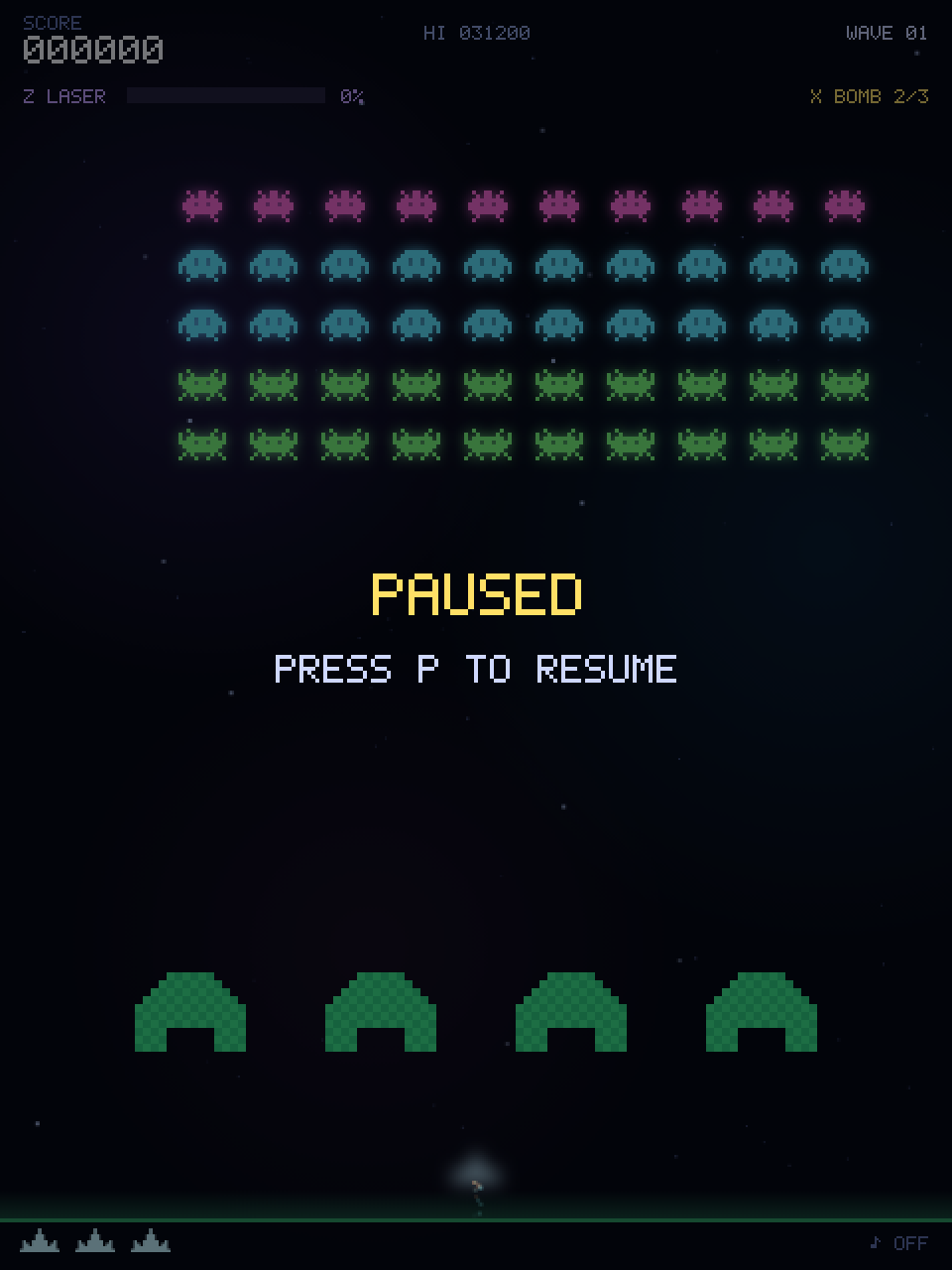
Pause is not a value of state; it is a separate variable, paused. Pausing can overlap with both “playing” and “dying”.
If it were state = "paused", unpausing would have to remember whether it was play or dying before.
Things that can be true at the same time belong in separate variables.
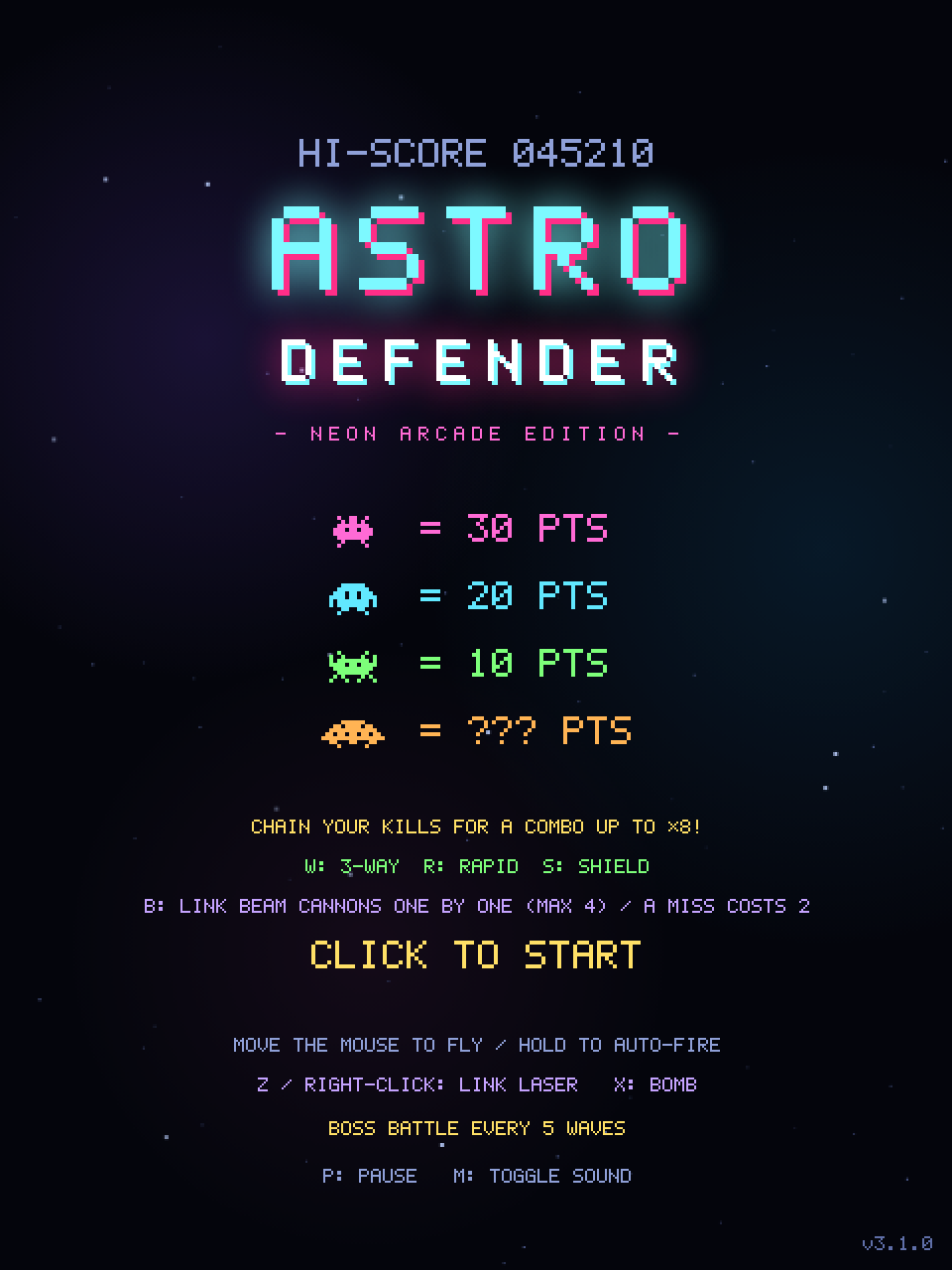
CHAPTER 04 Drawing on the canvas — coordinates and text
A canvas is a sheet of paper that paints when you tell it to. Paint cannot be moved, so every frame repaints everything.
87const W = 480, H = 640;
88const cvs = document.getElementById("game");
89const ctx = cvs.getContext("2d", { alpha: false }); // 毎フレーム全面を塗るので不透明にし、ページとの合成コストを下げるctx, the “context”, is the toolbox for drawing on the canvas: ctx.fillRect(x, y, w, h) fills a rectangle,
ctx.drawImage(img, x, y) pastes an image, ctx.fillText writes text, and so on.
The second argument, { alpha: false }, asks for a canvas without transparency. Every frame paints the whole canvas anyway, and an opaque canvas is cheaper for the browser to composite with the page.
Unlike a maths graph, canvas y grows downward. That is why the player’s bullets do p.y -= SHOT_SPEED * dt (up) and enemy bullets do b.y += b.vy * dt (down).
Remember it as “closer to the ground = bigger y”.
drawText, the shared text helper
Every piece of text on the canvas goes through one function. Letters, digits and symbols are drawn as the game’s own 5 × 7 pixel font (chapter 05); anything else is handed to fillText.
288// ドット 1 個を何 px で描くか。size 14 以上で 2 倍、24 以上で 3 倍…と整数倍にして、点の大きさをそろえる。
289function dotScale(size) { return Math.max(1, Math.floor((size + 6) / 10)); }
290
291// ドット文字にない文字(日本語など)を含む文は、行の中で大きさがそろうよう全体をシステムのフォントで描く。
292// 英字の字形が整った等幅フォントを OS ごとに選ぶ(CSS の --mono と同じ並び)。
293const SYSTEM_FONT = 'ui-monospace, "SF Mono", Menlo, Consolas, "Cascadia Mono", "JetBrains Mono", "DejaVu Sans Mono", monospace';
294
295// 文字を描く。英数字と記号だけの文はドット文字で描く。o.spacing は文字の間に足す間隔(px)。
296function drawTextOn(g, s, x, y, o = {}) {
297  s = String(s);
298  const size = o.size || 13, align = o.align || "center";
299  g.fillStyle = o.color || "#cfd8ff";
300  let n = 0;
301  for (const ch of s) {
302    if (!GLYPHS.has(ch)) {
303      g.font = `${o.weight || 700} ${size}px ${SYSTEM_FONT}`;
304      g.textAlign = align;
305      g.textBaseline = "alphabetic";
306      g.fillText(s, x, y);
307      return;
308    }
309    n++;
310  }
311  // 揃え方から左端を決める。最後の文字の右の空き 1 列は幅に含めない。
312  // 座標は整数にそろえ、点がにじまないようにする。
313  const k = dotScale(size), gap = o.spacing || 0, step = GLYPH_ADVANCE * k + gap;
314  const width = n * step - k - gap;
315  let cx = Math.round(align === "left" ? x : align === "right" ? x - width : x - width / 2);
316  const by = Math.round(y);
317  // 長方形を 1 本のパスにまとめて一度に塗る(光彩も文全体に 1 回だけかかる)。
318  g.beginPath();
319  for (const ch of s) {
320    for (const [gx, gy, gw] of GLYPHS.get(ch)) g.rect(cx + gx * k, by + (gy - GLYPH_H) * k, gw * k, k);
321    cx += step;
322  }
323  g.fill();
324}
o = {} is an options argument. A call such as drawText("SCORE", 12, 15, { align: "left", size: 10 }) passes only the settings that differ from the defaults;
o.size || 13 is the usual idiom for “13 unless specified”.
- Size → dot scale.
dotScale()turns the requested size into a whole number of pixels per dot: 1 below 14, 2 from 14, 3 from 24 and so on. Whole numbers keep every dot the same size. - Alignment. Each character advances 6 dots (5 for the glyph, 1 for the gap), so the width is known before drawing. The left edge for centre or right alignment is computed from it and rounded, together with the baseline, to whole pixels so the dots stay sharp.
- One fill per string. Every rectangle of every letter is added to a single path and filled once. That is fewer draw calls, and when a glow (
shadowBlur) is on, as for the title logo, it is applied once to the whole word. - Japanese. A string that contains anything the font lacks — Japanese, in practice — is drawn entirely with
fillTextinSYSTEM_FONT, a list of clean monospace fonts per OS (the same list as the page’s CSS). Mixing 7-pixel letters with full-size kana in one line would look uneven.
The real work is in drawTextOn, which takes the target context g as its first argument; drawText is a one-liner that passes ctx.
The split lets the same function draw onto the off-screen canvases used for pre-rendered text such as the title logo (chapter 05).
Converting mouse coordinates to canvas coordinates
The canvas is scaled by CSS, so the mouse position on screen (in pixels) does not match the internal coordinates (480 wide). The fix is a ratio.
1287function canvasX(e) {
1288  const r = cvs.getBoundingClientRect();
1289  return ((e.clientX - r.left) * W) / r.width;
1290}
getBoundingClientRect() tells you where the canvas is on screen and how large it is displayed. Divide the distance from its left edge by the displayed width
and multiply by the internal width W. If the canvas is shown at twice its size, a 200-pixel mouse move becomes 100 internal units.
Draw order is stacking order
Whatever is drawn later ends up on top. draw() goes background → game → HUD → overlays (pause, game over).
2271function draw(t) {
2272  refreshActionButtons();
2273  // 空の画像は不透明で全面を覆うので、下地を塗るのは画面を揺らして端がずれる時だけでよい。
2274  if (shake > 0) {
2275    ctx.fillStyle = "#04050c";
2276    ctx.fillRect(0, 0, W, H);
2277  }
2278
2279  ctx.save();
2280  if (shake > 0) ctx.translate(rand(-1, 1) * shake * 10, rand(-1, 1) * shake * 10);
2281
2282  drawBackground(t);
2283
2284  if (state === "title") {
2285    drawTitle(t);
2286  } else {
2287    drawGame(t);
2288    drawHud();
2289    drawOverlay(t);
2290  }
2291  ctx.restore();
2292}
The bottom layer, the nebula sky image, is opaque and covers the whole canvas, so it paints over the previous frame by itself.
Only while the screen shakes, when the shifted image would leave a gap at the edge, does draw() fill the background colour first.
ctx.save() remembers the current settings (origin, colours, alpha, …) and ctx.restore() brings them back.
In between, ctx.translate(dx, dy) shifts everything drawn afterwards by (dx, dy).
While shake is non-zero the whole frame is nudged by a random offset, and restore undoes it afterwards. That is the entire screen-shake implementation.
CHAPTER 05 Pixel art from strings — sprites
There is not a single image file. Aliens and ship alike are built at start-up from strings of X and dots.
makeSprite — paint only the X cells
507function makeSprite(rows, color, scale = 2) {
508  const c = document.createElement("canvas");
509  c.width = rows[0].length * scale;
510  c.height = rows.length * scale;
511  const g = c.getContext("2d");
512  g.fillStyle = color;
513  rows.forEach((row, y) => {
514    for (let x = 0; x < row.length; x++) if (row[x] === "X") g.fillRect(x * scale, y * scale, scale, scale);
515  });
516  return c;
517}
Simple as it looks: walk the array of strings row by row, character by character, and fill a tiny square wherever there is an "X".
With scale = 2 each character becomes a 2 × 2 pixel block. The target is a canvas created with document.createElement("canvas"), one that is never shown on the page.
A canvas made with document.createElement("canvas") is invisible until you add it to the document. You can still draw on it, and — the important part —
you can paste it into another canvas with ctx.drawImage(thatCanvas, x, y) as if it were an image. Using it as an “image factory” is a classic technique.
Alien designs are two-frame animations
589  a: { // トゲ型エイリアン
590    pts: 30, color: "#ff6ad5",
591    frames: [[
592      ".X..XX..X.",
593      "..X.XX.X..",
594      ".XXXXXXXX.",
595      "XXX.XX.XXX",
596      "XXXXXXXXXX",
597      ".XXXXXXXX.",
598      "..X....X..",
599      ".X......X.",
600    ], [
601      "X...XX...X",
602      ".X..XX..X.",
603      ".XXXXXXXX.",
604      "XXX.XX.XXX",
605      "XXXXXXXXXX",
606      ".XXXXXXXX.",
607      "..X....X..",
608      "...X..X...",
609    ]],
frames holds two pictures whose legs differ slightly. Every time the formation steps, form.anim flips between 0 and 1, and ty.img[form.anim]
picks the frame to draw. That alone makes the aliens look like they are crawling.
A short loop right after the definition builds the image and the glow for all three alien types ahead of time.
656for (const k in TYPES) {
657  const t = TYPES[k];
658  t.img = t.frames.map(f => makeSprite(f, t.color));
659  t.glow = t.img.map(im => withGlow(im, 3, 0.8));
660  t.w = t.img[0].width;
661  t.h = t.img[0].height;
662}Edit the pattern on the left and the result of makeSprite and withGlow (the game’s own functions) appears on the right. X paints, . is transparent.
Neon glow is a blurred copy
To make something glow, draw a blurred copy underneath and the sharp original on top. withGlow produces the blurred version.
524function withGlow(img, blur = 3, alpha = 0.85) {
525  const pad = blur * 3;
526  const c = document.createElement("canvas");
527  c.width = img.width + pad * 2;
528  c.height = img.height + pad * 2;
529  const g = c.getContext("2d");
530  if (CAN_FILTER) {
531    g.filter = `blur(${blur}px)`;
532    g.globalAlpha = alpha;
533    g.drawImage(img, pad, pad);
534    g.filter = "none";
535  } else {
536    g.globalAlpha = alpha / 6;
537    for (let dx = -blur; dx <= blur; dx += blur)
538      for (let dy = -blur; dy <= blur; dy += blur) g.drawImage(img, pad + dx, pad + dy);
539  }
540  return { img: c, pad };
541}
g.filter = "blur(3px)"— the canvas supports CSS filters; anything drawn after this is blurred.pad— a blur spills outside the original image, so the canvas is made larger with a margin. When drawing, the margin is subtracted again (r.x - gl.pad) to line things up.- When
CAN_FILTERis false (old browsers) the image is drawn nine times, slightly offset and semi-transparent, as a poor man’s blur.
The glow around bullets and capsules is a radial gradient image from glowDot: opaque in the middle, fading to transparent at the edge.
543function glowDot(hex, r) {
544  const c = document.createElement("canvas");
545  c.width = c.height = r * 2;
546  const g = c.getContext("2d");
547  const gr = g.createRadialGradient(r, r, 0, r, r, r);
548  gr.addColorStop(0, hex + "dd");
549  gr.addColorStop(0.5, hex + "55");
550  gr.addColorStop(1, hex + "00");
551  g.fillStyle = gr;
552  g.fillRect(0, 0, r * 2, r * 2);
553  return c;
554}Blurs and gradients are too slow to compute every frame. So they are rendered into images before the game starts (pre-rendering) and only drawImaged during play.
Every upper-case constant such as SHIP_GLOW, P_GLOW or NEBULAE is one of these ready-made images.
664const SHIP_IMG = makeSprite([
665  "......X......",
666  "......X......",
667  ".....XXX.....",
668  ".....XXX.....",
669  ".X..XXXXX..X.",
670  ".XX.XXXXX.XX.",
671  ".XXXXXXXXXXX.",
672  "XXXXXXXXXXXXX",
673], "#c8f7ff");
674const SHIP_GLOW = withGlow(SHIP_IMG, 4, 0.9);
The pre-rendering helper — prerender
“Create an off-screen canvas, draw on it, return it” is wrapped in one function, prerender. What to draw is passed in as the paint function.
568// shadowBlur 付きの描画は毎フレーム行うと重いので、形が変わらないものは一度だけ画像にしておく。
569function prerender(w, h, paint, opts) {
570  const c = document.createElement("canvas");
571  c.width = w; c.height = h;
572  paint(c.getContext("2d", opts));
573  return c;
574}
Even heavier than a blur is shadowBlur, the canvas feature that surrounds a shape with a blurred glow. Used every frame it re-blurs on every draw,
so anything whose shape never changes is turned into an image at start-up with this helper. The title logo is the prime example: it becomes two images, TITLE_GLOW (the glow only) and TITLE_TEXT (the letters only).
712// タイトルロゴ: 光彩層と文字層に分け、光彩層の透明度を揺らして脈動させる。
713const TITLE_LOGO_Y = 80; // ロゴ画像を置くキャンバス上の y
714function paintTitleLogo(g, glow) {
715  const y = -TITLE_LOGO_Y;
716  if (glow) { g.shadowColor = "#7df9ff"; g.shadowBlur = 20; }
717  drawTextOn(g, "ASTRO", W / 2 + 3, 149 + y, { size: 54, color: "#ff2e88", weight: 900, spacing: 8 });
718  drawTextOn(g, "ASTRO", W / 2, 146 + y, { size: 54, color: "#7df9ff", weight: 900, spacing: 8 });
719  if (glow) g.shadowColor = "#ff2e88";
720  drawTextOn(g, "DEFENDER", W / 2 + 2, 194 + y, { size: 31, color: "#7df9ff", weight: 900, spacing: 8 });
721  drawTextOn(g, "DEFENDER", W / 2, 192 + y, { size: 31, color: "#ffffff", weight: 900, spacing: 8 });
722}
723const TITLE_GLOW = prerender(W, 160, g => paintTitleLogo(g, true));
724const TITLE_TEXT = prerender(W, 160, g => {
725  paintTitleLogo(g, false);
726  drawTextOn(g, "- NEON ARCADE EDITION -", W / 2, 222 - TITLE_LOGO_Y, { size: 11, color: "#ff6ad5", spacing: 3 });
727});2188 ctx.globalAlpha = 0.7 + 0.3 * Math.sin(t * 2); // 光彩の脈動
2189 ctx.drawImage(TITLE_GLOW, 0, TITLE_LOGO_Y);
2190 ctx.globalAlpha = 1;
2191 ctx.drawImage(TITLE_TEXT, 0, TITLE_LOGO_Y);Drawing it is two drawImage calls: the glow with a pulsing globalAlpha, then the letters on top. Varying the alpha reads as a pulse just as well as varying the blur radius did.
The GAME OVER text (GAMEOVER_TEXT) and the boss hull (BOSS_HULL, chapter 15) are made the same way,
and the link laser (chapter 13) and the alien formation (chapter 17) extend the idea to “redraw only when something changes”.
The logo’s wide letter spacing is the spacing option of drawTextOn (chapter 04).
Letters are pixel art too — the dot font
The letters, digits and symbols on screen are a 5 × 7 pixel font drawn for this game. Instead of one array per character, they are written as font sheets: each row lists the same row of every character side by side, five columns per character with a one-column gap between them.
196// 文字表: 各行に、同じ高さの点の並びを文字の順に横へ書き並べる。1 文字は 5 列で、文字どうしは空白 1 列で区切る。
197// 上から 7 行目の下がベースライン。g・j・p・q・y の下に伸びる部分だけ 8・9 行目を使う。
198const FONT_SHEETS = [
199  ["ABCDEFGHIJKLM", [
200    ".XXX. XXXX. .XXX. XXXX. XXXXX XXXXX .XXX. X...X .XXX. ..XXX X...X X.... X...X",
201    "X...X X...X X...X X...X X.... X.... X...X X...X ..X.. ...X. X..X. X.... XX.XX",
202    "X...X X...X X.... X...X X.... X.... X.... X...X ..X.. ...X. X.X.. X.... X.X.X",
203    "XXXXX XXXX. X.... X...X XXXX. XXXX. X.XXX XXXXX ..X.. ...X. XX... X.... X.X.X",
204    "X...X X...X X.... X...X X.... X.... X...X X...X ..X.. ...X. X.X.. X.... X...X",
205    "X...X X...X X...X X...X X.... X.... X...X X...X ..X.. X..X. X..X. X.... X...X",
206    "X...X XXXX. .XXX. XXXX. XXXXX X.... .XXXX X...X .XXX. .XX.. X...X XXXXX X...X",
207  ]],
Further sheets follow for N–Z, lowercase, digits (with × and ♪) and symbols. The baseline sits under the seventh row; only the tails of g, j, p, q and y reach into rows 8 and 9.
267const GLYPH_W = 5, GLYPH_H = 7, GLYPH_ADVANCE = 6; // 1 文字の幅・ベースラインより上の高さ・次の文字までの間隔(ドット数)
268
269// 文字 → 横に続く点をまとめた長方形 [x, y, 幅] の一覧。描くときは長方形 1 つにつき 1 回で済む。
270const GLYPHS = new Map([[" ", []]]);
271for (const [chars, rows] of FONT_SHEETS) {
272  [...chars].forEach((ch, i) => {
273    const runs = [];
274    rows.forEach((row, y) => {
275      const bits = row.slice(i * (GLYPH_W + 1), i * (GLYPH_W + 1) + GLYPH_W);
276      for (let x = 0; x < GLYPH_W; x++) {
277        if (bits[x] !== "X") continue;
278        let w = 1;
279        while (bits[x + w] === "X") w++;
280        runs.push([x, y, w]);
281        x += w - 1;
282      }
283    });
284    GLYPHS.set(ch, runs);
285  });
286}
At start-up each sheet is cut into characters, and GLYPHS maps every character to a list of rectangles [x, y, width]: a horizontal run of X becomes one rectangle,
so an “E” with 18 dots is just seven rectangles. Drawing them is drawTextOn’s job (chapter 04). Change the five columns of “A” in the first sheet and every A in the game changes with it.
CHAPTER 06 Collision detection — overlapping rectangles
A bullet hitting an alien, a capsule being picked up, an enemy touching the ship: one line of code decides all of it.
97const hit = (a, b) => a.x < b.x + b.w && a.x + a.w > b.x && a.y < b.y + b.h && a.y + a.h > b.y;a and b are objects with { x, y, w, h } (top-left corner, width, height). The rectangles overlap only when all four conditions hold.
Put the other way round: if even one of them fails, the rectangles are apart.
Move the red rectangle with the mouse (or your finger) and watch the four conditions change.
- a.x < b.x + b.w
- a.x + a.w > b.x
- a.y < b.y + b.h
- a.y + a.h > b.y
Hit boxes are computed on demand
The only thing stored about the player’s position is player.x, the centre. The rectangle used for collisions is built by a function whenever it is needed.
889function playerRect() { return { x: player.x - 13, y: PLAYER_Y, w: 26, h: 16 }; }897// 毎フレーム何百回も呼ぶ当たり判定では SCRATCH に書き込んで使い回し、オブジェクト生成(GC 負荷)を避ける。
898// SCRATCH の中身は次の alienRectInto 呼び出しで上書きされるので、保持せずその場で使い切ること。
899const SCRATCH = { x: 0, y: 0, w: 0, h: 0 };
900function alienRectInto(a, out) {
901 const t = TYPES[a.type];
902 if (a.flight) { out.x = a.flight.x; out.y = a.flight.y; }
903 else { out.x = form.ox + a.c * CELL_W + (CELL_W - t.w) / 2; out.y = form.oy + a.r * CELL_H; }
904 out.w = t.w; out.h = t.h;
905 return out;
906}
907function alienRect(a) { return alienRectInto(a, { x: 0, y: 0, w: 0, h: 0 }); }alienRectInto computes the position from the alien’s row and column in the formation (next chapter) and writes it into the out argument. An alien that is currently flying (a.flight is set)
has its own free position, which takes priority. alienRect is a thin wrapper that writes into a fresh object and returns it.
The collision loops call this function hundreds of times per frame. Creating a new { x, y, w, h } each time gives the garbage collector more used-up objects to clean away, and its pauses are a classic cause of stutter.
So the hot loops write alienRectInto(a, SCRATCH), reusing one shared object, SCRATCH. Its contents are overwritten by the next call, so the rule is use it immediately and never keep it.
Where the result has to be kept, as in the tests, alienRect is used instead.
If you stored both “centre x” and “top-left x”, sooner or later you would update one and forget the other. Keep only the source values and compute the derived ones. This principle applies far beyond games.
When you need a circle
The bomb affects everything within 240 pixels of the ship — a circle. For that, take the distance between two points with Math.hypot(dx, dy) and compare it with the radius.
1073 if (Math.hypot(r.x + r.w / 2 - player.x, r.y + r.h / 2 - PLAYER_Y) <= BOMB_RADIUS) killAlien(a, r);CHAPTER 07 The enemy formation — 50 aliens as one block
No alien stores its own coordinates. Each one knows only its row and column; the formation knows where its top-left corner is.
796const ROWS = 5, COLS = 10, CELL_W = 36, CELL_H = 30, DROP = 14;
797const ROW_TYPE = ["a", "b", "b", "c", "c"];
798const TOTAL = ROWS * COLS;850let aliens = [], aliveN = 0;
851const form = { ox: 60, oy: 96, dir: 1, anim: 0, animT: 0 };A single alien is just { r: row, c: column, type: kind, alive: true/false }. Its position is the formation’s top-left corner form.ox, form.oy
plus column × 36 pixels and row × 30 pixels (that is what alienRect computed in the previous chapter).
Building a wave — makeWave
This function resets everything at the start of a wave. A double loop lays out 50 aliens, and the row number decides the type (ROW_TYPE).
It also restarts the combo with resetCombo(), so a chain never carries over from the previous wave.
935function makeWave() {
936  aliens = [];
937  boss = null;
938  if (wave % 5 === 0) makeBoss();
939  else {
940    for (let r = 0; r < ROWS; r++)
941      for (let c = 0; c < COLS; c++)
942        aliens.push({ r, c, type: ROW_TYPE[r], alive: true });
943  }
944  aliveN = aliens.length;
945  form.ox = 60;
946  form.oy = 96 + Math.min(wave - 1, 5) * 10;
947  form.dir = 1; form.anim = 0; form.animT = 0;
948  pBullets = []; eBullets = []; particles = []; popups = []; rings = []; powerups = [];
949  saucer = null; saucerSoundStop(); saucerT = rand(10, 20);
950  fireT = 1.5; bannerT = 1.3; freezeT = 0;
951  waveNoDamage = true; perfectBonus = 0;
952  resetCombo(); // コンボはウェーブごとに数え直す(次のウェーブの最初の撃破で前のウェーブから続けない)
953  player.alive = true; player.inv = 1.5; player.cool = 0;
954  special.laserT = 0; special.bombT = 0;
955  flightT = 6; flightCount = 0; volleyT = 4;
956  makeBarriers();
957}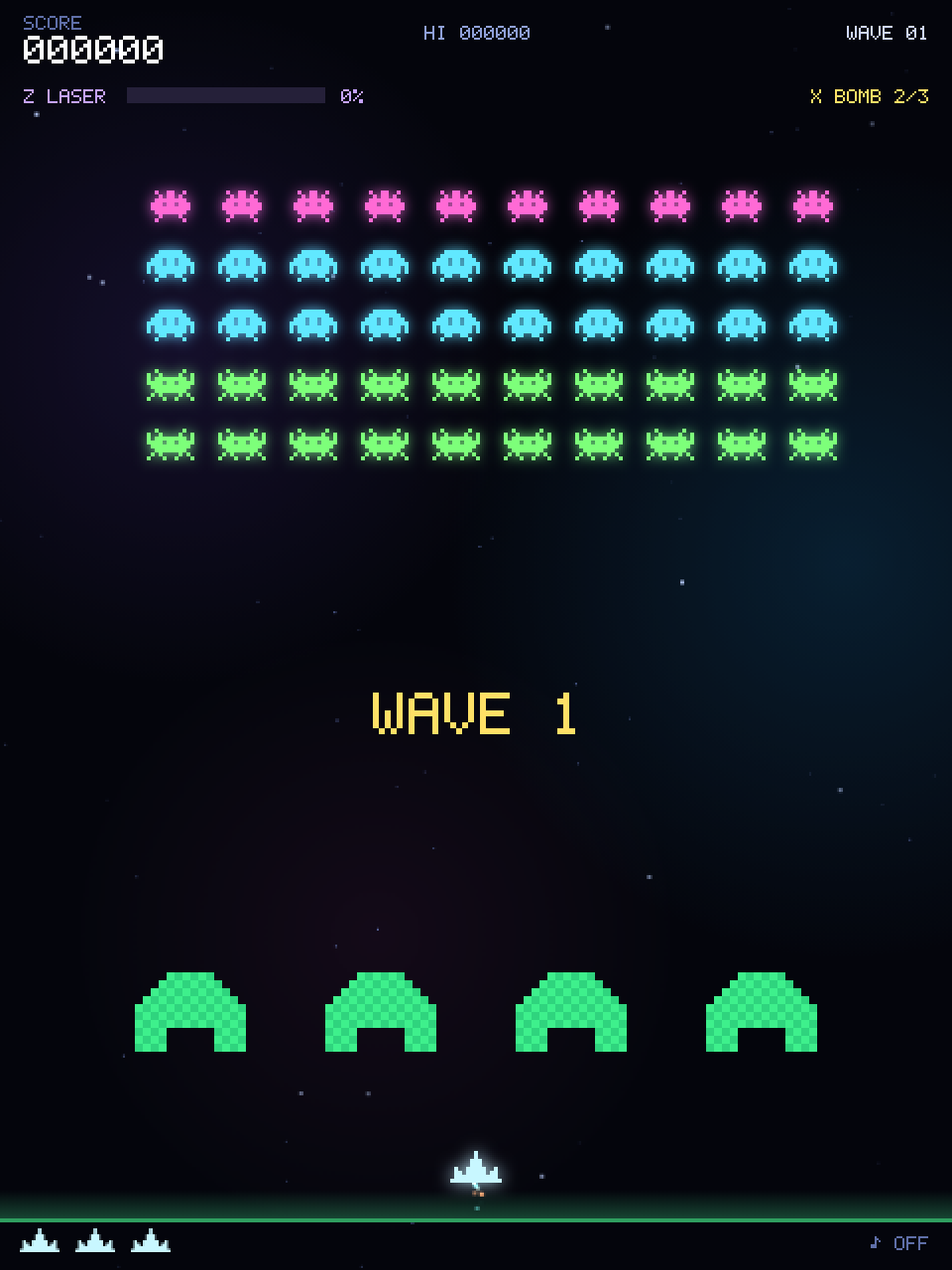
Bullets, particles, timers, the ship’s state: everything that must not leak from one wave into the next is cleared here in one go. When you add a new kind of object (a new bullet type, say), remember to reset it here as well.
Moving the formation — bounce at the edges and step down
1647  // --- 編隊移動 ---
1648  if (aliens.some(a => a.alive && !a.flight)) {
1649    form.ox += form.dir * formSpeed() * dt;
1650    const b = formBounds();
1651    if (form.dir > 0 && b.max > W - 8) { form.ox -= b.max - (W - 8); form.dir = -1; form.oy += DROP; }
1652    else if (form.dir < 0 && b.min < 8) { form.ox += 8 - b.min; form.dir = 1; form.oy += DROP; }
1653
1654    const period = clamp(0.65 * (aliveN / TOTAL) + 0.08, 0.1, 0.73);
1655    form.animT += dt;
1656    if (form.animT >= period) {
1657      form.animT = 0; form.anim ^= 1;
1658      sfx.step(form.anim === 1);
1659    }
1660
1661 erodeBarriers();- Add “direction × speed × dt” to
form.oxto move sideways. formBounds()finds the leftmost and rightmost living aliens (dead ones are ignored, so the turning point shifts as the edges empty out).- If the right edge passes the screen edge (
W - 8), push it back by the overshoot, flip the direction and move down byDROP(14 pixels). Same on the left. - At a regular period, flip
form.animbetween 0 and 1 (^= 1) and play the marching sound.
Fewer aliens, faster formation
1474function formSpeed() {
1475  const r = aliveN / TOTAL;
1476  // ウェーブごとの基本速度はウェーブ 13 で頭打ち。それ以上速いと端での折り返しが続いて一気に降下し、
1477  // 弾をかわす前に侵攻で終わってしまうため、後半は弾の攻撃で難しくする。
1478  let s = 16 + Math.min(wave - 1, 12) * 7 + 130 * Math.pow(1 - r, 1.7);
1479  if (aliveN <= 3) s += 55;
1480  if (aliveN === 1) s += 75;
1481  return Math.min(s, 240);
1482}
The smaller the surviving fraction r, the faster the formation, with extra boosts for the last three and the last one.
In the original arcade Space Invaders the speed-up was an accident — fewer sprites meant less work per frame — and it became a signature feature. This game reproduces it deliberately with a formula.
The per-wave base speed 16 + (wave - 1) * 7 stops growing at wave 13 (100 px/s) thanks to Math.min(wave - 1, 12).
The formation steps down 14 pixels every time it turns at an edge, so the faster it slides, the faster it sinks. If the base speed kept climbing,
a full formation would bounce every half second and reach the ground before the bullets ever mattered. Later waves get harder through enemy fire instead (below).
| Alive | 50 | 40 | 30 | 20 | 10 | 5 | 3 | 1 |
|---|---|---|---|---|---|---|---|---|
| Speed on wave 1 (px/s) | 16 | 24 | 43 | 71 | 105 | 125 | 188 | 240 |
| Speed on wave 5 (px/s) | 44 | 52 | 71 | 99 | 133 | 153 | 216 | 240 |
| Speed on wave 13 and later (px/s) | 100 | 108 | 127 | 155 | 189 | 209 | 240 | 240 |
This runs the real formSpeed() and the real edge-bounce logic. Reduce the number of survivors and watch the speed and the marching tempo change.
Only the bottom alien of each column shoots
As in a real formation, the aliens at the back cannot fire past the ones in front. For each column pickShooter() finds the lowest living alien (largest r) and picks one of those at random.
1463// 各列のいちばん下にいる(編隊にいる)敵から 1 体を選び、その矩形を返す。
1464function pickShooter() {
1465  const bottoms = [];
1466  for (let c = 0; c < COLS; c++) {
1467    let low = null;
1468    for (const a of aliens) if (a.alive && !a.flight && a.c === c && (!low || a.r > low.r)) low = a;
1469    if (low) bottoms.push(low);
1470  }
1471  return bottoms.length ? alienRect(bottoms[(Math.random() * bottoms.length) | 0]) : null;
1472}1677 // --- 敵の射撃 ---
1678 fireT -= dt;
1679 const maxEB = maxEnemyBullets();
1680 if (fireT <= 0 && bannerT <= 0 && aliveN > 0) {
1681 fireT = enemyFireInterval() * rand(0.5, 1.5) * (0.55 + 0.45 * (aliveN / TOTAL));
1682 const r = eBullets.length < maxEB && pickShooter();
1683 if (r) enemyShot(r.x + r.w / 2 - 1.5, r.y + r.h, Math.random() < aimedChance());
1684 }
1685 // ウェーブ 16 からは、ときどき編隊の 1 体が 3 方向に広がる弾をまとめて撃つ(間隔は少しずつ縮む)。
1686 if (wave >= VOLLEY_WAVE && bannerT <= 0 && aliveN > 0) {
1687 volleyT -= dt;
1688 if (volleyT <= 0) {
1689 volleyT = Math.max(2.5, 6 - (wave - VOLLEY_WAVE) * 0.25) * rand(0.8, 1.2);
1690 const r = eBullets.length + 3 <= maxEB && pickShooter();
1691 if (r) for (const vx of [-70, 0, 70]) enemyShot(r.x + r.w / 2 - 1.5, r.y + r.h, false, vx);
1692 }
1693 }The firing interval fireT gets shorter as waves progress and as aliens die. There is also a cap maxEB on how many enemy bullets can be on screen, so it never becomes an unfair bullet hell.
From wave 16 a second timer, volleyT, occasionally makes one alien fire a 3-way spread. It only fires when all three bullets fit under the cap.
Later waves fire harder
How fierce the enemy fire is lives in a few small functions that depend only on wave.
1442// ---- 難易度の上がり方 ----
1443// 序盤(〜13 ウェーブ)は従来どおりに上がり、その先も 30 ウェーブ前後までゆっくり厳しくなり続ける。
1444function enemyFireInterval() {
1445  return wave <= 13 ? Math.max(0.3, 1.15 - (wave - 1) * 0.07) : Math.max(0.18, 0.3 - (wave - 13) * 0.007);
1446}
1447
1448function maxEnemyBullets() { // 画面内の敵弾の上限。ウェーブ 5 で 7 発、以降 4 ウェーブごとに 1 発ずつ増えて最大 12 発
1449  return wave <= 5 ? 2 + wave : Math.min(12, 7 + Math.floor((wave - 5) / 4));
1450}
1451
1452function aimedChance() { // 編隊の弾のうち自機を狙う割合。ウェーブ 6 の 15% から、ウェーブ 20 で 50% まで
1453  return wave < AIMED_WAVE ? 0 : Math.min(0.5, 0.15 + (wave - AIMED_WAVE) * 0.025);
1454}
1455
1456// 敵弾を 1 発出す。狙い撃ち弾は撃った瞬間の自機の位置へ向かう(横の速さは避けられる程度に制限)。
1457function enemyShot(x, y, aimed, vx = 0) {
1458  const vy = Math.min(330, 150 + wave * 14) * rand(0.9, 1.1);
1459  if (aimed) vx = clamp((player.x - x) * vy / Math.max(60, PLAYER_Y - y), -110, 110);
1460  eBullets.push({ x, y, w: 3, h: 9, vx, vy, aimed });
1461}| Wave | Base fire interval | Bullet cap | Aimed shots |
|---|---|---|---|
| 1 | 1.15 s | 3 | 0% |
| 6 | 0.80 s | 7 | 15% |
| 13 | 0.31 s | 9 | 33% |
| 20 | 0.25 s | 10 | 50% |
| 30 | 0.18 s | 12 | 50% |
The interval shrinks at the original rate up to wave 13, then keeps shrinking slowly until about wave 30. The bullet cap grows from 7 at wave 5 by one every four waves, up to 12.
From wave 6, some shots are aimed. enemyShot() works out how long the bullet needs to fall to the ship’s height (vertical distance ÷ falling speed)
and gives it just enough sideways speed vx to arrive where the ship was when it fired — capped at 110 px/s so it stays dodgeable.
Aimed bullets carry aimed: true and are drawn in red, so you can tell them apart from the yellow ones that fall straight down.
The waves where a new attack starts (6, 11, 16) and where the boss levels up (10, 15, 20) are listed in WAVE_NEWS, and the clear screen before them announces what is coming (chapter 14).
Invasion means game over
1663    // 侵入チェック
1664    const prect = playerRect();
1665    for (const a of aliens) {
1666      if (!a.alive || a.flight) continue;
1667      const r = alienRectInto(a, SCRATCH);
1668      if (r.y + r.h >= PLAYER_Y + 8 || hit(r, prect)) {
1669        spawnBurst(prect.x + 13, prect.y + 8, "#c8f7ff", 26, 160);
1670        boom(0.6, 0.3, 500);
1671        gameOver();
1672        return;
1673      }
1674    }
CHAPTER 08 The player and input — mouse and keyboard alike
Input handlers only write variables. Actually moving the ship is updatePlay’s job.
Pointer events remember a target x
1302window.addEventListener("pointermove", e => {
1303  if (e.target !== cvs) return;
1304  mouseX = clamp(canvasX(e), 0, W);
1305  inputMode = "mouse";
1306});
1307cvs.addEventListener("pointerdown", e => {
1308  e.preventDefault();
1309  ac(); if (!paused) musicStart();
1310  if (e.button === 2) { activateLaser(); return; }
1311  if (e.button !== 0) return;
1312  mouseX = clamp(canvasX(e), 0, W);
1313  inputMode = "mouse";
1314  handlePress();
1315  // ミスからの復帰中やウェーブクリア表示中に押し始めても、そのまま連射が続くようにする(キーボードと同じ)。
1316  if ((state === "play" || state === "dying" || state === "clear") && !paused) shooting = true;
1317});
1318window.addEventListener("pointerup", () => { shooting = false; });
pointermove just stores the mouse position in mouseX; it does not move the ship. pointerdown prepares the audio (ac()),
fires the laser on a right click, and on a left click raises the shooting flag. It does so not only in play but also in dying (after a miss) and clear (the wave-clear display),
so a press that starts during either of them keeps firing once play resumes. The flag is lowered by pointerup (or by releaseControls() on a pointer cancel, a pause, a new game or game over); neither a miss nor a wave clear touches it.
Events arrive at irregular times. A fast mouse produces several pointermove events per frame; a still mouse produces none.
So handlers only record what the player wants, and the actual movement happens in updatePlay, which runs at a steady rhythm.
That also makes it easy to enforce a speed limit such as “at most 340 pixels per second”.
The player part of updatePlay
1595  // --- 自機 ---
1596  // 合体レーザーの照射中は反動でマウス・キーボードとも LASER_MOVE まで遅くなる。
1597  const lasing = special.laserT > 0, speed = 340;
1598  if (inputMode === "mouse") {
1599    const target = clampPlayerX(mouseX), step = (lasing ? LASER_MOVE : speed * 2) * dt;
1600    player.x = clampPlayerX(player.x + clamp(target - player.x, -step, step));
1601  } else player.x = clampPlayerX(player.x + (lasing ? LASER_MOVE : speed) * dt * ((keys.right ? 1 : 0) - (keys.left ? 1 : 0)));
1602  player.cool -= dt;
1603  player.inv = Math.max(0, player.inv - dt);
1604  active.wide = Math.max(0, active.wide - dt);
1605  active.rapid = Math.max(0, active.rapid - dt);
1606 special.bombT = Math.max(0, special.bombT - dt);speedis 340 pixels per second. In mouse mode the difference to the target isclamped to “the most we may move this frame” (step, normallyspeed * 2 * dt, twice the keyboard speed) before it is added. The ship never teleports; it chases the cursor at top speed.- While the link laser fires (
lasing), both modes are slowed toLASER_MOVE, 70 pixels per second. The beam follows the ship, so without this you could sweep it across the whole formation with one flick of the mouse (chapter 13). - In keyboard mode,
(right ? 1 : 0) - (left ? 1 : 0)produces -1, 0 or +1, which is multiplied by the speed. Pressing both keys gives 0, so the ship stops — for free. player.cool(fire cooldown),player.inv(invulnerability) and the power-up timers are all decreased bydtevery frame, withMath.max(0, ...)keeping them from going negative.
891function clampPlayerX(x) {
892  // 連結砲も画面内に収める。当たり判定は自機本体のみ。
893  const margin = active.beam > 0 ? Math.abs(BEAM_OFFSETS[active.beam - 1]) + 8 : 20;
894  return clamp(x, margin, W - margin);
895}
The screen-edge clamp also widens its margin so that linked beam cannons on either side of the ship never leave the screen.
Shooting — cooldown and bullet cap
1608  const cd = active.rapid > 0 ? 0.12 : 0.27;
1609  // ボスは遠く弾の到達に時間がかかるので、ボス戦では画面内の通常弾の上限を緩める。
1610  const maxB = (active.rapid > 0 || active.wide > 0) ? 12 : boss ? 5 : 3;
1611  // ビームは通常弾の上限に数えず、共通のクールダウンで同時発射する。
1612  // ただし 1 門につき画面内 1 発までで、前のビームが消えるまでその砲は撃たない(4 門そろっても火力が際限なく増えない)。
1613  let normalBulletCount = 0, beamSlots = 0;
1614  for (const p of pBullets) {
1615    if (p.beam) beamSlots |= 1 << p.slot;
1616    else normalBulletCount++;
1617  }
1618  if ((shooting || keys.fire) && player.cool <= 0 && normalBulletCount < maxB) {
1619    const mk = vx => pBullets.push({ x: player.x - 1, y: PLAYER_Y - SHOT_H, w: 2, h: SHOT_H, vx });
1620    mk(0);
1621    if (active.wide > 0) { mk(-70); mk(70); }
1622    for (let i = 0; i < active.beam; i++) {
1623      if (beamSlots & (1 << i)) continue;
1624      const x = player.x + BEAM_OFFSETS[i];
1625      pBullets.push({ x: x - 2, y: PLAYER_Y - 32, w: 4, h: 28, vx: 0, beam: true, slot: i });
1626      spawnBurst(x, PLAYER_Y - 4, BEAM_COLOR, 3, 55);
1627    }
1628    player.cool = cd;
1629    for (let i = 0; i < 3 && particles.length < MAX_PARTICLES; i++) particles.push({
1630      x: player.x + rand(-3, 3), y: PLAYER_Y - 8, vx: rand(-20, 20), vy: rand(-90, -40),
1631      life: 0.1, max: 0.1, color: "#7df9ff", size: 2,
1632    });
1633    sfx.shoot();
1634    if (active.beam > 0) sfx.beam();
1635  }
Three conditions: the button is held, the cooldown has expired, and the number of normal bullets on screen is below the cap maxB.
The cap is 3, or 5 during a boss fight (the boss is far away, so each shot stays on screen longer); while 3-way or rapid fire is active it is 12 either way. Beam bullets are not counted;
instead, each cannon may have only one beam on screen. A single pass over pBullets counts the normal bullets and sets one bit in beamSlots for every cannon (slot) whose beam is still flying.
mk is a tiny helper that adds one bullet of height SHOT_H just above the ship; during a 3-way shot it adds two more with a sideways velocity vx.
Each linked cannon whose bit is clear then adds one beam bullet, sharing the same cooldown. Cannons fire faster at close range, where their beams vanish sooner,
but four cannons can no longer pile up firepower without limit.
Keyboard
1359window.addEventListener("keydown", e => {
1360  const k = e.key.toLowerCase();
1361  if ([" ", "enter", "arrowleft", "arrowright", "arrowup", "arrowdown"].includes(k)) e.preventDefault();
1362  if (e.repeat) return;
1363  if (k === "p" || k === "escape") {
1364    if (state === "play" || state === "dying") setPaused(!paused);
1365  } else if (k === "m") {
1366    toggleMute();
1367  } else if (k === "z") {
1368    activateLaser();
1369  } else if (k === "x") {
1370    activateBomb();
1371  } else if (k === " " || k === "enter") {
1372    ac(); musicStart(); handlePress(); keys.fire = true;
1373  } else if (k === "arrowleft" || k === "a") {
1374    keys.left = true; inputMode = "keys";
1375  } else if (k === "arrowright" || k === "d") {
1376    keys.right = true; inputMode = "keys";
1377  }
1378});e.key.toLowerCase()ignores the difference between upper and lower case (so Shift or Caps Lock do not matter).e.preventDefault()stops the browser’s default behaviour (Space scrolling the page, for instance).e.repeatmarks the auto-repeat events of a held key. Without ignoring them, holding P would toggle pause on and off repeatedly.- The flags are cleared only by
keyup(or byreleaseControls()), not by a miss or a wave clear, so a held fire or arrow key keeps working after you respawn and when the next wave starts.
Auto-pause when you leave the tab
1386window.addEventListener("blur", () => { if (state === "play") setPaused(true); });
1387document.addEventListener("visibilitychange", () => {
1388  if (document.hidden) {
1389    if (state === "play") setPaused(true);
1390    else musicStop();
1391  } else if (!paused && actx) {
1392    musicStart();
1393  }
1394});
If the window loses focus or the tab is hidden, the game pauses. A small courtesy that stops you dying while you are not looking.
CHAPTER 09 Bullets and collisions — why the loop runs backwards
Bullets live in arrays. Every frame: move → check for hits → remove.
1726  // --- 自弾 ---
1727  for (let i = pBullets.length - 1; i >= 0; i--) {
1728    const p = pBullets[i];
1729    p.y -= SHOT_SPEED * dt;
1730    p.x += (p.vx || 0) * dt;
1731    // 自機の弾は自陣のバリアを素通りする(バリアは敵弾から身を守るためのもの)。
1732    let dead = p.y + p.h < 0 || p.x < -20 || p.x > W + 20;
1733    if (!dead) {
1734      for (let j = eBullets.length - 1; j >= 0; j--) {
1735        if (hit(p, eBullets[j])) {
1736          spawnBurst(p.x, p.y, "#ffffff", 6, 90);
1737          sfx.spark();
1738          eBullets.splice(j, 1);
1739          dead = true;
1740          break;
1741        }
1742      }
1743    }
1744    if (!dead && saucer && hit(p, saucer)) {
1745      killSaucer();
1746      dead = true;
1747    }
1748    if (!dead && hitBoss(p, 1)) dead = true;
1749    if (!dead) {
1750      for (const a of aliens) {
1751        if (!a.alive) continue;
1752        const r = alienRectInto(a, SCRATCH);
1753        if (hit(p, r)) { killAlien(a, r); dead = true; break; }
1754      }
1755    }
1756    if (dead) pBullets.splice(i, 1);
1757  }
Each bullet first moves up by SHOT_SPEED (600 pixels per second), and sideways by vx if it is a 3-way shot. Then the code asks, in order: off screen? cancelled an enemy bullet? hit the saucer? hit the boss? hit an alien?
Any yes sets dead = true, and the bullet is removed at the end. Every player bullet, beam bullets (p.beam) included, is gone after its first hit; nothing pierces.
There is deliberately no barrier check: as the comment says, your shots (normal, 3-way and linked beams alike) fly straight through your own barriers, which exist to stop enemy fire. Only the enemy-bullet loop below calls barrierHit (chapter 10).
The alien test uses alienRectInto(a, SCRATCH) from chapter 06 to fill the shared rectangle, and passes that same rectangle straight to killAlien on a hit.
A bullet does not glide; it jumps SHOT_SPEED * dt pixels each frame. With dt capped at 0.05 s that is up to 30 pixels.
Normal shots are SHOT_H = 14 pixels long, and 30 never exceeds an alien’s height (16) plus the shot’s length (14), so a shot cannot jump clean over an alien between two frames.
Why i-- ?
// Counting up: after a splice the later elements shift down by one, and the next element is skipped
for (let i = 0; i < arr.length; i++) { if (cond(arr[i])) arr.splice(i, 1); }        // ← dangerous

// Counting down: removing an element never changes the indices of the ones you have not visited yet
for (let i = arr.length - 1; i >= 0; i--) { if (cond(arr[i])) arr.splice(i, 1); }   // ← safe
Every array that loses elements mid-loop in this game — player bullets, enemy bullets, particles, capsules — is walked backwards. It is a standard idiom worth memorising by shape.
Particles and rings differ in one respect: they are removed with removeAt (move the last element into the gap, then pop) rather than splice, because splice shifts every later element down, and that adds up with hundreds of particles (chapter 17).
Enemy bullets and getting hit
1759  // --- 敵弾 ---
1760  const prect = playerRect();
1761  for (let i = eBullets.length - 1; i >= 0; i--) {
1762    const b = eBullets[i];
1763    b.y += b.vy * dt;
1764    b.x += (b.vx || 0) * dt;
1765    let dead = false;
1766    if (b.x < -20 || b.x > W + 20) dead = true;
1767    if (b.y + b.h > GROUND_Y) { spawnBurst(b.x + 1, GROUND_Y, "#ffd24d", 5, 60); dead = true; }
1768    if (!dead && barrierHit(b, 1)) dead = true;
1769    if (!dead && player.alive && player.inv <= 0 && hit(b, prect)) { dead = true; damagePlayer(); }
1770    if (dead) eBullets.splice(i, 1);
1771    if (state !== "play") return;
1772  }
The hit test includes player.inv <= 0, “no invulnerability left”. Right after respawning or using a bomb, the ship cannot be hit for a while.
1539function damagePlayer() {
1540  waveNoDamage = false;
1541  resetCombo();
1542  if (active.shield > 0) {
1543    active.shield = 0;
1544    player.inv = 1.2;
1545    spawnRing(player.x, PLAYER_Y + 8, "#7dff7a", 240, 0.4);
1546    popup(player.x, PLAYER_Y - 24, "SHIELD BREAK", "#7dff7a", 12);
1547    sfx.shieldBreak();
1548    return;
1549  }
1550  hitPlayer();
1551}1522function hitPlayer() {
1523 lives--;
1524 const pr = playerRect();
1525 spawnBurst(pr.x + 13, pr.y + 8, "#c8f7ff", 30, 170);
1526 spawnBurst(pr.x + 13, pr.y + 8, "#ff9a5c", 18, 110);
1527 spawnRing(pr.x + 13, pr.y + 8, "#ff4d6d", 260, 0.5);
1528 sfx.player();
1529 // ミス演出中は円盤も止まるので音も止め、プレイに戻る時に鳴らし直す(タブを隠しても鳴り続けないように)。
1530 saucerSoundStop();
1531 shake = 0.5;
1532 player.alive = false;
1533 active.beam = Math.max(0, active.beam - BEAM_LOSS);
1534 special.laserT = 0;
1535 eBullets = [];
1536 setState("dying"); // 射撃ボタンは離すまで押したまま扱い、復帰後もそのまま撃てる
1537}damagePlayer first checks for a shield: if there is one, only the shield is lost. Otherwise hitPlayer removes a life, spawns the explosion and switches state to dying.
The saucer stands still during the miss, so its hum is stopped here too and restarted when play resumes (otherwise hiding the tab mid-miss would leave it droning on).
This is also where a miss costs linked beam cannons: active.beam drops by BEAM_LOSS (2), never below 0.
It leaves shooting alone, so if you keep the fire button held you go on firing as soon as you respawn.
The flicker after respawning comes from this single line in the draw code. Math.floor(t * 12) % 2 alternates between 0 and 1 twelve times a second; skipping the draw on even values makes the ship blink.
2152 if (player.alive && !(player.inv > 0 && Math.floor(t * 12) % 2 === 0)) {CHAPTER 10 Barriers — green shields that crumble
A barrier is a tiny 14 × 10 grid. Each enemy bullet that lands erodes the cells around the impact point at random.

Building the shape
909// バリアは弾が当たった時しか形が変わらないので、1 つずつ画像にしておき、削れた時(dirty)だけ描き直す。
910// 毎フレーム 400 回ほどの fillRect が drawImage 4 回で済む。画像はウェーブをまたいで使い回す。
911const barrierImgs = [];
912
913function makeBarriers() {
914  barriers = [];
915  const cols = 14, rows = 10, cell = 4, bw = cols * cell;
916  for (let i = 0; i < 4; i++) {
917    const x = (W * (i + 1)) / 5 - bw / 2, y = H - 150;
918    const g = [];
919    for (let r = 0; r < rows; r++) {
920      const line = [];
921      for (let c = 0; c < cols; c++) {
922        let solid = 1;
923        const cut = 4 - r; // 上部の角を斜めに落としたアーチ形
924        if (cut > 0 && (c < cut || c >= cols - cut)) solid = 0;
925        if (r >= rows - 3 && c >= 4 && c < cols - 4) solid = 0; // 下の切り欠き
926        line.push(solid);
927      }
928      g.push(line);
929    }
930    const img = barrierImgs[i] ??= prerender(bw, rows * cell, () => {});
931    barriers.push({ x, y, w: bw, h: rows * cell, cell, cols, rows, g, img, dirty: true });
932  }
933}
g is a two-dimensional array of 1s and 0s; 1 means the cell still exists. The top corners are cut diagonally (cut) and the bottom middle is hollowed out (from rows - 3 on), giving the familiar arch.
Each barrier also stores its overall width and height as w / h, so the barrier object itself can be passed to hit.
The last two fields, img and dirty, are for drawing; they are explained at the end of this chapter.
The same makeBarriers and barrierHit logic as the game. Each press drops an enemy bullet at a random position.
Finding the cell that was hit
1398function barrierHit(rect, blast) {
1399  for (const b of barriers) {
1400    if (!hit(rect, b)) continue;
1401    const c0 = Math.max(0, Math.floor((rect.x - b.x) / b.cell));
1402    const c1 = Math.min(b.cols - 1, Math.floor((rect.x + rect.w - 0.01 - b.x) / b.cell));
1403    const r0 = Math.max(0, Math.floor((rect.y - b.y) / b.cell));
1404    const r1 = Math.min(b.rows - 1, Math.floor((rect.y + rect.h - 0.01 - b.y) / b.cell));
1405    for (let r = r0; r <= r1; r++) {
1406      for (let c = c0; c <= c1; c++) {
1407        if (!b.g[r][c]) continue;
1408        for (let dr = -blast; dr <= blast; dr++) {
1409          for (let dc = -blast; dc <= blast; dc++) {
1410            const rr = r + dr, cc = c + dc;
1411            if (rr < 0 || cc < 0 || rr >= b.rows || cc >= b.cols) continue;
1412            if (Math.abs(dr) + Math.abs(dc) <= 1 || Math.random() < 0.55) b.g[rr][cc] = 0;
1413          }
1414        }
1415        b.dirty = true;
1416        spawnBurst(b.x + c * b.cell + 2, b.y + r * b.cell + 2, "#3ef08c", 6, 70);
1417        return true;
1418      }
1419    }
1420  }
1421  return false;
1422}- First a coarse
hitbetween the enemy bullet and the whole barrier rectangle (bitself carriesx, y, w, h). If that misses, move on to the next barrier. - Work out which columns and rows the bullet covers by dividing:
(rect.x - b.x) / b.cell. - Scan that range, and around the first cell that still exists, erode the neighbours within
blastcells. Orthogonal neighbours always go; diagonal ones with 55 % probability, which gives a natural ragged edge. - Mark the barrier
dirtyso it gets redrawn, spawn a few green particles and returntrue. The caller, the enemy-bullet loop, uses that to remove the bullet.
Enemy bullets are the only thing passed to barrierHit. Your own shots — the main shot, 3-way shots and linked beams — skip the barrier check entirely and fly straight through (chapter 09),
so the barriers only ever shield you and are never worn down by your own fire.
Besides enemy bullets, when the formation descends to barrier height, erodeBarriers() mercilessly deletes every cell an alien overlaps. The link laser and the bomb never call barrierHit either, so they never damage the barriers. Each new wave rebuilds them with makeBarriers().
Redraw only when something crumbled
Painting every cell of four barriers every frame takes about 400 fillRect calls, yet a barrier only changes shape when something hits it.
So each barrier keeps its own offscreen image img and a flag dirty that says “the image is out of date”.
The four images are created once, kept in barrierImgs and reused every wave (??= means “create it only if there is none yet”). A new barrier starts out dirty, so it gets painted on its first frame.
1846function drawBarriers() {
1847  for (const b of barriers) {
1848    if (b.dirty) {
1849      const g = b.img.getContext("2d");
1850      g.clearRect(0, 0, b.w, b.h);
1851      for (let r = 0; r < b.rows; r++) {
1852        for (let c = 0; c < b.cols; c++) {
1853          if (!b.g[r][c]) continue;
1854          g.fillStyle = (r + c) % 2 ? "#2fd47e" : "#3ef08c";
1855          g.fillRect(c * b.cell, r * b.cell, b.cell, b.cell);
1856        }
1857      }
1858      b.dirty = false;
1859    }
1860    ctx.drawImage(b.img, b.x, b.y);
1861  }
1862}
1863
drawBarriers repaints only the dirty barriers and clears the flag; every other frame is just four drawImage calls.
The flag is raised in the two places that delete cells: barrierHit after an impact, and erodeBarriers only when it actually removed a cell that was still there.
The second condition matters because the formation can sit on a barrier for many frames, and re-clearing cells that are already gone should not trigger a redraw every time.
CHAPTER 11 Score, combo and lives
Follow what happens when an alien dies and you will see every trick that makes the game feel good.

killAlien — nine things that happen on a kill
1495function killAlien(a, r) {
1496  if (!a.alive) return;
1497  a.alive = false; aliveN--;
1498  gainCharge(6);
1499  bumpCombo();
1500  const gain = TYPES[a.type].pts * combo.mult;
1501  addScore(gain);
1502  if (combo.mult > 1) popup(r.x + r.w / 2, r.y, `${gain}`, MULT_COLORS[combo.mult - 1], 10);
1503  spawnBurst(r.x + r.w / 2, r.y + r.h / 2, TYPES[a.type].color, 16, 130);
1504  spawnRing(r.x + r.w / 2, r.y + r.h / 2, TYPES[a.type].color, 160, 0.3);
1505  maybeDrop(r.x + r.w / 2, r.y + r.h / 2);
1506  freezeT = 0.025;
1507  sfx.alien();
1508}- Clear the alive flag and decrement the survivor count
- Charge the laser gauge by 6 (chapter 13)
- Advance the combo
- Add base points × combo multiplier
- If the multiplier is 2 or more, pop the points up on the spot
- Spawn particles and a shockwave ring in the alien’s colour (chapter 17)
- Occasionally drop a capsule (chapter 12)
freezeT = 0.025— stop time for 25 milliseconds, the “hit stop”- Play the sound
Awarding points takes one line. But sound, light, shake and a tiny pause stack up into a kill that feels satisfying. When you build a game, make it work in one line first, then add the touches one at a time.
The combo multiplier
804const COMBO_WINDOW = 2.2;
805// ×2〜×8 に上がるのに必要な連続撃破数。上の段ほど多くつなぐ必要があり、×8 は 1 ウェーブをほぼ途切れずに撃ち続けた証になる。
806const COMBO_STEPS = [3, 7, 12, 18, 25, 33, 42];999function bumpCombo() {
1000 combo.n++; combo.t = COMBO_WINDOW;
1001 let m = 1;
1002 while (m <= COMBO_STEPS.length && combo.n >= COMBO_STEPS[m - 1]) m++;
1003 if (m > combo.mult) {
1004 combo.mult = m;
1005 maxMult = Math.max(maxMult, m);
1006 popup(player.x, PLAYER_Y - 34, `COMBO ×${m}`, MULT_COLORS[m - 1], 13);
1007 sfx.tier(m);
1008 }
1009}Every kill increments combo.n and resets the timer combo.t to 2.2 seconds. COMBO_STEPS lists how many kills in a row each tier needs,
and the while loop moves m up one tier for every entry combo.n has reached. Each tier needs a longer chain than the last,
so ×8 (42 kills) only comes from keeping a wave of 50 going almost without a break.
The timer keeps running down in updateCommon; when it reaches zero, when you get hit, or when the next wave starts, resetCombo() drops it back to ×1.
| Consecutive kills | 0–2 | 3–6 | 7–11 | 12–17 | 18–24 | 25–32 | 33–41 | 42+ |
|---|---|---|---|---|---|---|---|---|
| Multiplier | ×1 | ×2 | ×3 | ×4 | ×5 | ×6 | ×7 | ×8 |
Adding points and extra lives
803const FIRST_LIFE = 10000, LIFE_STEP = 20000; // 1UP は 10000 点で 1 回、以降 20000 点ごと972function addScore(n) {
973 score += n;
974 if (score > hi) { hi = score; newRecord = true; }
975 while (score >= nextLife) {
976 nextLife += LIFE_STEP;
977 if (lives < 5) {
978 lives++;
979 // 画面中央の WAVE 表示・WAVE CLEAR!・PERFECT!・次のウェーブの予告 (y=244〜380) と重ならない高さに出す。
980 popup(W / 2, 430, "1UP!", "#ffe066", 20);
981 sfx.oneUp();
982 }
983 }
984}nextLife, the score at which the next life is awarded, starts at FIRST_LIFE (10000) and then advances in steps of LIFE_STEP (20000), so extra lives come at 10000, 30000, 50000 and so on.
It is a while rather than an if so that the count stays right even if a single award crosses more than one threshold. Lives are capped at five; when you are already at five the threshold still moves on.
The “1UP!” popup appears at y = 430 rather than in the middle of the screen. The wave banner, “WAVE CLEAR!”, “PERFECT!” and the line announcing the next wave’s new attack are drawn around y = 244–380, and this keeps the texts from overlapping.
Saving the hi-score
843let hi = 0;
844try { hi = +(localStorage.getItem(HI_KEY) || 0) || 0; } catch (e) {}970function saveHi() { try { localStorage.setItem(HI_KEY, String(hi)); } catch (e) {} }A small key–value store that persists in the browser. It only stores strings, hence String(hi) when writing and the unary + when reading.
It may be unavailable (private browsing, for example), so every access is wrapped in try { } catch (e) { } and failure is silently ignored.
The score that rolls up
1583  scoreShown += (score - scoreShown) * Math.min(1, dt * 12);
1584  if (Math.abs(score - scoreShown) < 1) scoreShown = score;
The HUD shows scoreShown, not the real score. Every frame it closes 12 × dt of the gap, so a big award makes the digits spin and catch up.
Once the gap is under one point the values are snapped together, so it never chases forever.
CHAPTER 12 Power-ups — capsules and durations
Four capsule types: how they are defined, how they fall, how they are picked up, and how they expire.
829const PU_DEFS = {
830  wide: { label: "W", color: "#61e8ff", dur: 8, name: "3-WAY!" },
831  rapid: { label: "R", color: "#ffe066", dur: 8, name: "RAPID!" },
832  shield: { label: "S", color: "#7dff7a", dur: 0, name: "SHIELD!" },
833  beam: { label: "B", color: BEAM_COLOR, dur: 0, name: "BEAM LINK", max: BEAM_OFFSETS.length },
834};
835for (const k in PU_DEFS) PU_DEFS[k].glowImg = glowDot(PU_DEFS[k].color, 14);| Letter | Name | Effect | How it ends |
|---|---|---|---|
| W | 3-way shot | Two extra diagonal bullets beside the main one; the bullet cap rises to 12 | Expires after 8 s (active.wide counts down) |
| R | Rapid fire | Cooldown 0.27 → 0.12 s, bullet cap 3 (5 in boss fights) → 12 | Expires after 8 s |
| S | Shield | Absorbs one hit | Consumed by a hit (no time limit) |
| B | Beam link | One more cannon per pickup, alternating sides, up to four | A miss costs two (BEAM_LOSS); none are lost if a shield absorbed the hit |
Drop, pick up, apply
1011function maybeDrop(x, y) {
1012  if (Math.random() > 0.08 || powerups.length >= 2) return;
1013  const ks = Object.keys(PU_DEFS);
1014  powerups.push({ x, y, type: ks[(Math.random() * ks.length) | 0], ph: Math.random() * 6.28 });
1015}
If Math.random() > 0.08 nothing happens — so a capsule drops 8 % of the time, and never while two are already on screen. The type is chosen evenly among the four.
1017function applyPU(type) {
1018  const d = PU_DEFS[type];
1019  let name = d.name;
1020  if (type === "shield") {
1021    // すでにシールドがあるときは効果が重ならないので、代わりに得点にする。
1022    if (active.shield > 0) { addScore(SPARE_BONUS); name = `SHIELD +${SPARE_BONUS}`; }
1023    active.shield = 1;
1024  } else if (type === "beam") {
1025    const wasMax = active.beam === d.max;
1026    active.beam = Math.min(d.max, active.beam + 1);
1027    player.x = clampPlayerX(player.x);
1028    name = `${d.name} ×${active.beam}!`;
1029    if (wasMax) { addScore(SPARE_BONUS); name = `BEAM LINK MAX! +${SPARE_BONUS}`; } // 4 門そろった後も同じく得点に
1030    spawnRing(player.x, PLAYER_Y + 8, d.color, 180, 0.35);
1031  }
1032  else active[type] = d.dur;
1033  popup(player.x, PLAYER_Y - 24, name, d.color, 13);
1034  sfx.pickup();
1035}
There are three ways an effect is stored. The shield is a flag (1 or 0), the beam link is a count (0–4 cannons), and the rest are seconds remaining (active[type] = d.dur).
The timed ones count down in updatePlay and simply stop working at zero. No separate “switch it off” code is needed — that is the beauty of the design.
An S while the shield is already up, or a B once all four cannons are linked, would add nothing. Instead of a wasted pickup it scores SPARE_BONUS (500 points)
and shows “SHIELD +500” or “BEAM LINK MAX! +500”.
Falling capsules and pickup
1712  // --- パワーアップカプセル ---
1713  const prInf = { x: player.x - 17, y: PLAYER_Y - 4, w: 34, h: 24 };
1714  for (let i = powerups.length - 1; i >= 0; i--) {
1715    const u = powerups[i];
1716    u.y += 62 * dt;
1717    if (u.y > GROUND_Y) { powerups.splice(i, 1); continue; }
1718    if (player.alive && hit({ x: u.x - 8, y: u.y - 8, w: 16, h: 16 }, prInf)) {
1719      applyPU(u.type);
1720      powerups.splice(i, 1);
1721    }
1722  }
Capsules fall straight down at 62 pixels per second; nothing pulls them towards the ship, so you have to move under them. One that passes the ground line GROUND_Y is removed.
One that overlaps prInf, a pickup box a little larger than the ship’s own hit box, is applied with applyPU and removed, but only while the ship is alive.
The loop runs from the end of the array towards the start because splice removes elements as it goes.
Linked beam cannons
808const BEAM_OFFSETS = [-24, 24, -42, 42]; // 連結砲の位置。カプセル 1 個で 1 門ずつ、この順に左右交互に増える
809const BEAM_LOSS = 2;                       // ミス 1 回で失う連結砲の数
810const SPARE_BONUS = 500;                   // 効果のないカプセル(シールド中の S、4 門そろった後の B)を拾ったときの得点
Each B capsule adds one cannon, and the entries are used from the front: left (-24), right (+24), then further out on the left (-42) and on the right (+42), so the cannons appear on alternating sides.
With active.beam at 3, the first three entries are used. After a pickup, clampPlayerX pushes the ship back in if the outermost cannon would stick out of the screen.
Every time the main gun fires, each cannon fires a tall bullet of its own. It is a plain bullet that disappears on the first alien it hits, and it does not count towards the normal bullet cap —
but each cannon can only have one beam on screen at a time (chapter 08), so four cannons add firepower without making it limitless.
1533 active.beam = Math.max(0, active.beam - BEAM_LOSS);A hit that the shield did not absorb (a miss) takes away BEAM_LOSS = 2 cannons instead of all of them, so four become two and one becomes zero (Math.max stops it at 0).
Because only the first active.beam entries are used, the outermost cannons go first. The cannons that remain carry over to the respawned ship and to the next wave.
The draw code connects ship and cannons with short lines to show that they are linked.
2155    for (let i = 0; i < active.beam; i++) {
2156      const offset = BEAM_OFFSETS[i];
2157      const inner = i < 2 ? Math.sign(offset) * 10 : BEAM_OFFSETS[i - 2];
2158      ctx.beginPath();
2159      ctx.moveTo(player.x + inner, PLAYER_Y + 11);
2160      ctx.lineTo(player.x + offset, PLAYER_Y + 11);
2161      ctx.stroke();
2162    }
2163    for (let i = 0; i < active.beam; i++) {
2164      ctx.drawImage(CANNON_IMG, player.x + BEAM_OFFSETS[i] - 5, PLAYER_Y - 4);
2165    }
CHAPTER 13 Specials — the link laser and the bomb
A piercing laser you charge up, and an emergency bomb. The highlight is a single function that decides when they may be used.
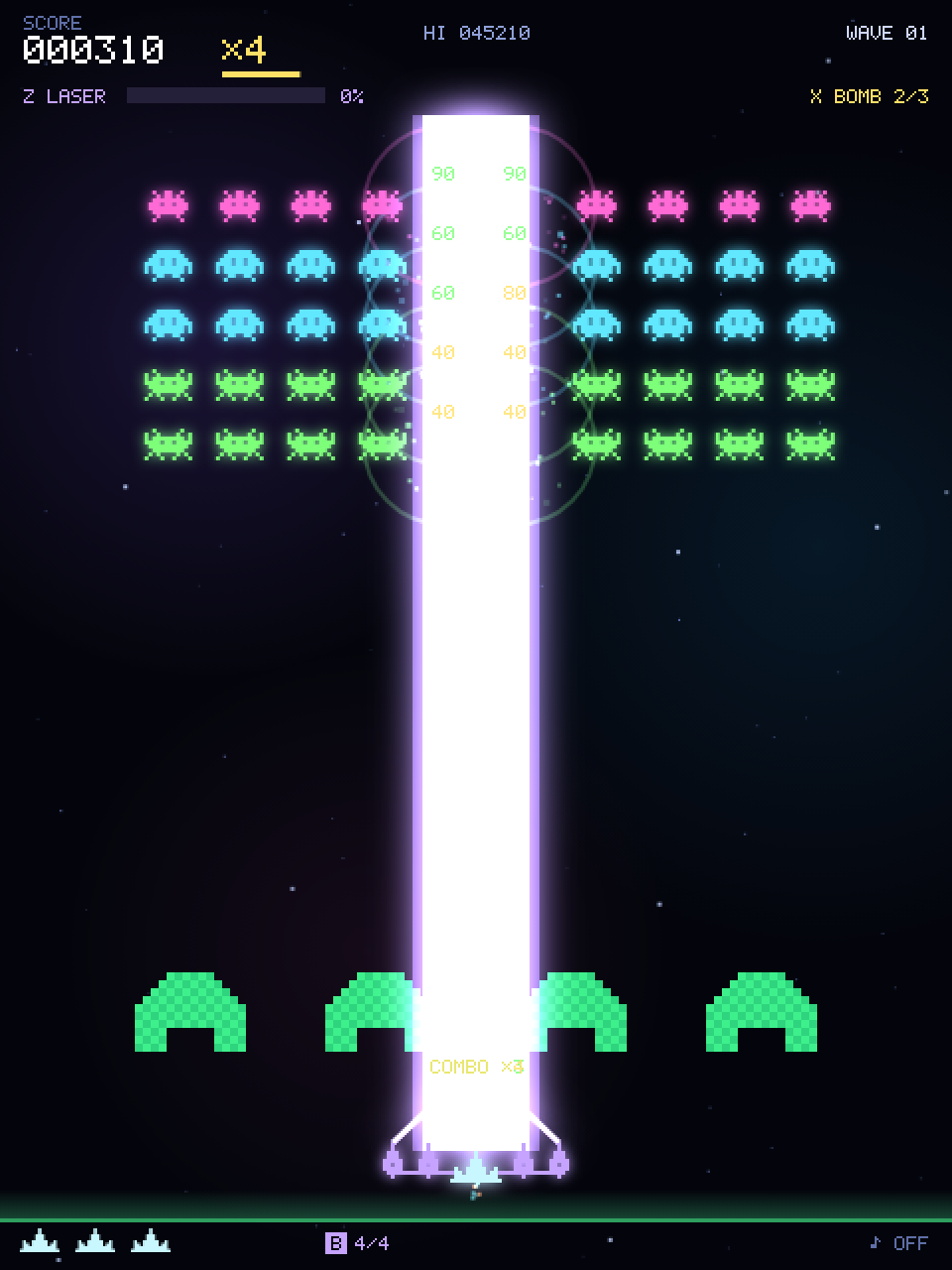
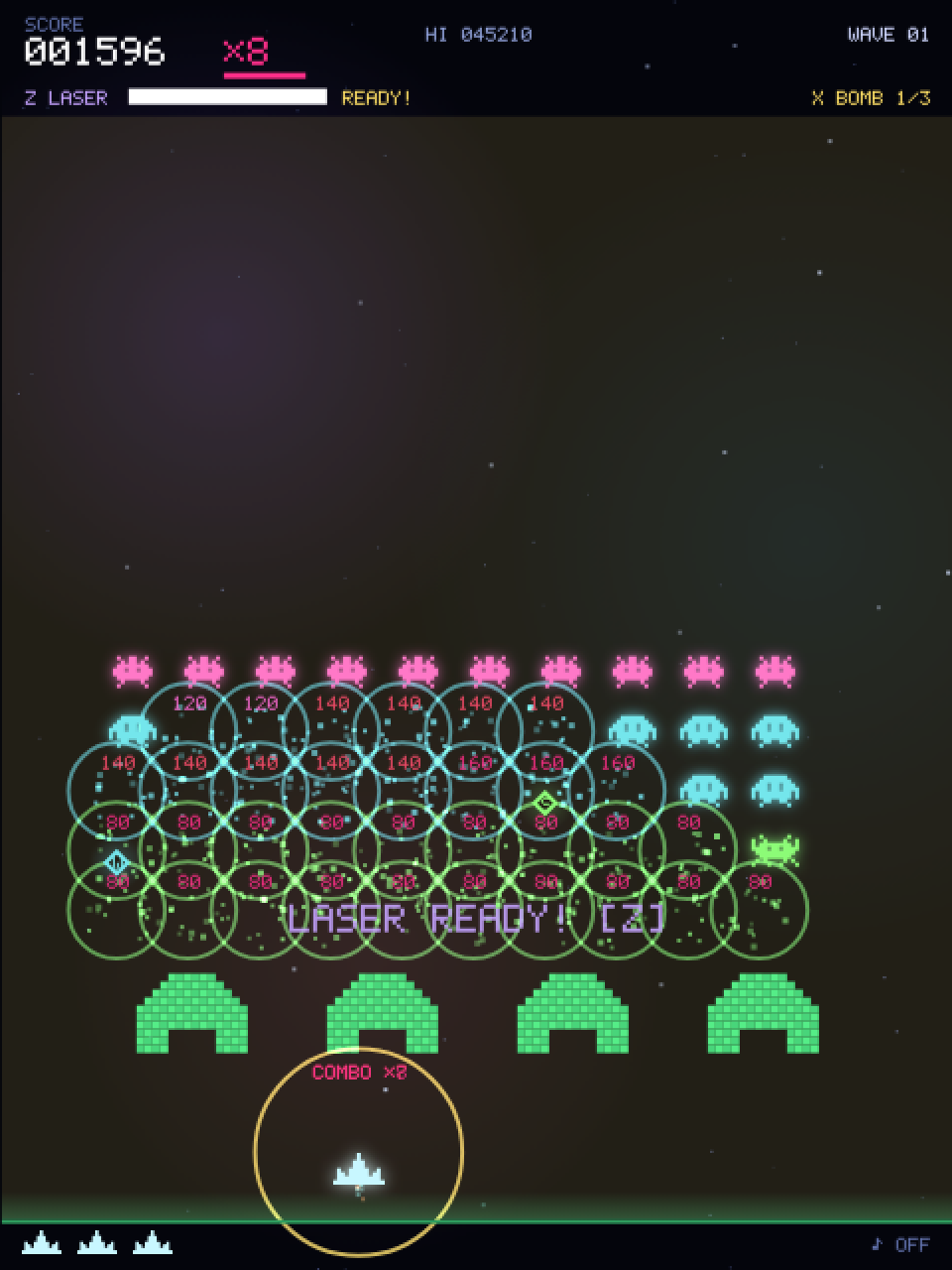
858const special = { charge: 0, laserT: 0, laserW: 0, laserDps: 0, bombs: 2, bombT: 0 };charge— the laser gauge (0–100)laserT— seconds of laser left; the beam exists while this is above zerolaserW/laserDps— width and damage per second of the current shotbombs/bombT— bombs in stock, and the flash timer after using one
Charging the gauge
1039function gainCharge(n) {
1040  if (special.laserT > 0) return; // レーザー自身の撃破では再充電しない。
1041  const before = special.charge;
1042  special.charge = Math.min(LASER_MAX, special.charge + n);
1043  if (before < LASER_MAX && special.charge === LASER_MAX) {
1044    // バリア(y=490〜530)や自機まわりの COMBO 表示と重ならないよう、バリアの上に出す。
1045    popup(W / 2, H - 168, "LASER READY! [Z]", BEAM_COLOR, 16);
1046    sfx.pickup();
1047  }
1048}
An alien kill gives 6, the saucer 15, and each normal shot on the boss 1.5 × the damage dealt. Comparing with before (the value before adding) makes “LASER READY!” appear exactly once, the moment the gauge fills. It appears just above the barriers, clear of the barriers themselves and of the combo text around the ship.
Kills made by the laser itself do not recharge it (laserT > 0 returns early), so it cannot be fired continuously.
The rules live in one place
1050function canUseSpecial() { return state === "play" && !paused && player.alive && bannerT <= 0; }“Playing, not paused, alive, and the wave banner is gone.” Laser and bomb, whether triggered from the keyboard, the HTML buttons or a right click, always go through this function.
With the rule in one place, a new condition is a one-line edit. And because it requires state === "play", the specials are also unavailable during the short “WAVE CLEAR!” display and while the ship is respawning.
The laser is a tall thin rectangle
1052function activateLaser() {
1053  if (!canUseSpecial() || special.charge < LASER_MAX || special.laserT > 0) return false;
1054  special.charge = 0;
1055  special.laserT = 1.2;
1056  special.laserW = 14 + active.beam * 10;
1057  special.laserDps = 20 + active.beam * 8;
1058  shake = 0.18;
1059  beep({ f0: 180, f1: 1800, dur: 0.7, type: "sawtooth", vol: 0.1 });
1060  return true;
1061}
Firing empties the gauge and sets the duration (1.2 s), the width and the damage per second. The width is 14 + 10 per linked cannon and the damage 20 + 8 per cannon per second: 14 pixels and 20 per second with no cannons, 54 pixels and 52 per second with all four. The cannons themselves are not used up.
1082function updateLaser(dt) {
1083  if (special.laserT <= 0) return;
1084  const duration = Math.min(dt, special.laserT);
1085  const beam = { x: player.x - special.laserW / 2, y: 58, w: special.laserW, h: PLAYER_Y - 58 };
1086  for (const a of aliens) {
1087    if (!a.alive) continue;
1088    const r = alienRectInto(a, SCRATCH);
1089    if (hit(beam, r)) killAlien(a, r);
1090  }
1091  eBullets = eBullets.filter(b => !hit(beam, b));
1092  if (saucer && hit(beam, saucer)) killSaucer();
1093  if (boss) {
1094    for (const part of boss.parts) {
1095      if (part.hp > 0 && hit(beam, bossPartRect(part))) damageBossPart(part, special.laserDps * duration, "laser");
1096    }
1097  }
1098  special.laserT = Math.max(0, special.laserT - dt);
1099}
The laser’s hit box is a tall thin rectangle beam from just above the ship to the top of the screen. Every frame it is tested with hit against aliens, enemy bullets, the saucer and each boss part.
Boss damage is “damage per second × seconds this frame”, so the total is the same at any frame rate.
The rectangle is rebuilt around the current player.x every frame, so the beam follows the ship. Left at full speed, one flick of the mouse would sweep it across the entire formation.
So while it fires, the ship is held to LASER_MOVE:
815// 合体レーザー照射中の自機の最高速度(px/秒)。反動で鈍り、横に振って編隊全体をなぎ払えないようにする。
816// ボスの最高速度(約 59px/秒)よりは速く、動くコアを追い続けることはできる。
817const LASER_MOVE = 70;
At 70 pixels per second the ship covers about 84 pixels during the 1.2-second beam — two or three columns of the formation. That is still faster than the boss ever moves (about 59 px/s),
so you can keep the beam on its swaying core. The slowdown itself is applied in the player part of updatePlay (chapter 08).
2098function drawSpecials(t) {
2099  if (special.bombT > 0) {
2100    ctx.fillStyle = `rgba(255,224,102,${special.bombT * 0.22})`;
2101    ctx.fillRect(0, 58, W, GROUND_Y - 58);
2102  }
2103  if (special.laserT <= 0 || !player.alive) return;
2104  const width = special.laserW, x = player.x, top = 58, strip = laserStrip(width);
2105  ctx.globalCompositeOperation = "lighter";
2106  drawLaserColumn(strip, x, top, PLAYER_Y);
2107  if (active.beam > 0) ctx.drawImage(linkWire(active.beam), x - LINK_REACH - LINK_PAD, PLAYER_Y - LINK_TOP - LINK_PAD);
2108  ctx.globalCompositeOperation = "source-over";
2109}
The beam is three layers: a translucent purple halo, a denser purple body, and a white core. shadowBlur softens the edges and "lighter" (additive blending, chapter 17) makes the background look burnt bright.
Applying shadowBlur to a rectangle as tall as the screen every frame is expensive, though, so laserStrip pre-renders a short column once per width (prerender, chapter 05) and drawLaserColumn stretches it into place.
747// 合体レーザーの光彩付きの柱。幅ごとに一度だけ短い柱を描いておき、上下の端(光彩のはみ出し)はそのまま、
748// 中央の帯だけを縦に引き伸ばして任意の長さにする。
749const LASER_BLUR = 20, LASER_CAP = 70, LASER_BAND = 20, laserStrips = new Map();
750function laserStrip(width) {
751  let strip = laserStrips.get(width);
752  if (strip) return strip;
753  const w = Math.ceil(width + 10 + LASER_BLUR * 4), h = LASER_CAP * 2 + LASER_BAND, y0 = LASER_BLUR * 2, hh = h - y0 * 2;
754  strip = prerender(w, h, g => {
755    const x = w / 2;
756    g.globalCompositeOperation = "lighter";
757    g.shadowColor = BEAM_COLOR; g.shadowBlur = LASER_BLUR;
758    g.fillStyle = "#b792ff66"; g.fillRect(x - width / 2 - 5, y0, width + 10, hh);
759    g.fillStyle = "#d2afffcc"; g.fillRect(x - width / 2, y0, width, hh);
760    g.fillStyle = "#ffffff"; g.fillRect(x - width * 0.2, y0, width * 0.4, hh);
761  });
762  laserStrips.set(width, strip);
763  return strip;
764}
765
766function drawLaserColumn(strip, cx, top, bottom) {
767  const w = strip.width, x = cx - w / 2, y0 = LASER_BLUR * 2, cap = LASER_CAP - y0;
768  ctx.drawImage(strip, 0, 0, w, LASER_CAP, x, top - y0, w, LASER_CAP);
769  ctx.drawImage(strip, 0, LASER_CAP, w, LASER_BAND, x, top + cap, w, bottom - top - cap * 2);
770  ctx.drawImage(strip, 0, LASER_CAP + LASER_BAND, w, LASER_CAP, x, bottom - cap, w, LASER_CAP);
771}
The column image is pasted as three pieces: the top cap, the middle band and the bottom cap. The caps keep their soft glow spill, and only the middle band is stretched vertically to reach from the ship to the top of the screen,
so the beam looks right at any length. The width depends only on the number of linked cannons, so there are just five possible widths (14, 24, 34, 44 and 54 pixels), and the Map cache draws each one at most once.
The light lines from each linked cannon to the ship’s nose get the same treatment. They glow with shadowBlur too, and their shape depends only on how many cannons are linked,
so linkWire pre-renders them once per cannon count (1 to 4) and drawSpecials pastes that image at the ship’s position.
With that, shadowBlur is only ever used while making these cached images, never on the game canvas frame by frame.
773// 照射中に連結砲から自機の砲口へ伸びる光の線。連結数(1〜4)ごとに一度だけ光彩付きで描いておく。
774// 原点は自機の中心 x・PLAYER_Y で、線は砲(y=-4)から砲口(y=-44)まで。光彩のはみ出し分を余白に取る。
775const LINK_REACH = 42, LINK_TOP = 44, LINK_PAD = LASER_BLUR * 2, linkWires = [];
776function linkWire(n) {
777  return linkWires[n] ??= prerender((LINK_REACH + LINK_PAD) * 2, LINK_TOP + LINK_PAD * 2, g => {
778    g.translate(LINK_REACH + LINK_PAD, LINK_TOP + LINK_PAD);
779    g.globalCompositeOperation = "lighter";
780    g.shadowColor = BEAM_COLOR; g.shadowBlur = LASER_BLUR;
781    g.strokeStyle = "#e5cdff"; g.lineWidth = 3;
782    for (let i = 0; i < n; i++) {
783      g.beginPath(); g.moveTo(BEAM_OFFSETS[i], -4); g.lineTo(0, -LINK_TOP); g.stroke();
784    }
785  });
786}
The bomb — a circular area attack
1063function activateBomb() {
1064  if (!canUseSpecial() || special.bombs <= 0 || special.bombT > 0) return false;
1065  special.bombs--; special.bombT = 0.65;
1066  player.inv = Math.max(player.inv, 1.6);
1067  eBullets = [];
1068  spawnRing(player.x, PLAYER_Y, "#ffe066", BOMB_RADIUS / 0.65, 0.65);
1069  shake = 0.35; boom(0.55, 0.3, 800);
1070  for (const a of aliens) {
1071    if (!a.alive) continue;
1072    const r = alienRect(a);
1073    if (Math.hypot(r.x + r.w / 2 - player.x, r.y + r.h / 2 - PLAYER_Y) <= BOMB_RADIUS) killAlien(a, r);
1074  }
1075  if (boss) {
1076    boss.warning = 0; boss.laserT = 0; boss.attackT = 2.5;
1077    for (const part of boss.parts) damageBossPart(part, BOSS_BOMB_DAMAGE, "bomb");
1078  }
1079  return true;
1080}819const BOSS_BOMB_DAMAGE = 5; // ボムがボスの各部位に与えるダメージIt clears every enemy bullet, kills every alien within 240 pixels of the ship, deals BOSS_BOMB_DAMAGE (5) damage to every boss part, and cancels the boss’s telegraphed attack.
The damage goes through damageBossPart, so the core is still protected until both turrets are down (chapter 15).
It also grants 1.6 seconds of invulnerability, which makes it the panic button.
Wiring the HTML buttons
1321laserButton.addEventListener("click", () => { ac(); activateLaser(); });
1322bombButton.addEventListener("click", () => { ac(); activateBomb(); });2252function refreshActionButtons() {
2253 const usable = canUseSpecial();
2254 const laserOn = usable && special.charge >= LASER_MAX && special.laserT <= 0;
2255 const bombOn = usable && special.bombs > 0 && special.bombT <= 0;
2256 const gauge = Math.floor(special.charge);
2257 const langChanged = lang !== shownButtons.lang;
2258 if (langChanged || laserOn !== shownButtons.laserOn || gauge !== shownButtons.gauge) {
2259 shownButtons.laserOn = laserOn; shownButtons.gauge = gauge;
2260 laserButton.disabled = !laserOn;
2261 laserButton.textContent = T("laserBtn", gauge >= LASER_MAX ? "READY!" : `${gauge}%`);
2262 }
2263 if (langChanged || bombOn !== shownButtons.bombOn || special.bombs !== shownButtons.bombs) {
2264 shownButtons.bombOn = bombOn; shownButtons.bombs = special.bombs;
2265 bombButton.disabled = !bombOn;
2266 bombButton.textContent = T("bombBtn", special.bombs);
2267 }
2268 shownButtons.lang = lang;
2269}refreshActionButtons runs at the start of every draw() and keeps the buttons’ enabled state and labels (“READY!”, the bomb count) in sync.
It writes to the HTML only when something changed, though: shownButtons remembers what was written last time, and identical content is skipped.
92// ボタンに直前に書いた内容。同じなら DOM に書き込まない(毎フレームの textContent 更新はレイアウト再計算を招く)。
93const shownButtons = { laserOn: null, gauge: null, bombOn: null, bombs: null, lang: null };Assigning textContent or disabled, even with the same value, tells the browser that the page layout may have changed and queues a recalculation.
Doing that every frame means that every mouse move, which calls getBoundingClientRect() (chapter 04), forces that expensive recalculation.
When syncing HTML elements outside the canvas, the rule is: write only when the value actually changed.
CHAPTER 14 Wave clear and the next wave
Wipe out the formation and, after a 1.6-second clear screen, the next wave starts on its own — without letting go of your controls.
Detecting a clear
1774  // --- ウェーブクリア ---
1775  if (aliveN === 0 && !boss) {
1776    saucerSoundStop();
1777    pBullets = []; eBullets = []; powerups = [];
1778    special.laserT = 0;
1779    if (waveNoDamage) {
1780      perfectBonus = 500 + wave * 100;
1781      addScore(perfectBonus);
1782      sfx.perfect();
1783    } else {
1784      perfectBonus = 0;
1785      sfx.clear();
1786    }
1787    setState("clear");
1788  }
aliveN === 0 && !boss. Flying aliens still count in aliveN: an alien that dives off the screen simply returns to its slot in the formation, so a wave is not over until every alien has actually been shot down.
On a boss wave the alien array is empty, and the clear comes when destroying the core sets boss back to null.
At the moment of the clear, leftover bullets and capsules are removed, and the saucer sound and any link laser still firing are stopped.
waveNoDamage starts each wave as true and becomes false on any hit, even one a shield absorbs; if it survives, you get the perfect bonus of 500 + wave * 100 points (900 on wave 4).
Note what is not here: there is no releaseControls(), so buttons and keys that are still held stay held.
Moving on after 1.6 seconds
1801  } else if (state === "clear") {
1802    // 操作を止めずに次のウェーブへ。押しっぱなしの射撃・移動キーもそのまま引き継ぐ。
1803    if (stateT > 1.6) { wave++; makeWave(); setState("play"); }
1804  }
During clear, update(dt) does not call updatePlay: the ship does not move or fire, the enemies do not attack, and canUseSpecial() refuses the laser and the bomb because it requires state === "play".
Only updateCommon runs, so stars, particles and floating text keep moving. On the frame where stateT passes 1.6 seconds, wave++, makeWave() and setState("play") run back to back,
and combat resumes without waiting for any input. Because setState changes the state right away, the branch can never run twice.
Held controls carry over
The clear screen does not wait for input, so there is nothing to protect by releasing the controls — releasing them would only make you press fire again at every wave.
Neither the clear nor the start of the next wave touches keys or shooting. While the clear screen is up, nothing reads them;
on the first frame back in play, updatePlay sees them and you are firing and moving straight away.
Controls are released only when a game starts, at game over, when you pause, and on pointercancel.
1315  // ミスからの復帰中やウェーブクリア表示中に押し始めても、そのまま連射が続くようにする(キーボードと同じ)。
1316  if ((state === "play" || state === "dying" || state === "clear") && !paused) shooting = true;
The same goes for a press that starts during the clear screen. A pointerdown in play, dying or clear (and not paused) sets shooting.
handlePress(), called just before, does nothing in clear, so the click is never mistaken for “start” or “retry”.
Space and Enter set keys.fire in any state, so mouse and keyboard end up behaving the same; releasing the button clears shooting through pointerup.
The clear screen
2220function drawOverlay(t) {
2221  if (state === "clear") {
2222    drawText("WAVE CLEAR!", W / 2, 290, { size: 30, color: "#7dff7a", weight: 900 });
2223    if (perfectBonus > 0) {
2224      drawText(`PERFECT! +${perfectBonus}`, W / 2, 326, { size: 17, color: "#ffe066" });
2225    }
2226    drawText(`NEXT: WAVE ${wave + 1}${(wave + 1) % 5 === 0 ? " / BOSS" : ""}`, W / 2, 356, { size: 14, color: "#cfd8ff" });
2227    // 新しい攻撃が始まるウェーブの前には、何が来るかを予告する(1UP! の表示 y=430〜 より上に収める)。
2228    const news = WAVE_NEWS[wave + 1];
2229    if (news) drawText(T(news), W / 2, 380, { size: 13, color: "#ff8a9e" });
draw() calls drawOverlay after drawGame and drawHud, so the text sits on top of the battlefield. wave has not been incremented yet, so the next wave is wave + 1.
makeWave() turns every wave with wave % 5 === 0 into a boss wave, so the same test applied to wave + 1 decides whether “ / BOSS” is appended.
The PERFECT line only appears when perfectBonus is greater than 0.
The last two lines announce a new attack. WAVE_NEWS maps wave numbers to string keys — waves 6, 11 and 16 bring new enemy attacks, and waves 10, 15 and 20 bring a stronger boss —
and when WAVE_NEWS[wave + 1] exists, one more line is drawn at y = 380 in the current language.
If the PERFECT bonus earns an extra life, the “1UP!” popup appears at y = 430, below the centred texts (y ≈ 244–380), so the two never overlap.
What carries over to the next wave
948  pBullets = []; eBullets = []; particles = []; popups = []; rings = []; powerups = [];
949  saucer = null; saucerSoundStop(); saucerT = rand(10, 20);
950  fireT = 1.5; bannerT = 1.3; freezeT = 0;
951  waveNoDamage = true; perfectBonus = 0;
952  resetCombo(); // コンボはウェーブごとに数え直す(次のウェーブの最初の撃破で前のウェーブから続けない)
953  player.alive = true; player.inv = 1.5; player.cool = 0;
954  special.laserT = 0; special.bombT = 0;
955  flightT = 6; flightCount = 0; volleyT = 4;
956  makeBarriers();
957}
The first half of makeWave() rebuilds the aliens and the formation (chapter 07). The second half, above, clears bullets, effects and capsules, resets the saucer and the attack timers (including volleyT for the 3-way volleys),
restarts the combo, gives the ship 1.5 seconds of invulnerability and builds brand-new barriers. It does not touch your score, lives, gauge, bombs or power-ups.
959function startGame() {
960  score = 0; scoreShown = 0; wave = 1; lives = 3; nextLife = FIRST_LIFE;
961  newRecord = false; maxMult = 1;
962  active.wide = 0; active.rapid = 0; active.shield = 0; active.beam = 0;
963  special.charge = 0; special.bombs = 2;
964  paused = false; releaseControls();
965  resetCombo();
966  makeWave();
967  setState("play");
968}
startGame() resets those to their starting values and then calls the same makeWave(). Comparing the two tells you exactly what survives from wave to wave and what only a new game wipes out.
| Value | Next wave (makeWave()) | New game (startGame()) |
|---|---|---|
Score, lives, next extra life (score, lives, nextLife) | Kept | Back to 0, 3 and 10,000 |
Laser gauge and bombs (special.charge, special.bombs) | Kept | Back to 0% and 2 |
Linked cannons and shield (active.beam, active.shield) | Kept | Back to 0 |
Time left on 3-way and rapid fire (active.wide, active.rapid) | Kept; the timers do not run during the clear screen | Back to 0 |
Combo (combo) | Cleared by resetCombo() (the first kill of the next wave starts a new chain) | Cleared by resetCombo() |
Held controls (keys, shooting) | Kept | Released by releaseControls() |
| Aliens, bullets, capsules, saucer, barriers | Rebuilt | Rebuilt too (it calls makeWave()) |
Keep the fire button held as you shoot the last alien of a wave. When the 1.6-second clear screen ends, the next wave starts and you are already firing, without pressing again.
Then put makeWave() and startGame() side by side and find the assignment behind each row of the table above.
The test “wave clear advances to the next wave on its own and keeps held controls” in tests/arcade-features.test.cjs checks the same sequence.
CHAPTER 15 The battleship — boss fights
Every fifth wave. Destroy both turrets to expose the core: a boss with destructible parts that comes back one level stronger each time.
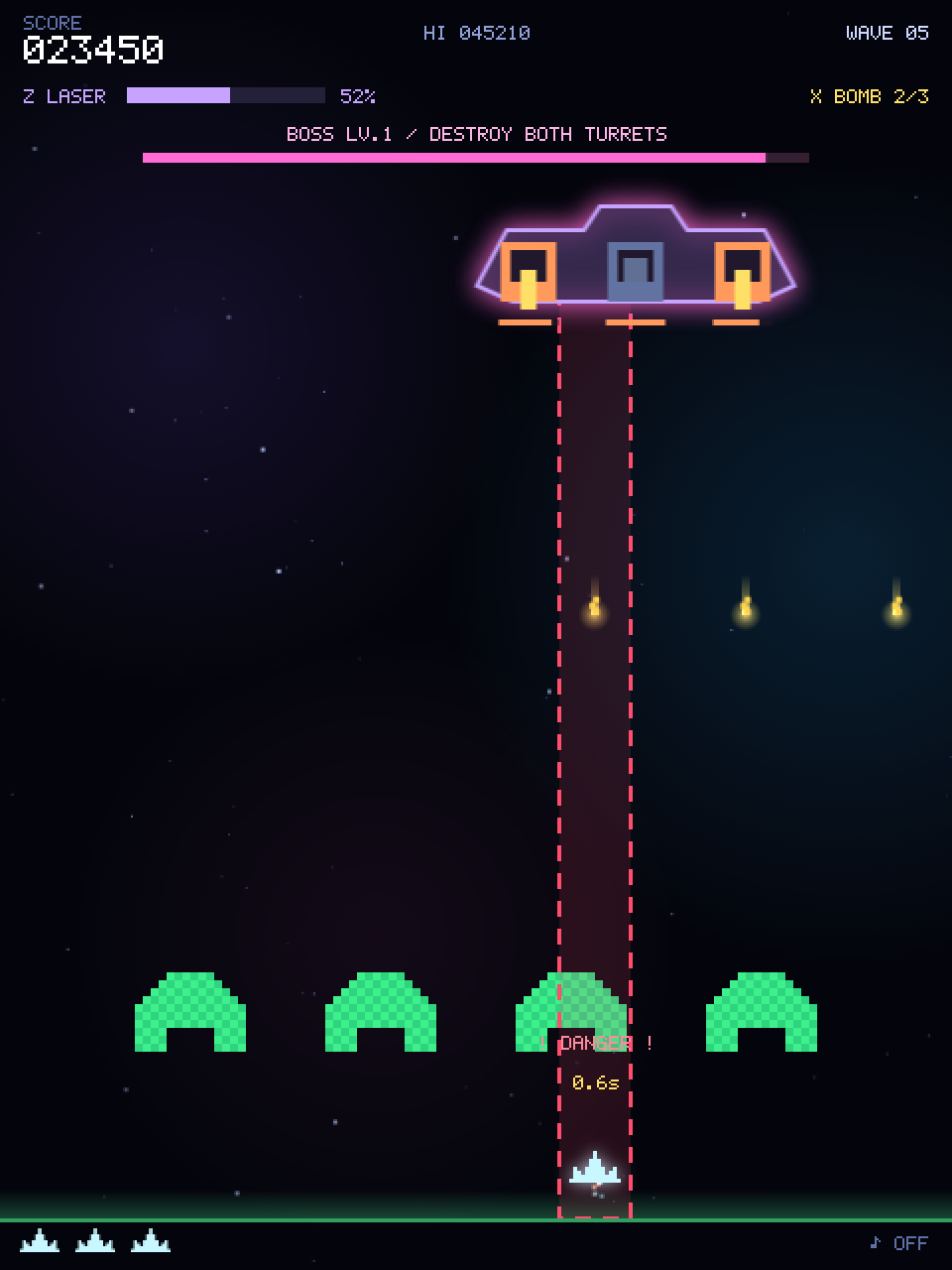
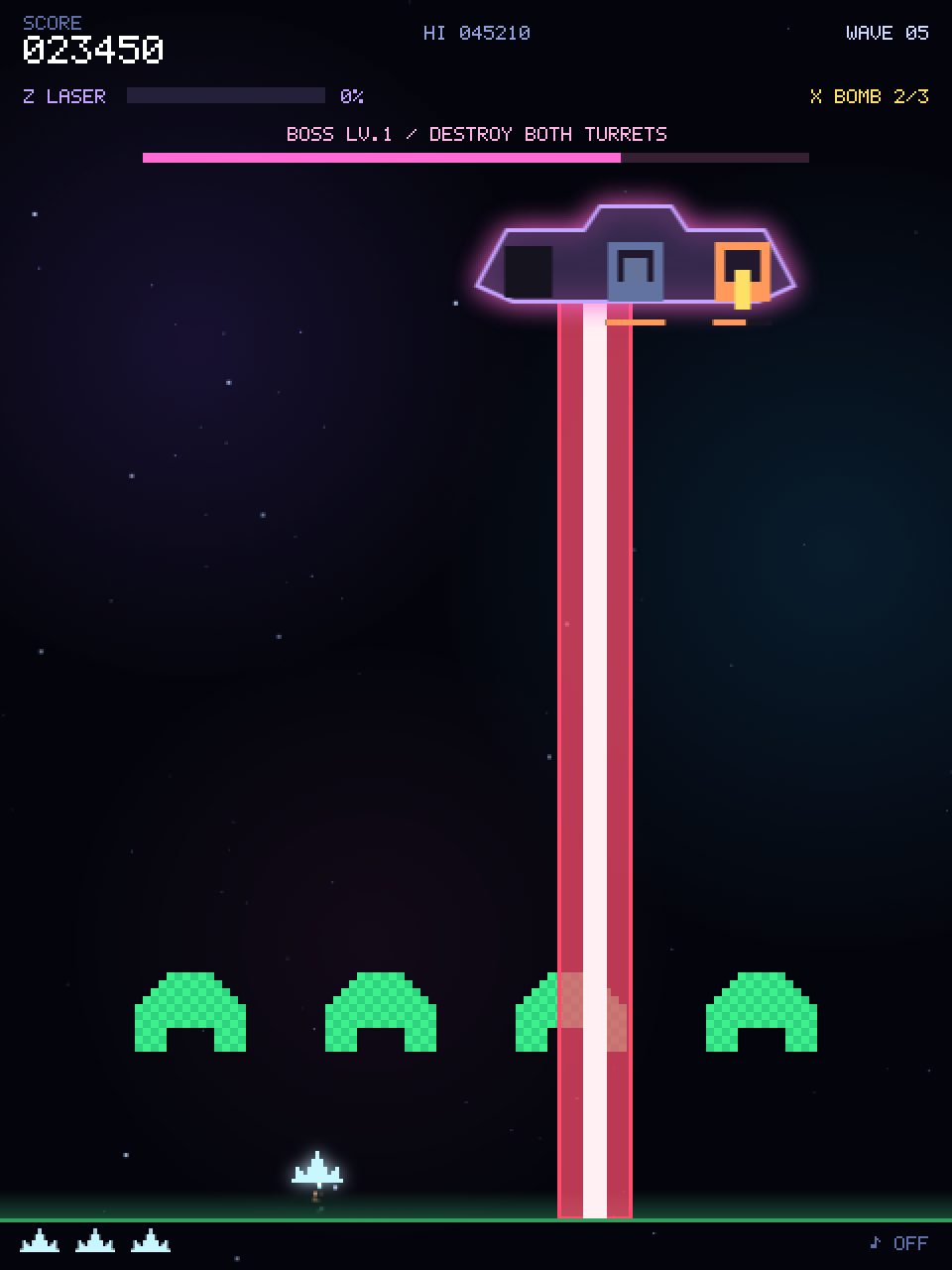
An object with three parts
1103function makeBoss() {
1104  const level = wave / 5, hpLevel = Math.min(level, BOSS_HP_LEVEL_MAX);
1105  boss = {
1106    level, x: W / 2, y: 112, t: 0, attackT: 2, attackN: 0, warning: 0, laserT: 0, lanes: [],
1107    parts: [
1108      { kind: "gun", offset: -54, hp: 7 + hpLevel * 2, max: 7 + hpLevel * 2, flash: 0 },
1109      { kind: "gun", offset: 54, hp: 7 + hpLevel * 2, max: 7 + hpLevel * 2, flash: 0 },
1110      { kind: "core", offset: 0, hp: 20 + hpLevel * 8, max: 20 + hpLevel * 8, flash: 0 },
1111    ],
1112  };
1113}820const BOSS_HP_LEVEL_MAX = 4; // ボスの耐久力は Lv.4(ウェーブ 20)で頭打ち。以降は攻撃の速さで手強くなる
821const BOSS_TWIN_GAP = 50; // Lv.2 からの挟み撃ちレーザー: 自機の左右この距離に 2 本。動かなければ間に収まる(画面端では内側へずれる)The boss has a parts array: turret, turret, core. Each part has hp, max, and flash for the white flash on hit.
level = wave / 5, so wave 5 is Lv.1 and wave 10 is Lv.2. Durability uses hpLevel, the level capped at BOSS_HP_LEVEL_MAX (4): a turret has 7 + hpLevel * 2 HP and the core 20 + hpLevel * 8.
On wave 5 the turrets have 9 HP and the core 28; on wave 10 it is 11 and 36; from wave 20 on it stays at 15 and 52. Later bosses get fiercer rather than just longer.
Every player bullet that hits, main shot or beam, deals 1 damage, so a wave-5 turret goes down in nine hits.
1119function coreExposed() { return boss && boss.parts.slice(0, 2).every(p => p.hp <= 0); }1121function damageBossPart(part, amount, source = "shot") {
1122 if (!boss || part.hp <= 0 || amount <= 0) return;
1123 if (part.kind === "core" && !coreExposed()) return;
1124 const r = bossPartRect(part), damage = Math.min(part.hp, amount);
1125 part.hp = Math.max(0, part.hp - amount); part.flash = 0.08;
1126 if (source === "shot") gainCharge(damage * 1.5);
1127 if (part.hp > 0) return;
1128 spawnBurst(r.x + 14, r.y + 15, "#ff9a5c", 28, 180);
1129 spawnRing(r.x + 14, r.y + 15, "#ffe066", 220, 0.5);
1130 addScore(part.kind === "core" ? 1000 + wave * 100 : 200);
1131 boom(0.35, 0.2, 700);
1132 if (part.kind === "core") {
1133 boss = null; eBullets = [];
1134 special.bombs = Math.min(BOMB_MAX, special.bombs + 1);
1135 popup(W / 2, 205, "BOSS DOWN! / BOMB +1", "#ffe066", 18);
1136 shake = 0.45;
1137 } else if (coreExposed()) popup(W / 2, 205, "CORE OPEN!", "#ff6ad5", 18);
1138}coreExposed() asks “are both turrets at 0 HP?”. The second line of damageBossPart rejects damage to the core until then, so the order is forced.
Destroying the core sets boss = null, which satisfies the !boss part of the clear check in the previous chapter.
More bullets in the air against the boss
1609  // ボスは遠く弾の到達に時間がかかるので、ボス戦では画面内の通常弾の上限を緩める。
1610  const maxB = (active.rapid > 0 || active.wide > 0) ? 12 : boss ? 5 : 3;
Normally only three of your normal bullets may be on screen at once (twelve with W or R). In a boss fight the cap is five even without W or R: as the comment says, the boss sits far away at the top, so each bullet takes a while to arrive. Beam bullets never count towards this cap; each cannon has its own one-beam limit instead.
The attack pattern is a small state machine
1190function updateBoss(dt) {
1191  if (!boss || bannerT > 0) return;
1192  boss.parts.forEach(p => p.flash = Math.max(0, p.flash - dt));
1193  if (boss.warning > 0) {
1194    boss.warning = Math.max(0, boss.warning - dt);
1195    if (boss.warning === 0) {
1196      boss.laserT = 0.6;
1197      fireBossVolley();
1198      beep({ f0: 300, f1: 80, dur: 0.35, type: "sawtooth", vol: 0.09 });
1199    }
1200  } else if (boss.laserT > 0) {
1201    boss.laserT = Math.max(0, boss.laserT - dt);
1202    if (boss.laserT > 0 && player.inv <= 0 && inBossLane(playerRect())) damagePlayer();
1203  } else {
1204    // 予告・照射中は止まるので、移動中だけ時間を進める(止まっている間も進めると攻撃後に瞬間移動する)。
1205    boss.t += dt;
1206    boss.x = W / 2 + Math.sin(boss.t * BOSS_SWAY) * 130;
1207    boss.attackT -= dt;
1208    if (boss.attackT <= 0) startBossAttack();
1209  }
1210}The three branches of the if / else if / else are the three states: telegraphing, firing, cruising. At the moment the telegraph starts, startBossAttack() locks the lanes in boss.lanes from the player’s position,
so if you see the warning and move away, you always dodge. The promise not to be unfair is written right into the code.
While firing, inBossLane() checks the ship against every lane, so one lane and two lanes need no separate code.
A level higher every time
1148// 次の攻撃までの時間。コアが露出すると速まり、Lv.4〜6 では 1 段ごとに 0.15 秒ずつ縮む。
1149function bossAttackInterval() {
1150  return (coreExposed() ? 1.5 : 2.2) - clamp(boss.level - 3, 0, 3) * 0.15;
1151}
1152
1153// 攻撃の予告を始める。レーザーの位置(lanes)はこの時点で固定し、予告と同じ場所に撃つ。
1154// Lv.1 は自機を狙う 1 本。Lv.2 からは 1 回おきに、自機の左右へ 2 本の挟み撃ち(動かなければ間に収まる)。
1155function startBossAttack() {
1156  const twin = boss.level >= 2 && boss.attackN % 2 === 1;
1157  if (twin) {
1158    const x = clamp(player.x, 22 + BOSS_TWIN_GAP, W - 22 - BOSS_TWIN_GAP);
1159    boss.lanes = [x - BOSS_TWIN_GAP, x + BOSS_TWIN_GAP];
1160  } else boss.lanes = [clamp(player.x, 22, W - 22)];
1161  boss.attackN++;
1162  boss.warning = 1.1;
1163  boss.attackT = bossAttackInterval();
1164  beep({ f0: 740, dur: 0.12, type: "square", vol: 0.07 });
1165}
A Lv.1 boss always fires a single lane at you. From Lv.2, every other attack (odd attackN) is a pair of lanes BOSS_TWIN_GAP (50 px) to either side of the ship.
A lane is 36 pixels wide, so its inner edge is 32 pixels from the ship’s centre while the ship is only 13 pixels wide on each side: hold still and you are safe between them.
Near a screen edge the pair is shifted inwards so both lanes stay on screen, and then you do have to move.
bossAttackInterval() gives 2.2 seconds between attacks, 1.5 once the core is exposed, and 0.15 seconds less for each level from Lv.4 to Lv.6.
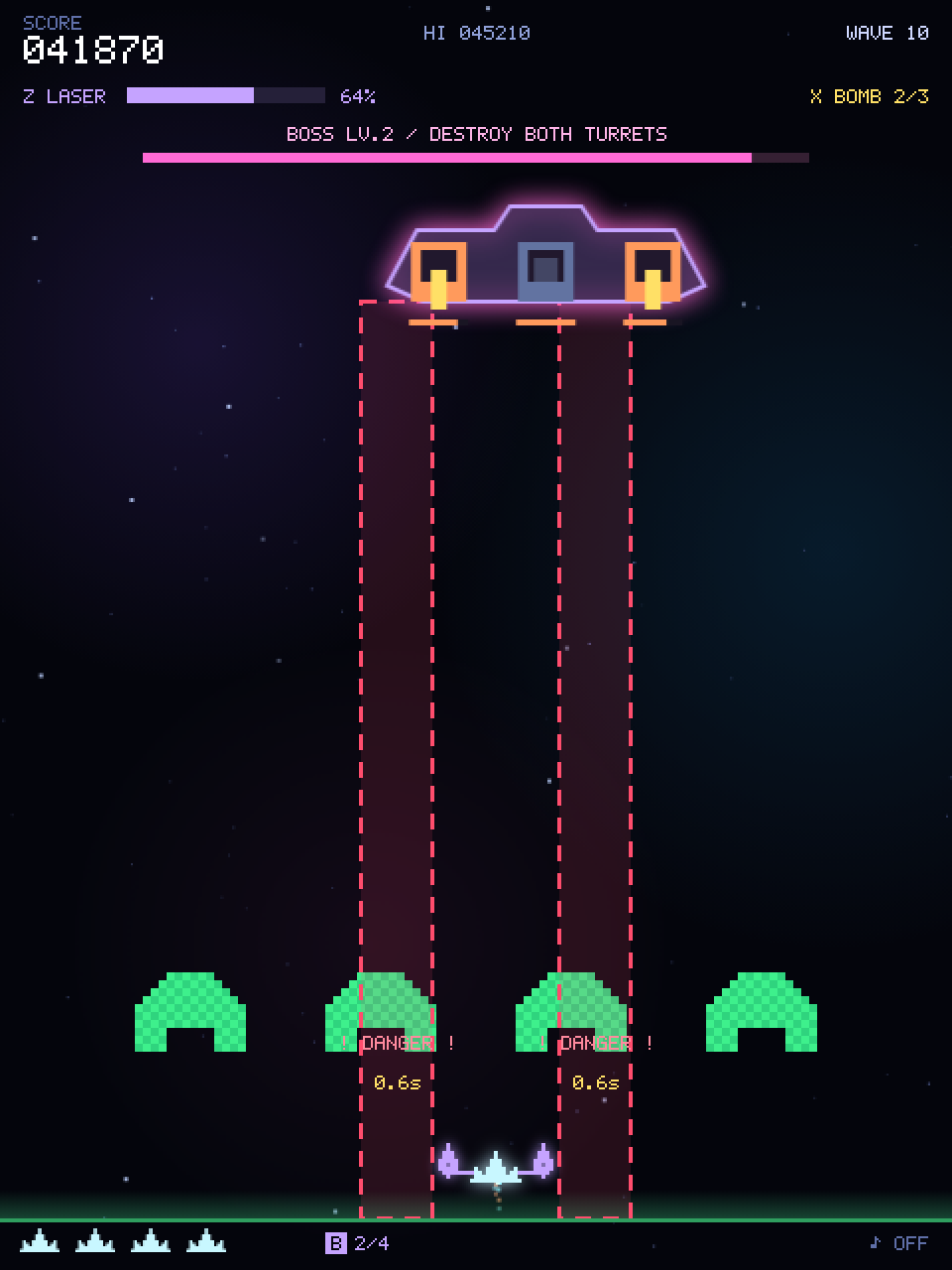
1167// 予告が終わった瞬間の射撃。残っている砲台は 3 方向弾、Lv.3 からは船体中央が自機へ扇状の 5 発も撃つ。
1168function fireBossVolley() {
1169  const vy = 180 + Math.min(wave * 3, 90);
1170  for (const part of boss.parts) {
1171    if (part.hp <= 0 || part.kind !== "gun") continue;
1172    for (const vx of [-75, 0, 75]) eBullets.push({ x: boss.x + part.offset, y: boss.y + 40, w: 3, h: 9, vx, vy });
1173  }
1174  if (boss.level >= 3) {
1175    const x = boss.x, y = boss.y + 44, aim = Math.atan2(PLAYER_Y - y, player.x - x);
1176    for (const da of [-0.36, -0.18, 0, 0.18, 0.36]) {
1177      const a = aim + da;
1178      eBullets.push({ x: x - 1.5, y, w: 3, h: 9, vx: Math.cos(a) * vy, vy: Math.sin(a) * vy, aimed: true });
1179    }
1180  }
1181}1183function inBossLane(rect) {
1184 for (const x of boss.lanes) {
1185 if (hit(rect, { x: x - 18, y: boss.y + 40, w: 36, h: GROUND_Y - boss.y - 40 })) return true;
1186 }
1187 return false;
1188}When a warning ends, fireBossVolley() fires the bullets that go with the laser. Each living turret fires a 3-way spread, and from Lv.3 the centre of the hull also fires an aimed fan of five:
Math.atan2() gives the angle aim towards the ship, and the five shots leave at that angle ±0.18 and ±0.36 radians, all at the same speed. Being aimed, they carry aimed: true and are drawn in red.
818const BOSS_SWAY = 0.45; // ボスが左右に揺れる速さ(角速度)。振れ幅は ±130pxWhile cruising, the boss sits at W / 2 + Math.sin(boss.t * BOSS_SWAY) * 130: it sways up to 130 pixels either side of the centre, and with BOSS_SWAY at 0.45 one full swing takes about 14 seconds.
Note that boss.t += dt sits inside the cruising branch. The boss stands still for the 1.7 seconds of telegraph and firing, so its clock stops too.
If the clock ran every frame instead, boss.t would keep advancing while the boss stood still, and the moment it started moving again Math.sin would jump to a new value.
An earlier version did exactly that (with a sway speed of 0.65), and the boss could teleport up to about 140 pixels when an attack ended. Because the parts’ hit boxes are computed from boss.x, a jump like that also made well-aimed shots miss.
Advancing the clock only while moving lets the boss resume smoothly from where it stopped.
Drawing the telegraph
2051  if (boss.warning > 0 || boss.laserT > 0) {
2052    const y = boss.y + 40;
2053    for (const x of boss.lanes) {
2054      ctx.fillStyle = boss.laserT > 0 ? "#ff4d6dbb" : "#ff4d6d22";
2055      ctx.fillRect(x - 18, y, 36, GROUND_Y - y);
2056      ctx.strokeStyle = "#ff4d6d"; ctx.lineWidth = 2;
2057      ctx.setLineDash(boss.warning > 0 ? DASH_WARNING : DASH_NONE);
2058      ctx.strokeRect(x - 18, y, 36, GROUND_Y - y);
2059      ctx.setLineDash(DASH_NONE);
2060      if (boss.laserT > 0) {
2061        ctx.fillStyle = "#fff0f4"; ctx.fillRect(x - 6, y, 12, GROUND_Y - y);
2062      } else {
2063        drawText("! DANGER !", clamp(x, 52, W - 52), GROUND_Y - 85, { size: 12, color: "#ff8a9e" });
2064        drawText(`${boss.warning.toFixed(1)}s`, clamp(x, 30, W - 30), GROUND_Y - 65, { size: 11, color: "#ffe066" });
2065      }
2066    }
2067 }ctx.setLineDash(DASH_WARNING), that is [8, 6], means “8 on, 6 off”. Remember to reset with DASH_NONE (an empty array) afterwards, or every later line becomes dashed too.
The arrays are constants so that no new array is created every frame.
The hull is simply BOSS_HULL, pre-rendered with prerender (chapter 05) complete with its pink shadowBlur glow. Only the moving parts, the turrets and the core, are drawn every frame.
2068  ctx.drawImage(BOSS_HULL, boss.x - 80 - BOSS_HULL_PAD, boss.y - 8 - BOSS_HULL_PAD);
2069  ctx.save();
2070  ctx.translate(boss.x, boss.y);
CHAPTER 16 Diving enemies — breaking out of the formation
From wave 2, some aliens telegraph and then dive at you. A pattern for giving an enemy a temporary, different behaviour.
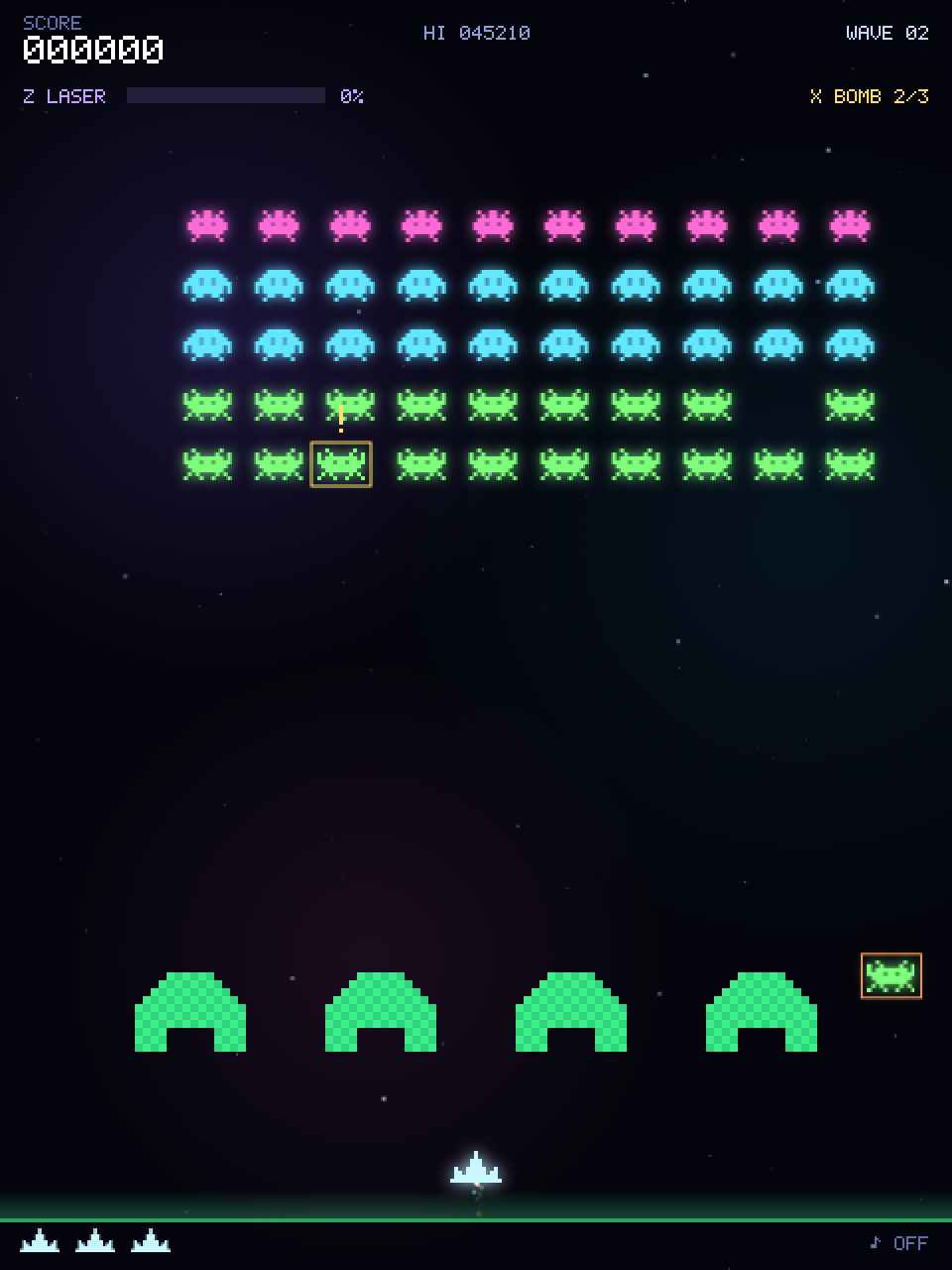
Attaching a flight to an alien
1214function launchFlight(a, mode) {
1215  const r = alienRect(a);
1216  a.flight = { x: r.x, y: r.y, startX: r.x, t: 0, warning: 0.65, mode, phase: "exit",
1217    vx: clamp((player.x - r.x) * 0.5, -90, 90), side: r.x < W / 2 ? -1 : 1 };
1218}
An alien that starts a run gets an a.flight object holding its current position, elapsed time, the remaining warning time and its movement mode.
Recall from chapter 06 that alienRect says “if a.flight exists, use those coordinates”.
Because drawing and collisions both go through alienRect, attaching or removing a flight is all it takes to switch between formation and solo behaviour.
Three ways to fly
1220function updateFlights(dt) {
1221  if (wave < 2 || boss || bannerT > 0) return;
1222  flightT -= dt;
1223  if (flightT <= 0) {
1224    const candidates = aliens.filter(a => a.alive && !a.flight);
1225    if (candidates.length && aliens.filter(a => a.alive && a.flight).length < Math.min(3, 1 + Math.floor(wave / 3))) {
1226      launchFlight(candidates[Math.floor(Math.random() * candidates.length)], ["dive", "zigzag", "flank"][flightCount++ % 3]);
1227    }
1228    flightT = Math.max(2.5, 6 - wave * 0.25);
1229  }
1230  for (const a of aliens) {
1231    if (!a.alive || !a.flight) continue;
1232    const f = a.flight;
1233    if (f.warning > 0) { f.warning = Math.max(0, f.warning - dt); continue; }
1234    f.t += dt;
1235    const speed = Math.min(260, 155 + wave * 7);
1236    if (f.mode === "flank" && f.phase === "exit") {
1237      f.x += f.side * speed * dt;
1238      if (f.x < -30 || f.x > W + 30) {
1239        f.phase = "attack"; f.y = PLAYER_Y - 160;
1240        f.x = f.side < 0 ? -28 : W + 4;
1241      }
1242    } else {
1243      f.y += speed * dt;
1244      if (f.mode === "zigzag") f.x = clamp(f.startX + Math.sin(f.t * 5) * 54, 5, W - 29);
1245      else f.x += (f.mode === "flank" ? -f.side * speed * 1.5 : f.vx) * dt;
1246      // ウェーブ 11 からは、降下の途中で(自機から 200px 以上離れているうちに)自機を狙って 1 発撃つ。
1247      if (wave >= DIVER_SHOT_WAVE && !f.shot && f.y > PLAYER_Y - 320 && f.y < PLAYER_Y - 200 &&
1248          f.x > 0 && f.x < W - 24 && eBullets.length < maxEnemyBullets()) {
1249        const t = TYPES[a.type];
1250        f.shot = true;
1251        enemyShot(f.x + t.w / 2 - 1.5, f.y + t.h, true);
1252      }
1253      if (player.alive && player.inv <= 0 && hit(alienRect(a), playerRect())) damagePlayer();
1254      if (f.y > GROUND_Y + 24 || f.x < -60 || f.x > W + 60) a.flight = null;
1255    }
1256    if (state !== "play") return;
1257  }
1258}- Launch interval
flightTshrinks as waves progress (minimum 2.5 s). The number of simultaneous flyers grows by one every three waves, up to three. - Telegraph: for the 0.65 s of
warningthe alien stays put and only shows “!” and a yellow box (continueskips the rest). - flank alone has two phases (
phase). It first runs sideways off its own side of the screen (sideis -1 for the left half, +1 for the right), then reappears low on the same side (160 pixels above the ship) and sweeps diagonally across towards the other side. - Shooting back: from wave 11 (
DIVER_SHOT_WAVE) a diving alien fires one aimed shot while it is 200–320 pixels above the ship, which leaves time to dodge.f.shotremembers the shot so each run fires only once; it holds fire while off screen or while the enemy-bullet cap is full, and shoots as soon as there is room within that window. The bullet comes from the sameenemyShot()as the formation’s aimed shots (chapter 07). - Off screen means
a.flight = null, which puts it back at its row and column. A flyer you miss does not reduce the count, so the wave goes on.
Math.sin(t) swings smoothly between -1 and 1 as t grows. sin(t * 5) * 54 means “five times as fast, ±54 pixels”.
The boss’s sway Math.sin(boss.t * BOSS_SWAY) * 130 (chapter 15), the drifting nebulae and the pulsing capsules all use the same trick.
CHAPTER 17 Effects — the anatomy of neon
Particles, shockwaves, floating text, additive blending, screen shake. Behind the flash, each one is a few lines.
Three kinds of throwaway objects
1262// 画面内のパーティクルの上限。ボムで編隊をまとめて倒した時などに、描画が一度に重くなりすぎないようにする。
1263// 爆発の破片は上限の 24 個手前で止め、自機の噴射と発射炎(多くて 20 個ほど)が上限に当たって消えないようにする。
1264const MAX_PARTICLES = 400, BURST_PARTICLES = MAX_PARTICLES - 24;
1265
1266function spawnBurst(x, y, color, n = 12, sp = 110) {
1267  n = Math.min(n, BURST_PARTICLES - particles.length);
1268  for (let i = 0; i < n; i++) {
1269    const a = Math.random() * Math.PI * 2, v = sp * rand(0.35, 1);
1270    particles.push({
1271      x, y, vx: Math.cos(a) * v, vy: Math.sin(a) * v,
1272      life: rand(0.3, 0.7), max: 0.7, color, size: Math.random() < 0.3 ? 3 : 2,
1273    });
1274  }
1275}1277function spawnRing(x, y, color, vr = 150, life = 0.35) {
1278 rings.push({ x, y, r: 3, vr, life, max: life, color });
1279}1281function popup(x, y, txt, color, size = 12) {
1282 popups.push({ x, y, txt, color, size, life: 1 });
1283}A particle gets a random angle a and speed v, split into x and y velocities with cos / sin.
Each object has a life that counts down every frame; at zero it is removed from its array.
1553// 末尾の要素と入れ替えて削除する。splice の詰め直し(O(n))を避ける。
1554// パーティクルとリングは加算合成で描くので順序が変わっても見た目は同じ。
1555function removeAt(arr, i) {
1556  const last = arr.pop();
1557  if (i < arr.length) arr[i] = last;
1558}
1559
1560function updateCommon(dt) {
1561  for (const layer of starLayers) {
1562    for (const s of layer) {
1563      s.y += s.sp * dt;
1564      if (s.y > H) { s.y = -2; s.x = Math.random() * W; }
1565    }
1566  }
1567  for (let i = particles.length - 1; i >= 0; i--) {
1568    const p = particles[i];
1569    p.x += p.vx * dt; p.y += p.vy * dt; p.vy += 160 * dt; p.life -= dt;
1570    if (p.life <= 0) removeAt(particles, i);
1571  }
1572  for (let i = rings.length - 1; i >= 0; i--) {
1573    const r = rings[i];
1574    r.r += r.vr * dt; r.life -= dt;
1575    if (r.life <= 0) removeAt(rings, i);
1576  }
1577  for (let i = popups.length - 1; i >= 0; i--) {
1578    const p = popups[i];
1579    p.y -= 22 * dt; p.life -= dt * 0.9;
1580    if (p.life <= 0) popups.splice(i, 1);
1581  }
1582  shake = Math.max(0, shake - dt * 1.2);
1583  scoreShown += (score - scoreShown) * Math.min(1, dt * 12);
1584  if (Math.abs(score - scoreShown) < 1) scoreShown = score;
1585  if (state === "play" || state === "dying" || state === "clear") {
1586    combo.t -= dt;
1587    if (combo.t <= 0 && combo.n > 0) resetCombo();
1588  }
1589}
The particle line p.vy += 160 * dt is gravity: fragments that fly upward eventually fall back, which gives explosions weight.
On the drawing side, ctx.globalAlpha = p.life / p.max fades each particle out as its life runs out.
removeAt, used for removal, moves the last element into the slot being freed and pops. Unlike splice it never shifts the elements after it, so hundreds of particles stay cheap.
The order changes, but particles and rings are drawn additively (next section), where order makes no visible difference.
A bomb that wipes out a crowd spawns 16 particles per alien, several hundred in one frame. On-screen particles are therefore capped at MAX_PARTICLES (400). spawnBurst, which makes the explosion debris, stops 24 earlier at BURST_PARTICLES (376), shrinking a burst to whatever room is left.
The spare room goes to the ship’s exhaust and muzzle flash (20 or so at most), which check MAX_PARTICLES themselves, so the exhaust keeps showing even right after a mass kill.
Normal play never gets near the cap; it only trims the single heaviest moment.
Light is layered with additive blending
1908function drawGlowPass(t) {
1909  ctx.globalCompositeOperation = "lighter";
1910
1911  refreshFormLayer();
1912  blitFormLayer(formLayer.glow);
1913  for (const a of aliens) {
1914    if (!a.alive || !a.flight) continue;
1915    const gl = TYPES[a.type].glow[form.anim];
1916    ctx.drawImage(gl.img, a.flight.x - gl.pad, a.flight.y - gl.pad);
1917  }
1918
1919  if (saucer) ctx.drawImage(SAUCER_GLOW.img, saucer.x - SAUCER_GLOW.pad, saucer.y - SAUCER_GLOW.pad);
ctx.globalCompositeOperation = "lighter" switches to “add the colours together”. In the normal mode (source-over) the top colour hides what is below;
in lighter, overlapping colours get brighter and tend towards white. It is indispensable for neon and fire. drawGlowPass draws every glow layer first in this mode,
and the crisp sprites are drawn on top afterwards in the normal mode.
The same three glowing dots, drawn normally on the left and additively on the right.
The formation is drawn as one image
Drawing fifty aliens one by one costs up to a hundred drawImage calls per frame (glow plus body). Since the formation moves as a block,
the bodies and the glows are each drawn once into an off-screen canvas, and every frame just pastes those two images at form.ox, form.oy.
1864/* 編隊レイヤー: 編隊は一体で動くので、スプライトと光彩をそれぞれ 1 枚の画像にまとめておき、
1865   生存状況かアニメ番号が変わった時だけ描き直す。毎フレームの drawImage が最大 100 回 → 2 回になる。 */
1866const FORM_PAD = 12; // 光彩のはみ出し分(withGlow の pad = 9 より大きく)
1867const FORM_W = COLS * CELL_W + FORM_PAD * 2, FORM_H = ROWS * CELL_H + FORM_PAD * 2;
1868const formLayer = { key: NaN, list: null, empty: true, sprite: null, glow: null, sg: null, gg: null, sx: 0, sy: 0, sw: 0, sh: 0 };
1869formLayer.sprite = prerender(FORM_W, FORM_H, g => { formLayer.sg = g; });
1870formLayer.glow = prerender(FORM_W, FORM_H, g => { formLayer.gg = g; g.globalCompositeOperation = "lighter"; });
1871
1872function formationKey() {
1873  // アニメ番号と「生存かつ編隊内」のビット列を 1 つの整数にまとめる(50 体 + 先頭ビットで 2^53 に収まる)。
1874  let key = form.anim + 2;
1875  for (const a of aliens) key = key * 2 + (a.alive && !a.flight ? 1 : 0);
1876  return key;
1877}
1878
1879function refreshFormLayer() {
1880  const key = formationKey();
1881  if (key === formLayer.key && aliens === formLayer.list) return;
1882  formLayer.key = key; formLayer.list = aliens; formLayer.empty = true;
1883  const sg = formLayer.sg, gg = formLayer.gg;
1884  sg.clearRect(0, 0, FORM_W, FORM_H);
1885  gg.clearRect(0, 0, FORM_W, FORM_H);
1886  let x0 = Infinity, y0 = Infinity, x1 = -Infinity, y1 = -Infinity;
1887  for (const a of aliens) {
1888    if (!a.alive || a.flight) continue;
1889    const ty = TYPES[a.type], gl = ty.glow[form.anim];
1890    const x = a.c * CELL_W + (CELL_W - ty.w) / 2 + FORM_PAD, y = a.r * CELL_H + FORM_PAD;
1891    sg.drawImage(ty.img[form.anim], x, y);
1892    gg.drawImage(gl.img, x - gl.pad, y - gl.pad);
1893    // 光彩はスプライトを内包するので、光彩の範囲が描いた領域の外接矩形になる。
1894    x0 = Math.min(x0, x - gl.pad); y0 = Math.min(y0, y - gl.pad);
1895    x1 = Math.max(x1, x - gl.pad + gl.img.width); y1 = Math.max(y1, y - gl.pad + gl.img.height);
1896    formLayer.empty = false;
1897  }
1898  formLayer.sx = x0; formLayer.sy = y0; formLayer.sw = x1 - x0; formLayer.sh = y1 - y0;
1899}
1900
1901// レイヤーのうち、生存エイリアンが描かれている範囲だけを転送する(残りが少ないほど安くなる)。
1902function blitFormLayer(img) {
1903  if (formLayer.empty) return;
1904  const { sx, sy, sw, sh } = formLayer;
1905  ctx.drawImage(img, sx, sy, sw, sh, form.ox - FORM_PAD + sx, form.oy - FORM_PAD + sy, sw, sh);
1906}
formationKey() packs the animation frame and “which aliens are alive and in formation” into one integer, a fingerprint of what the layer should show. If it matches the previous one, nothing needs redrawing.
A kill or a step of the walk animation changes the number, and only then does refreshFormLayer repaint the two canvases.
blitFormLayer copies just the bounding box of the survivors, so the fewer aliens remain, the cheaper it gets. Flying aliens leave the block, so they are still drawn individually.
The barriers use the same “redraw only when it changed” idea with a simple dirty flag (chapter 10).
2115  blitFormLayer(formLayer.sprite);
2116  for (const a of aliens) {
2117    if (!a.alive || !a.flight) continue;
2118    const ty = TYPES[a.type], f = a.flight, warn = f.warning > 0;
2119    ctx.drawImage(ty.img[form.anim], f.x, f.y);
2120    ctx.strokeStyle = warn ? "#ffe066" : "#ff9a5c"; ctx.lineWidth = 1;
2121    ctx.strokeRect(f.x - 3, f.y - 3, ty.w + 6, ty.h + 6);
2122    if (warn) drawText("!", f.x + ty.w / 2, f.y - 8, { size: 16, color: "#ffe066" });
2123  }
Shake and hit stop
2280 if (shake > 0) ctx.translate(rand(-1, 1) * shake * 10, rand(-1, 1) * shake * 10);1592 if (freezeT > 0) { freezeT -= dt; return; } // キル時の一瞬のヒットストップshake is set to 0.5 on a hit, 0.35 for a bomb and so on, and updateCommon reduces it by 1.2 per second.
freezeT is set to 0.025 s on every kill; while it is positive, updatePlay is skipped entirely. The screen is still drawn, so time appears to stop.
Both are a few lines, and both contribute enormously to how the game feels.
Background — three layers of stars and nebulae
862const starLayers = [0, 1, 2].map(l => Array.from({ length: [36, 26, 14][l] }, () => ({
863  x: Math.random() * W, y: Math.random() * H,
864  sp: [6, 14, 26][l], size: l === 2 ? 2 : 1,
865  tw: Math.random() * 6.28,
866})));1809// 星雲はごくゆっくりしか動かないので、15fps で描き直した 1 枚の画像を毎フレーム貼る
1810// (半透明の加算合成 3 回 → 不透明なコピー 1 回)。
1811const SKY_INTERVAL = 1 / 15;
1812const sky = { img: null, g: null, t: -Infinity };
1813sky.img = prerender(W, H, g => { sky.g = g; }, { alpha: false });
1814
1815function refreshSky(t) {
1816 if (t - sky.t < SKY_INTERVAL) return;
1817 sky.t = t;
1818 const g = sky.g;
1819 g.globalCompositeOperation = "source-over";
1820 g.fillStyle = "#04050c"; g.fillRect(0, 0, W, H);
1821 g.globalCompositeOperation = "lighter";
1822 for (const n of NEBULAE) {
1823 const ox = Math.sin(t * 0.11 + n.ph) * n.dx;
1824 const oy = Math.cos(t * 0.13 + n.ph) * n.dy;
1825 g.globalAlpha = 0.5 + 0.25 * Math.sin(t * 0.3 + n.ph);
1826 g.drawImage(n.img, n.x + ox - n.img.width / 2, n.y + oy - n.img.height / 2);
1827 }
1828 g.globalAlpha = 1;
1829 g.globalCompositeOperation = "source-over";
1830}
1831
1832function drawBackground(t) {
1833 refreshSky(t);
1834 ctx.drawImage(sky.img, 0, 0);
1835
1836 starLayers.forEach((layer, l) => {
1837 ctx.fillStyle = STAR_COLORS[l];
1838 for (const s of layer) {
1839 ctx.globalAlpha = 0.35 + 0.55 * (0.5 + 0.5 * Math.sin(t * 2 + s.tw));
1840 ctx.fillRect(s.x, s.y, s.size, s.size);
1841 }
1842 });
1843 ctx.globalAlpha = 1;
1844}Giving each layer a different falling speed creates depth (parallax). The nebulae are three large gradient images drifting slowly on sin / cos curves, blended additively.
Blending three big translucent images is too much to repeat every frame, so refreshSky redraws them into sky.img, a screen-sized canvas, only every 1/15 s, and each frame pastes that one image. The nebulae move so slowly that 15 fps is indistinguishable.
Star twinkle is Math.sin(t * 2 + s.tw); tw is a random phase per star, so they twinkle out of step. The colour is set once per layer from STAR_COLORS.
CHAPTER 18 Sound — no audio files
Sound effects and music alike are built from waveforms with the Web Audio API. There is not one mp3.
Web Audio in one picture
You wire “nodes” together like a modular synthesizer. The top row is the bleep (beep), the bottom row is the explosion (boom).
334function ac() {
335  if (!actx) actx = new (window.AudioContext || window.webkitAudioContext)();
336  if (actx.state === "suspended") actx.resume();
337  return actx;
338}Browsers forbid pages from making noise on their own. An AudioContext has to be created (or resume()d) inside a click or key event.
That is why ac() is called at the start of the pointerdown and keydown handlers.
beep — the building block of every bleep
340function beep({ f0 = 440, f1 = f0, dur = 0.1, type = "square", vol = 0.12, delay = 0 }) {
341  if (muted) return;
342  try {
343    const a = ac(), t = a.currentTime + delay;
344    const o = a.createOscillator(), g = a.createGain();
345    o.type = type;
346    o.frequency.setValueAtTime(f0, t);
347    o.frequency.exponentialRampToValueAtTime(Math.max(f1, 1), t + dur);
348    g.gain.setValueAtTime(vol, t);
349    g.gain.exponentialRampToValueAtTime(0.0001, t + dur);
350    o.connect(g).connect(a.destination);
351    o.start(t); o.stop(t + dur + 0.02);
352  } catch (e) {}
353}o.type— the waveform.squaresounds like an 8-bit console,triangleis softer,sawtoothis buzzy.- Sliding
frequencyfromf0tof1withexponentialRampToValueAtTimegives the “pew” pitch drop. The shot is 900 Hz → 240 Hz. - Ramping
gainfromvoldown to 0.0001 is the volume envelope. Cutting a sound off abruptly clicks, so it always fades smoothly to zero.
boom — an explosion made of noise
355function boom(dur = 0.35, vol = 0.25, fc = 700) {
356  if (muted) return;
357  try {
358    // 共有ノイズバッファを再生し、減衰はゲインで付ける(以前は呼ぶたびに乱数でバッファを作っていた)。
359    const a = ac(), t = a.currentTime;
360    const n = a.createBufferSource(); n.buffer = ensureNoise(a); n.loop = true;
361    const f = a.createBiquadFilter(); f.type = "lowpass"; f.frequency.value = fc;
362    const g = a.createGain();
363    g.gain.setValueAtTime(vol, t);
364    g.gain.linearRampToValueAtTime(0, t + dur);
365    n.connect(f); f.connect(g); g.connect(a.destination);
366    n.start(t); n.stop(t + dur);
367  } catch (e) {}
368}
White noise is an empty audio buffer from createBuffer filled with Math.random() values between -1 and 1. ensureNoise builds one second of it, once, and the sound effects share it with the music.
boom plays that buffer, ramps gain from vol down to 0 with linearRampToValueAtTime so the sound fades over time, and a lowpass filter muffles it into a “boom”.
Because no buffer is generated per explosion, a long combo of overlapping hits costs nothing extra.
432let noiseBuf = null;
433
434function ensureNoise(a) { // 効果音と BGM で共有する 1 秒分のホワイトノイズ
435  if (noiseBuf) return noiseBuf;
436  const len = a.sampleRate | 0;
437  noiseBuf = a.createBuffer(1, len, a.sampleRate);
438  const d = noiseBuf.getChannelData(0);
439  for (let i = 0; i < len; i++) d[i] = Math.random() * 2 - 1;
440  return noiseBuf;
441}
The sound-effect table
397// 前回から ms ミリ秒たっていなければ鳴らさない効果音にする。ボムやレーザーで同じ瞬間に何体も倒すと、
398// 同じ音が何十も重なって音が割れ、音声ノードも一度に大量に作られるため。
399function throttled(ms, play) {
400  let at = -Infinity;
401  return (...args) => {
402    const now = performance.now();
403    if (now - at < ms) return;
404    at = now;
405    play(...args);
406  };
407}
408
409const sfx = {
410  shoot: () => beep({ f0: 900, f1: 240, dur: 0.09, type: "square", vol: 0.09 }),
411  beam: () => beep({ f0: 1500, f1: 360, dur: 0.13, type: "triangle", vol: 0.08 }),
412  alien: throttled(40, () => { boom(0.14, 0.15, 1300); beep({ f0: 320, f1: 60, dur: 0.1, type: "sawtooth", vol: 0.08 }); }),
413  player: () => { boom(0.55, 0.3, 500); beep({ f0: 220, f1: 40, dur: 0.45, type: "sawtooth", vol: 0.14 }); },
414  spark: () => beep({ f0: 1300, f1: 500, dur: 0.05, type: "square", vol: 0.06 }),
415  saucerKill: () => [660, 880, 1150].forEach((f, i) => beep({ f0: f, dur: 0.09, type: "square", vol: 0.11, delay: i * 0.07 })),
416  oneUp: () => [523, 659, 784, 1046].forEach((f, i) => beep({ f0: f, dur: 0.09, type: "triangle", vol: 0.13, delay: i * 0.08 })),
417  clear: () => [392, 523, 659, 784].forEach((f, i) => beep({ f0: f, dur: 0.11, type: "square", vol: 0.1, delay: i * 0.09 })),
418  perfect: () => [660, 880, 990, 1320].forEach((f, i) => beep({ f0: f, dur: 0.1, type: "triangle", vol: 0.12, delay: i * 0.07 })),
419  over: () => beep({ f0: 300, f1: 70, dur: 0.9, type: "triangle", vol: 0.14 }),
420  step: alt => beep({ f0: alt ? 84 : 66, dur: 0.06, type: "square", vol: 0.045 }),
421  tier: m => beep({ f0: 420 + m * 90, f1: 780 + m * 90, dur: 0.09, type: "square", vol: 0.1 }),
422  pickup: () => [740, 1180].forEach((f, i) => beep({ f0: f, dur: 0.07, type: "square", vol: 0.11, delay: i * 0.06 })),
423  shieldBreak: () => { boom(0.25, 0.2, 900); beep({ f0: 900, f1: 200, dur: 0.22, type: "sawtooth", vol: 0.1 }); },
424};
oneUp and clear loop over an array of frequencies with forEach, delaying each note by i * 0.08 seconds or so — an arpeggio.
Every sound creates fresh audio nodes. When a bomb or the laser destroys dozens of aliens in the same instant, dozens of identical kill sounds would start together and clip.
So alien is wrapped in throttled(40, …), which returns a function that remembers when it last played (at, kept in a closure) and stays silent if less than 40 ms have passed.
The caller still just writes sfx.alien(). Each kill sound lasts about 0.14 s, so one every 40 ms still sounds continuous.
Played with the same beep / boom as the game (mind your volume).
Music — a 32-step sequencer
428const music = { timer: null, next: 0, step: 0 };
429const BPM = 112, MSTEP = 60 / BPM / 2; // 8分音符
430const CHORDS = [110, 87.31, 130.81, 98];      // A2 F2 C3 G2
431const LEADS = [440, 349.23, 523.25, 392];475function scheduleStep(i, t) {
476 const bar = (i >> 3) & 3;
477 const inPlay = state === "play" || state === "dying" || state === "clear";
478 mnote("sawtooth", CHORDS[bar] * (i % 2 ? 2 : 1), null, t, MSTEP * 0.9, 0.04, 520);
479 if (i % 4 === 0) mnote("sine", 130, 44, t, 0.11, inPlay ? 0.1 : 0.06);
480 if (inPlay) {
481 if (i % 2 === 1) mnoise(t, 0.03, 0.015, "highpass", 7000);
482 if (i % 8 === 4) mnoise(t, 0.1, 0.03, "bandpass", 1900);
483 if (i % 4 === 2) mnote("triangle", LEADS[bar] * ((i >> 3) % 2 ? 1 : 0.5), null, t, MSTEP * 1.6, 0.026);
484 }
485}One step is an eighth note. As i runs from 0 to 31, (i >> 3) & 3 (divide by 8, then modulo 4) selects one of four bars of chords.
The bass plays on every step (an octave up on odd steps), the kick on every fourth, and during play a hi-hat, snare and lead join in to raise the energy.
487function musicTick() {
488  if (!actx) return;
489  while (music.next < actx.currentTime + 0.16) {
490    if (music.next < actx.currentTime) music.next = actx.currentTime + 0.05;
491    scheduleStep(music.step, music.next);
492    music.step = (music.step + 1) % 32;
493    music.next += MSTEP;
494  }
495}496function musicStart() {
497 if (music.timer || muted || !actx) return;
498 music.next = actx.currentTime + 0.06;
499 music.timer = setInterval(musicTick, 50);
500}setInterval can be tens of milliseconds late, so triggering notes directly from it would make the rhythm wobble.
Instead, every 50 ms the code wakes up and schedules every note due within the next 0.16 s, using Web Audio’s precise clock currentTime.
Web Audio plays them at exactly the right moment regardless of timer jitter. This is the standard recipe for music in Web Audio.
Bonus — the saucer’s warble
371function saucerSoundStart() {
372  if (muted || saucerOsc) return;
373  try {
374    const a = ac();
375    const o = a.createOscillator(), g = a.createGain();
376    const l = a.createOscillator(), lg = a.createGain();
377    o.type = "triangle"; o.frequency.value = 520;
378    l.type = "sine"; l.frequency.value = 9;
379    lg.gain.value = 90;
380    l.connect(lg); lg.connect(o.frequency);
381    g.gain.value = 0.04;
382    o.connect(g); g.connect(a.destination);
383    o.start(); l.start();
384    saucerOsc = { o, l, g };
385  } catch (e) {}
386}
A slow 9 Hz oscillator l is connected to the frequency of the audible oscillator o. That is an LFO (low-frequency oscillator):
the pitch wobbles nine times a second, which is vibrato. “Using a sound to modulate a sound” is a basic synthesizer technique.
CHAPTER 19 Japanese / English switching
Keep every string in one table and look it up right before display: the simplest reliable approach to localization.
106const STRINGS = {
107  ja: {
108    hint: [
109      "マウス移動: 自機を操作 / クリック(長押しで連射): ショット / 落ちてくるカプセルでパワーアップ",
110      "W: 3方向ショット R: 連射強化 S: シールド B: ビーム砲連結(最大4門)",
111      "Z / 右クリック: 合体レーザー X: ボム",
112      "P: ポーズ / M: サウンド切替 / ← → + スペースでも操作可",
113    ],
114    laserBtn: gauge => `Z 合体レーザー ${gauge}`,
115    bombBtn: n => `X ボム ×${n}`,
STRINGS.ja and STRINGS.en hold the same keys. Strings that embed a value, such as “LINK LASER 64%” or the boss’s level in “BOSS LV.2 / DESTROY BOTH TURRETS”, are stored as functions and called with arguments at display time.
189function T(key, ...args) {
190  const v = STRINGS[lang][key];
191  return typeof v === "function" ? v(...args) : v;
192}
T("titleStart") returns the string as is; T("laserBtn", "64%") calls the function and returns its result. The caller never needs to know which kind it is.
Choosing the initial language
172function detectLang() {
173  // 共有された ?lang=en などのアドレスで開いた時は、その言語を保存した設定より優先する(保存はしない)。
174  try {
175    const asked = /[?&]lang=([a-z]+)/.exec(location.search)?.[1];
176    if (Object.hasOwn(STRINGS, asked)) return asked;
177  } catch (e) {}
178  try {
179    const saved = localStorage.getItem(LANG_KEY);
180    if (Object.hasOwn(STRINGS, saved)) return saved;
181  } catch (e) {}
182  const tag = typeof navigator !== "undefined" ? String(navigator.language || "") : "";
183  return tag.toLowerCase().startsWith("ja") ? "ja" : "en";
184}
Priority: a ?lang= in the address (as in the English links shared through game.en.html; it is not saved) → the previously saved choice → the browser’s language setting → English. navigator.language is a tag such as "ja-JP", hence startsWith("ja").
Applying a switch
70  <div class="lang" role="group" aria-label="Language / 言語">
71    <button id="langJa" type="button" aria-pressed="true">日本語</button>
72    <button id="langEn" type="button" aria-pressed="false">ENGLISH</button>
73 </div>1326function applyLang(next) {
1327 if (next && next !== lang) {
1328 lang = next;
1329 try { localStorage.setItem(LANG_KEY, lang); } catch (e) {}
1330 }
1331 if (document.documentElement) document.documentElement.lang = lang;
1332 const hintEl = document.getElementById("hint");
1333 if (hintEl) hintEl.innerHTML = T("hint").join("<br>");
1334 const shareEl = document.getElementById("shareLink");
1335 if (shareEl) {
1336 const share = SHARE[lang];
1337 shareEl.href = `https://x.com/intent/post?text=${encodeURIComponent(share.text)}&url=${encodeURIComponent(share.url)}`;
1338 document.getElementById("shareLabel").textContent = share.label;
1339 }
1340 for (const code in langButtons) langButtons[code].setAttribute("aria-pressed", String(code === lang));
1341 refreshActionButtons();
1342 redrawIfPaused();
1343}On a switch, the code updates the document’s lang attribute, the hint text, the X post link, the buttons’ aria-pressed (which one is selected; the CSS colours it too) and the special-attack button labels.
In Japanese the post link shares game.html itself; in English it shares game.en.html, a tiny entry page that carries the English card image and immediately moves on to game.html?lang=en.
The label, text and address are not drawn on the canvas, so they live in a separate SHARE table rather than in STRINGS.
Text on the canvas is redrawn every frame, so changing the lang variable is enough for it to switch from the next frame on.
The final redrawIfPaused() covers the case where the loop is stopped because the game is paused (chapter 02): it paints a single frame so that the pause screen switches too.
CHAPTER 20 Tests — checking the game without a browser
The tests/ folder holds 41 automated tests that verify the rules using nothing but Node.js.
Running the production code in Node
5const html = readFileSync(join(__dirname, "..", "..", "game.html"), "utf8");
6const source = html.match(/<script>([\s\S]*?)<\/script>/)[1];24 const context = vm.createContext({
25 document: { getElementById: id => elements[id] || mainCanvas, createElement: canvas, addEventListener: listen,
26 documentElement: {} },
27 window: { addEventListener: listen, AudioContext: class { state = "running"; } },
28 localStorage: { getItem: key => key.endsWith("muted") ? "1" : null, setItem: noop },
29 navigator: { language: "ja" },
30 performance: { now: () => 0 },
31 requestAnimationFrame: noop,
32 });
33 vm.runInContext(source, context);Node.js has no document, no canvas and no AudioContext. So the helper builds fakes full of “do nothing” functions and runs the game code inside that world with vm.runInContext.
Drawing and sound become no-ops, but every rule calculation is the real thing.
After loading, the helper calls startGame() and sets the enemy-fire, saucer and flight timers to Infinity, so nothing random interrupts a test.
It also defines collectBeam(times = 1), which drops a B capsule right on the ship and runs updatePlay(0) once per capsule: collectBeam(4) links all four cannons.
For the same reason you could type lives = 9 in the console in chapter 00, a test can read and write internals with run("special.charge").
“Everything global” is avoided in large codebases, but in a small single-file game it buys real testability.
An example — the bomb’s specification
50test("a bomb clears bullets, destroys nearby enemies, preserves distant enemies and cover, and grants invulnerability", () => {
51  const run = game();
52  run(`
53    aliens[0].flight = { x: player.x, y: PLAYER_Y - 80 };
54    const cover = JSON.stringify(barriers);
55    eBullets = [{ x: player.x, y: PLAYER_Y, w: 3, h: 9, vy: 0 }];
56  `);
57  assert.equal(run("activateBomb()"), true);
58  assert.equal(run("special.bombs"), 1);
59  assert.equal(run("eBullets.length"), 0);
60  assert.equal(run("aliens[0].alive"), false);
61  assert.equal(run("aliens[1].alive"), true);
62  assert.equal(run("JSON.stringify(barriers) === cover"), true);
63  assert.ok(run("player.inv > 1"));
64  assert.equal(run("activateBomb()"), false);
65});
“Enemy bullets vanish”, “nearby enemies die”, “distant enemies and the barriers survive”, “you get invulnerability”, “it cannot be chained”. Read the test and you are reading the bomb’s spec. Tests are documentation that runs.
Running them
node --test tests/*.test.cjs

# ✔ kills fill a capped laser gauge; ... (abridged)
# ℹ tests 44
# ℹ pass 44
# ℹ fail 0
The tests use node:test, which ships with Node.js 20 and later, so nothing needs installing. The 44 tests are split between tests/beam-link.test.cjs (9: picking up and losing beam cannons, one beam per cannon, passing through your own barriers) and tests/arcade-features.test.cjs (35: specials, the boss and its levels, combo tiers, waves, later-wave attacks, input, extra lives, the saucer hum during a miss, the particle cap, the pixel font, choosing the language from the address and more).
Get into the habit of running them after every change to make sure nothing broke.
CHAPTER 21 Modding ideas — make it your game
After reading comes rewriting. Here is where to look, from the smallest changes up.
1. Tweak the numbers — a cheat sheet of constants
| What you want to change | Where | Current value |
|---|---|---|
| Ship speed | const speed = 340 in updatePlay() | 340 px/s |
| Bullet speed and length | SHOT_SPEED / SHOT_H | 600 px/s, 14 px |
| Fire interval | const cd = active.rapid > 0 ? 0.12 : 0.27 | 0.27 s (0.12 with rapid fire) |
| Player bullets on screen | const maxB = ... ? 12 : boss ? 5 : 3 | 3 (5 in a boss fight, 12 with a power-up) |
| Enemy bullets on screen | maxEnemyBullets() | wave + 2 up to 7 at wave 5, then +1 every 4 waves, at most 12 |
| Enemy fire interval | enemyFireInterval() | 1.15 s on wave 1, down to 0.18 s around wave 30 |
| Aimed shots and when new attacks start | aimedChance() / AIMED_WAVE, DIVER_SHOT_WAVE, VOLLEY_WAVE | 15–50 %; waves 6, 11 and 16 |
| Formation speed and acceleration | formSpeed() | 16–240 px/s (the per-wave base stops at wave 13) |
| Drop per bounce | DROP | 14 px |
| Points for extra lives | FIRST_LIFE / LIFE_STEP | at 10,000, then every 20,000 |
| Combo window | COMBO_WINDOW | 2.2 s |
| Kills needed for each combo tier | COMBO_STEPS | 3, 7, 12, 18, 25, 33, 42 (×2 to ×8) |
| Capsule drop rate | Math.random() > 0.08 in maybeDrop() | 8 % |
| Bomb radius | BOMB_RADIUS | 240 px |
| Beam cannons lost on a miss | BEAM_LOSS | 2 |
| Ship speed while the laser fires | LASER_MOVE | 70 px/s |
| Points for a capsule with nothing left to add | SPARE_BONUS | 500 |
| Boss HP | 7 + hpLevel * 2 / 20 + hpLevel * 8 in makeBoss() | turrets 9 / core 28 (wave 5), stops growing at BOSS_HP_LEVEL_MAX (Lv.4) |
| Twin-laser gap (Lv.2 and up) | BOSS_TWIN_GAP | 50 px either side of the ship |
| Boss sway speed | BOSS_SWAY | 0.45 (the swing is ±130 px) |
| Bomb damage to each boss part | BOSS_BOMB_DAMAGE | 5 |
| Boss frequency | wave % 5 === 0 in makeWave() | every 5 waves |
Set DROP to 40 and the formation bears down on you after two or three bounces. Change the 3 in maxB to 30 and you have a bullet hose.
One number can transform how the game feels — try it and see.
2. Redraw the enemies
Just edit the pixel art in TYPES (chapter 05). Paste a pattern from the sprite workshop. Keep both frames the same size; the colour is color and the points are pts.
3. Add a power-up
As an example, “T: enemy bullets move slowly for five seconds”. Five places to touch.
// 1) One line in PU_DEFS. label is the letter shown on the capsule, dur the duration in seconds
slow: { label: "T", color: "#ffffff", dur: 5, name: "SLOW!" },

// 2) A slot for the remaining time in active (also add active.slow = 0 to the reset in startGame())
const active = { wide: 0, rapid: 0, shield: 0, beam: 0, slow: 0 };

// 3) Count it down every frame in updatePlay(), next to active.wide and active.rapid
active.slow = Math.max(0, active.slow - dt);

// 4) The effect: in the "--- 敵弾 ---" (enemy bullets) block, scale the movement to 40 %
b.y += b.vy * dt * (active.slow > 0 ? 0.4 : 1);

// 5) Show a timer bar in the HUD: just add "slow" to the array in drawHud()
for (const k of ["wide", "rapid", "slow"]) {
The capsule lottery (maybeDrop) picks from Object.keys(PU_DEFS), so a new definition starts dropping automatically.
The pickup code (applyPU) already has a generic branch, “if it has a dur, set the remaining time”.
Separate the data (the table) from the code and adding a feature becomes “add a row”. This game does it in several places.
4. Add a sound
// Loop over an array of frequencies with a small delay each and you have a short melody
levelUp: () => [392, 494, 587, 784].forEach((f, i) => beep({ f0: f, dur: 0.1, type: "triangle", vol: 0.12, delay: i * 0.08 })),

// caller
sfx.levelUp();
Use the sound lab to try waveforms and frequencies until you find the one you like.
5. Retune the beam link and the boss
// 1) A miss costs only one beam cannon instead of two
const BEAM_LOSS = 1;

// 2) A boss that sways faster (the swing stays ±130 px) and takes less from a bomb
const BOSS_SWAY = 0.8;
const BOSS_BOMB_DAMAGE = 2;
Some tests pin the current values, so update their expectations along with the constant: “a shield preserves the links; an unshielded hit costs two cannons, and a restart clears them” expects four cannons to drop to two,
and “boss attacks lock a visible warning position before firing, and bombs cancel the attack” expects a turret to have 4 HP left after a bomb (9 − 5).
Shot speed needs more care: the comment above SHOT_SPEED explains that at the 0.05 s frame cap a shot moves 30 px per frame, which must not exceed the alien height (16 px) plus the shot length (14 px) or the shot could skip past an alien,
and the test “a fast main shot cannot skip past an alien even at the lowest frame rate” is built around those numbers.
6. Console commands for developers
Type these in the F12 console during play to jump straight to the situation you want to check.
| Goal | Type in the console |
|---|---|
| See the boss right away | startGame(); wave = 5; makeWave() |
| Make the laser available now | special.charge = 100 |
| Fill up on bombs | special.bombs = 3 |
| Attach four beam cannons | for (let i = 0; i < 4; i++) applyPU("beam") |
| Put up a shield | applyPU("shield") |
| More lives | lives = 9 |
| Clear the current wave instantly | aliens.forEach(a => a.alive = false); aliveN = 0 |
| Toggle sound | toggleMute() |
After a change, run the tests from chapter 20 to be sure nothing broke by accident. Adding a test for your new feature is even better.
Further reading
- MDN — Canvas tutorial (the drawing basics, end to end)
- MDN — Web Audio API (how nodes connect, what each one does)
- MDN — 2D collision detection (rectangles and circles)
- MDN — requestAnimationFrame
- MDN — localStorage
CHAPTER 22 Glossary
The terms used in this guide, in one place. Come back here whenever you forget one.
| Term | Meaning | Ch. |
|---|---|---|
| Canvas 2D | An HTML element (and its API) that JavaScript can draw rectangles, images and text on. Paint cannot be moved, so every frame is repainted | 04 |
| Context (ctx) | The object returned by canvas.getContext("2d") through which all drawing commands go | 04 |
| request | Asks the browser to call a function at the next screen refresh. The foundation of the game loop | 02 |
| dt (delta time) | Seconds since the previous frame. Multiplying speeds by it makes motion independent of the frame rate | 02 |
| State machine | A design in which one variable names the current state and each state has its own behaviour and transitions | 03 15 |
| Sprite | A small moving picture in a game (a character, a bullet). Generated here from strings | 05 |
| Offscreen canvas | A canvas that is never shown; used as a factory for ready-made images | 05 |
| Pre-rendering | Doing expensive drawing (blur, gradients) once up front and just pasting the result at run time | 05 |
| AABB | Axis-Aligned Bounding Box: an overlap test between non-rotated rectangles | 06 |
| Cooldown | A waiting time that prevents something being used again immediately, e.g. player.cool | 08 |
| Invulnerability | A period after a hit or respawn during which collisions are ignored: player.inv | 09 |
| Hit stop | Freezing time very briefly when an attack lands, to add impact: freezeT | 11 17 |
| Particle | A tiny dot used in large numbers for explosions and smoke, removed when its life runs out | 17 |
| Additive blending (lighter) | A drawing mode that adds colours together; overlaps get brighter, ideal for light | 17 |
| Parallax | Moving distant layers slowly and near ones quickly to create depth | 17 |
| Telegraph | Showing where an attack will land before it does, giving the player a fair chance to dodge | 15 16 |
| Web Audio API | The browser API for synthesizing, processing and playing sound by connecting nodes | 18 |
| Oscillator | A source node that emits a steady waveform (square, triangle, …) | 18 |
| Gain / envelope | Volume, and how it changes over time. Fading smoothly to zero avoids clicks | 18 |
| LFO | Low Frequency Oscillator: an inaudibly slow wave that modulates another sound, e.g. for vibrato | 18 |
| Look-ahead | Scheduling notes slightly in advance so that timer jitter does not affect the rhythm | 18 |
| localStorage | Browser storage for strings; used for the hi-score, the language and the mute setting | 11 19 |
| vm (Node.js) | A Node.js module that runs JavaScript in a separate “world”; used to run the production code in tests | 20 |