Connection Settings
Set the server and the player on your side
Choose Game → Network Game (CSA)… to open the network game dialog. It is available when no game or analysis is running.
| Player on this side | Choose Human to play yourself, or Engine to let a USI engine play. Engines are those registered in Settings → Engine Settings, and Engine Settings... changes their options. |
| Select from history | Pick a server you connected to before (up to 10) to fill in Host, Port, ID and Connection security. Enter the password each time. |
| Protocol | The connection uses CSA Protocol 1.2.1. |
| Host and Port | The server's host name or IP address, and its port (4081 by default). |
| ID and Password | Your login for the server. The ID uses letters, digits, "_" and "-" (up to 32 characters); the password is up to 32 ASCII characters. The password is not saved in the settings file. |
| Connection security | Standard CSA (plaintext):The default connection type. Choose this for a standard shogi-server or floodgate. You can use localhost, an IP address or a remote host name. TLS (encrypted):Choose this for a TLS-enabled CSA server or a TLS termination proxy. The server certificate and host name are verified. Verification or connection failures never cause an automatic switch to plaintext. |
| Advanced tab: Keeping the connection alive | "Send empty lines during a game to keep the connection alive" (every 40 seconds by default) and "Use TCP keep-alive" prevent the connection from dropping during a long think. "Thinking time margin" is subtracted from the time given to the engine to allow for network delay. |
| Advanced tab: Games | "Number of games", "Reconnect and wait for the next game when the server disconnects after a game", "Flip the board when playing White", automatic record saving (step 8), and the shogi-server game name and preferred side (step 2). |
Standard CSA sends your ID, password and game data without encryption. Do not reuse a password from another service. This warning also appears in the dialog when Standard CSA is selected.
The connection type is saved in settings and server history. A previously saved TLS selection is restored, so select Standard CSA (plaintext) when connecting to a standard shogi-server.
While a field is missing, a hint such as "Please enter the host address." appears at the bottom of the dialog and Connect stays disabled. Host, ID and password cannot contain spaces.
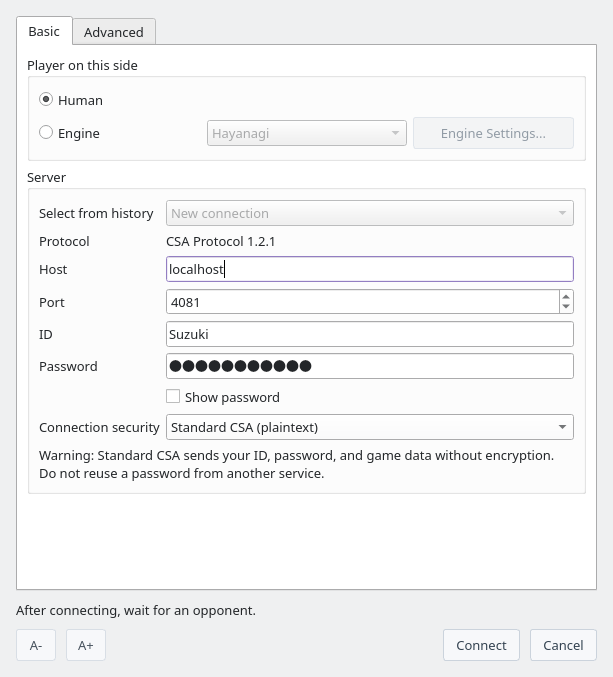
Network game dialog: settings for connecting to a local shogi-server as a human player
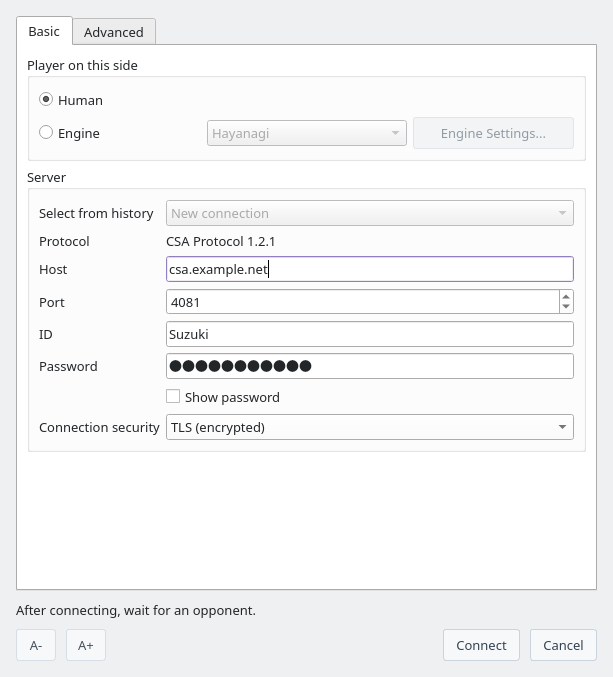
TLS example: enter the TLS server host name and the port specified by its administrator (the host shown is illustrative)
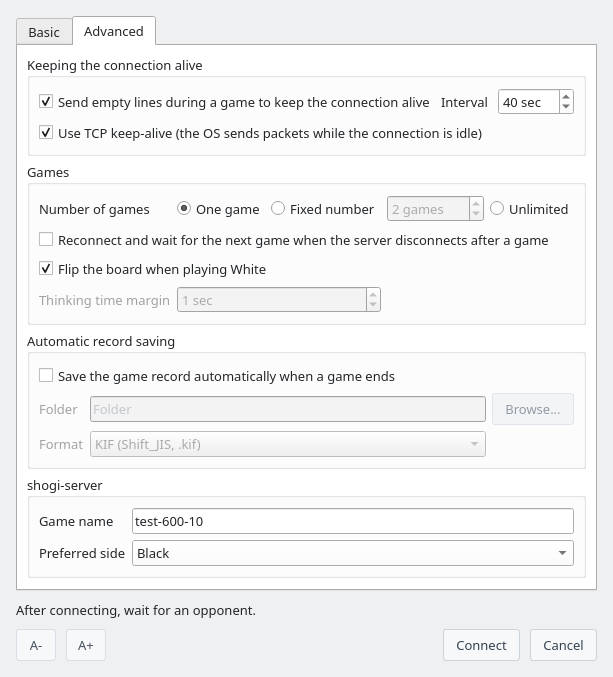
Advanced tab: keeping the connection alive, number of games, automatic record saving and the shogi-server game name
The server decides the time control and other conditions, so ShogiBoardQ has no settings for them. On shogi-server, enter the game name in "Game name" on the Advanced tab (entering game-name,password in the Password field also works). Two players who log in with the same game name play each other.
| Game name | name-time-byoyomi, with times in seconds. Example: test-600-10 is 10 minutes plus 10 seconds of byoyomi |
| Increment (Fischer) | Add F at the end to add time after every move instead of byoyomi. Example: test-300-10F |
| Preferred side | Choose Black or White in "Preferred side". Appending -B (Black) or -W (White) to the game name also works. Example: test-600-10-B,pw |
For shogi-server running on your own computer, set Host to localhost or 127.0.0.1, use its listening port (default 4081), and select Standard CSA (plaintext). A standard shogi-server does not accept a direct TLS connection.
Connecting to floodgate
Use the following settings from the official floodgate connection guide. No account registration is required.
| Host | wdoor.c.u-tokyo.ac.jp |
| Port | 4081 |
| Connection security | Standard CSA (plaintext) |
| ID | A unique ID that does not overlap with another participant |
| Password | Replace trip in floodgate-300-10F,trip with your own dedicated string. Keep the entire Password field within 32 ASCII characters. |
| Advanced tab | For this method, leave Game name empty and set Preferred side to No preference. |
Logged-in players are paired at minute 00 and 30 of each hour. The time control is 5 minutes plus a 10-second increment per move. To play successive games, select two or more games or Unlimited and enable "Reconnect and wait for the next game when the server disconnects after a game".
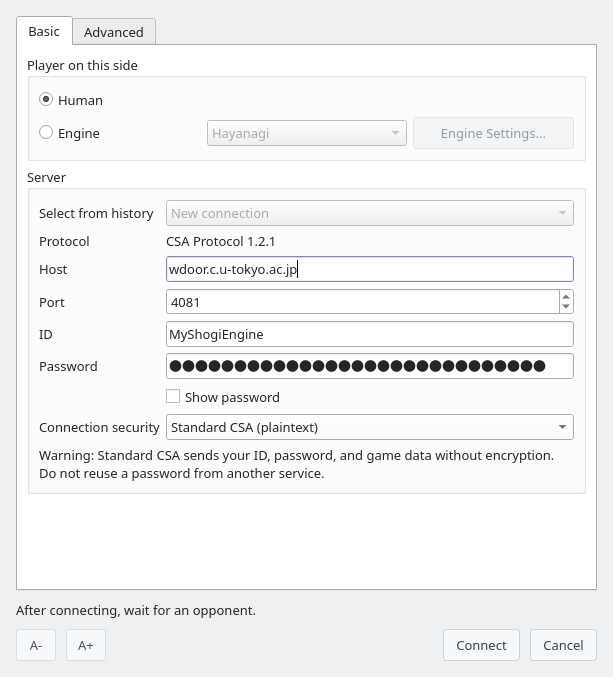
floodgate settings: Standard CSA is selected and the password is masked