ShogiBoardQ icon

Free and open-source shogi software

ShogiBoardQ

From games and engine analysis to tsume shogi:
everything you need to study shogi, in one window.

Windows / macOS / Linux日本語 / English / 简体中文 / 繁體中文

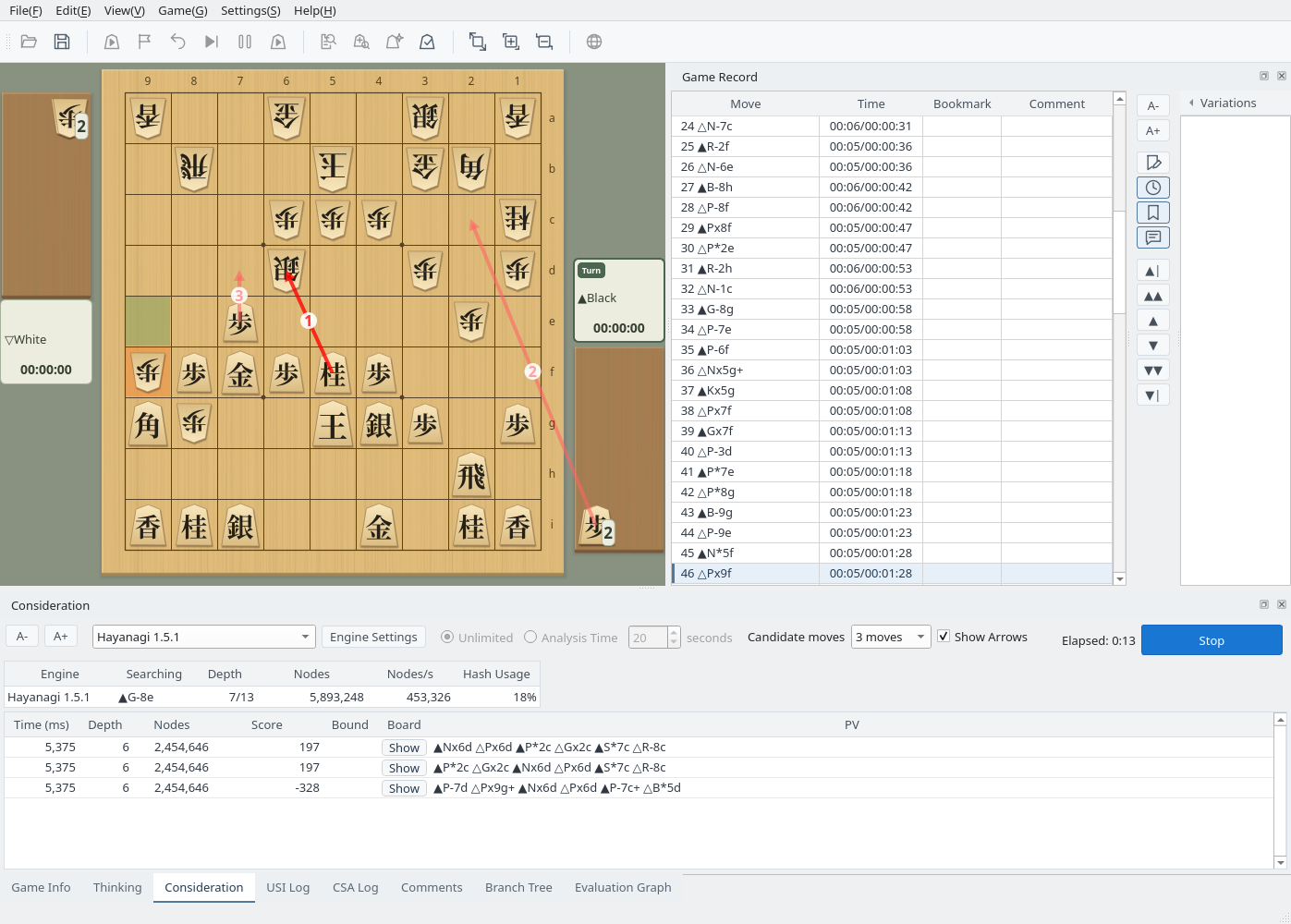
ShogiBoardQ main window in Consideration mode. Hayanagi's three candidate moves are drawn on the board as numbered arrows, and their lines are listed in the Consideration tab.
Consideration mode: compare an engine's candidate moves with on-board arrows and lines (captured on Linux with the English interface)

Highlights

A quick tour of studying, customizing, and solving puzzles in ShogiBoardQ.

Study & Analysis

Candidate moves as arrows,
the game's flow as a graph

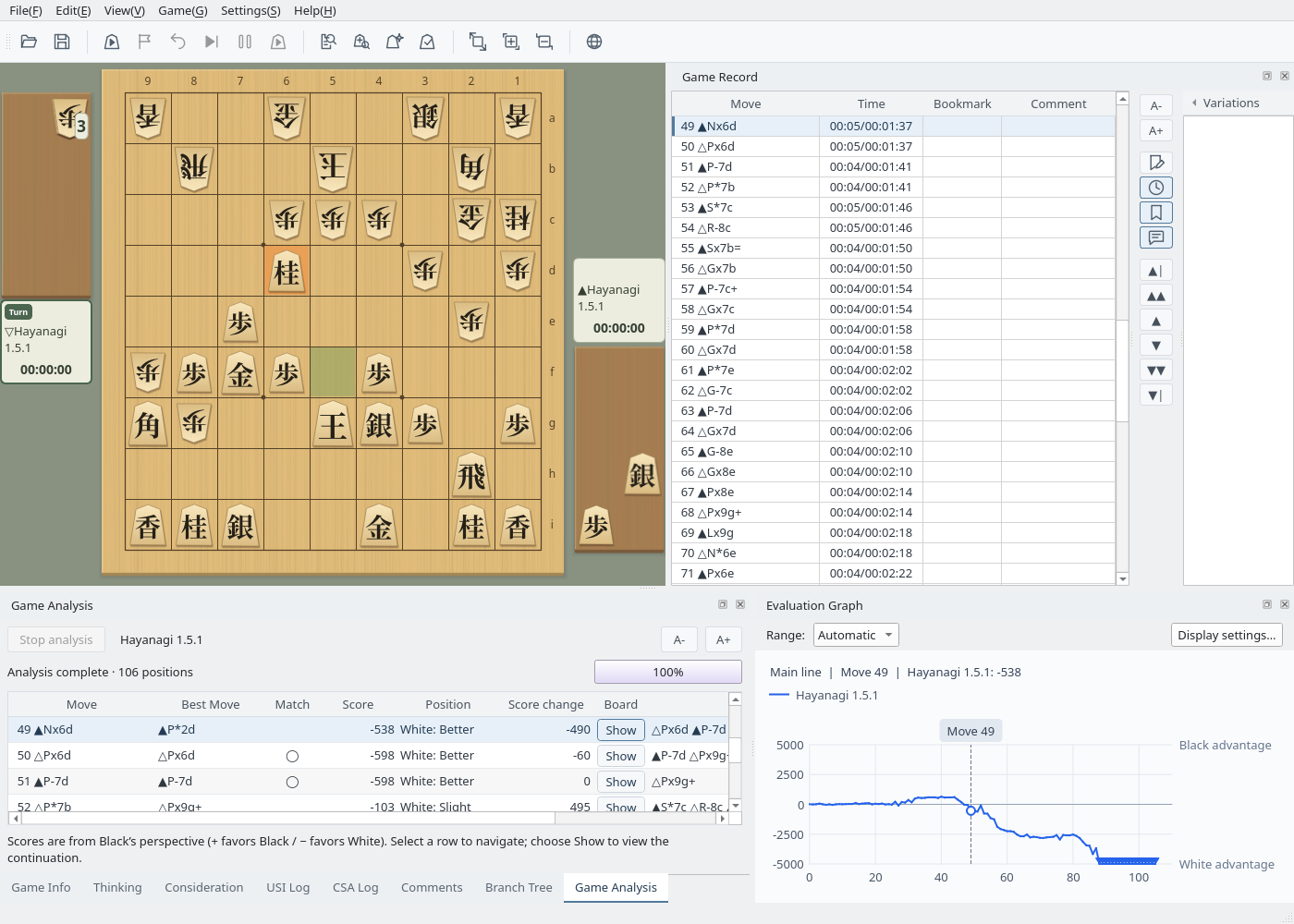
Register a USI engine to explore any position in Consideration mode or analyze a whole game at once. The evaluation graph and the results table take you straight to the moves where the game turned.

  • Candidate moves appear as numbered arrows; drops start from the piece stand
  • Game Analysis lists each move's score, whether it matched the best move, and the score change
  • See the engine's best move as an arrow during games; engine-vs-engine games show both sides' thinking
  • Book moves appear as green arrows on the board; build books from board moves, engine lines, and game records, and let engines play from them
  • Organize your study with the branch tree, bookmarks, and comments
Game Analysis results. The evaluation graph shows the game tilting toward White from move 49, next to a table of scores and best moves.
Game Analysis: the evaluation graph beside the results table

Appearance

40 piece styles,
and a board you design

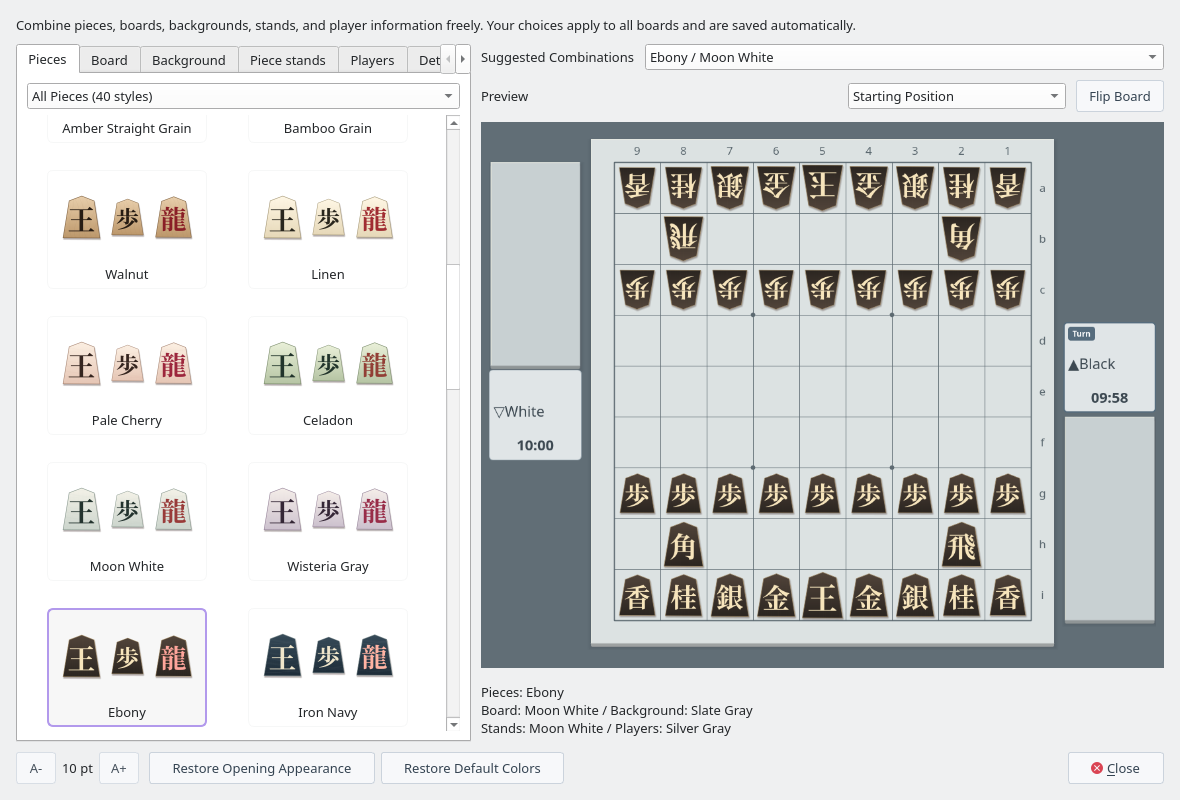
Open View → Game Appearance… to choose pieces, board, background, piece stands, and player cards from samples, and check the whole screen in the live preview.

  • Standard Pieces
  • Light Tiger Grain
  • Walnut
  • Pale Cherry
  • Ebony
  • Iron Navy
  • Sengoku Kanji
  • Facet (Wood)
  • Atelier (White)
  • Ribbon (Ink)
  • Sei (Wood)
  • Rin (Ink)
  • 40 piece styles: standard, tiger grain, wood, light, deep, Sengoku Kanji, chess-inspired, and alphabet
  • 26 boards, backgrounds, and piece stands each, 20 player-card styles, and 24 suggested combinations
  • Your choice also applies to the PV board, tsume shogi, and exported images
Game Appearance window with Ebony pieces selected and previewed on a Moon White board
Game Appearance: the Ebony / Moon White combination

Tsume Shogi

Solve 6,000 tsume shogi puzzles
on the board

The release packages include 1,000 puzzles each of mate in 3, 5, 7, 9, 11, and 13. Pick one from the list and checkmate the king while the built-in Hayanagi engine defends.

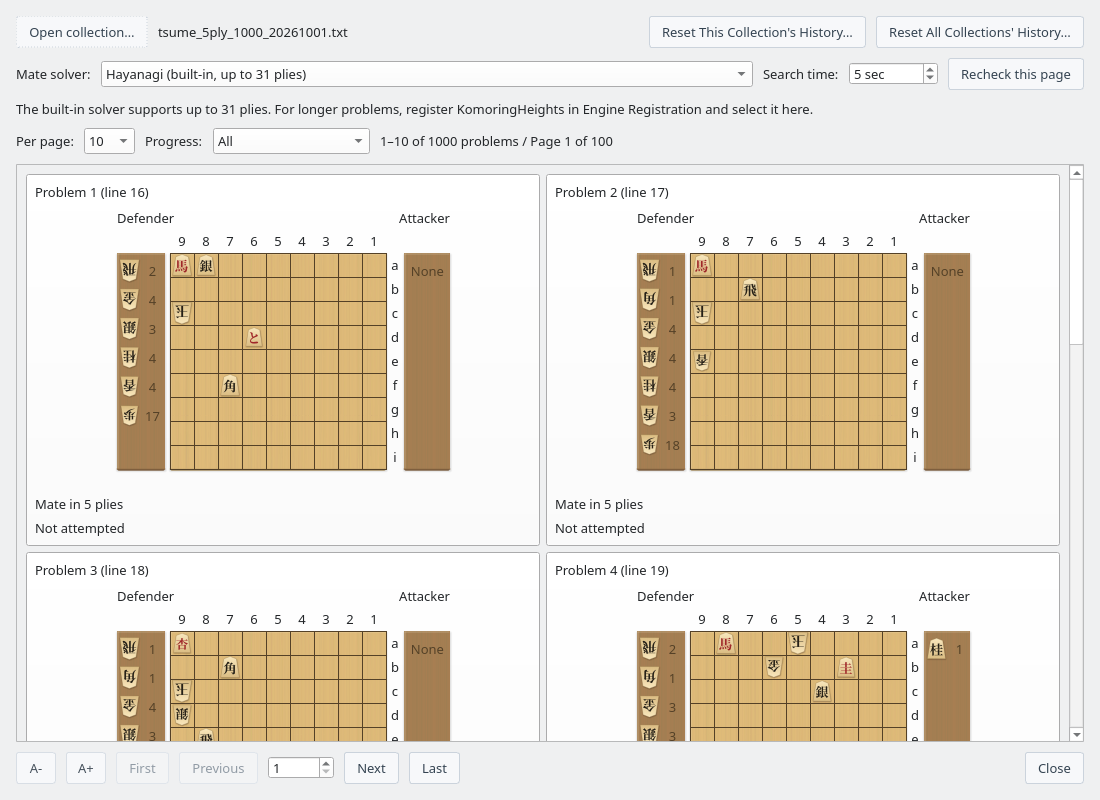
  • Browse puzzles as board cards and filter them by progress
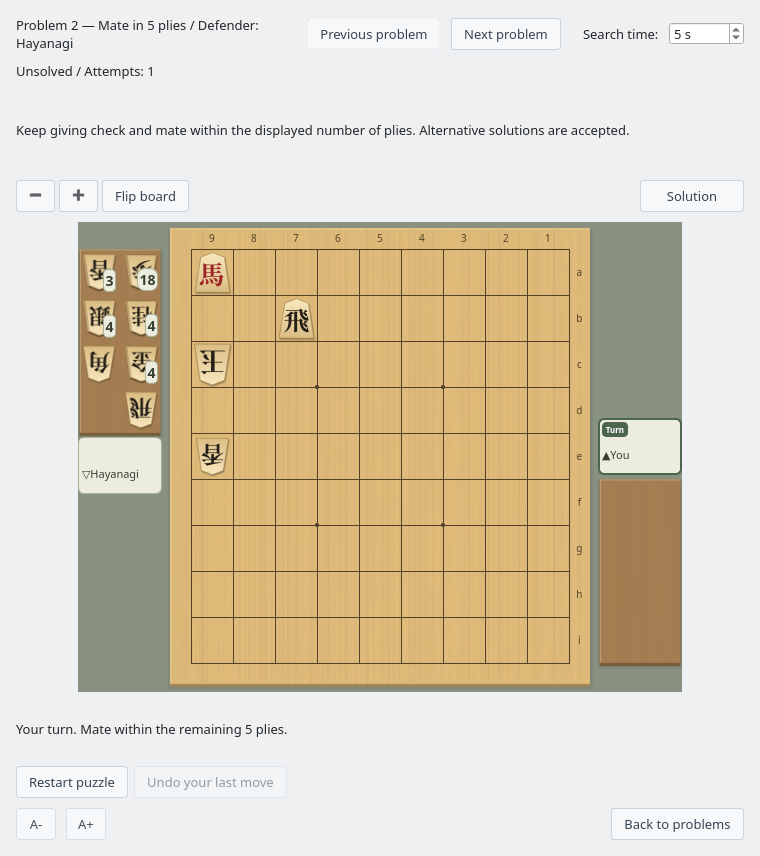
  • Mate within the remaining moves to solve it; valid alternative solutions count too
  • Review your attempt history and replay the solution
  • Create puzzles with Mate Search and the Tsume Shogi Generator (GUI and CLI)
Tsume shogi puzzle list showing mate-in-5 puzzles as board cards Tsume Shogi Play window where you attack the king defended by Hayanagi
The puzzle list (back) and the Tsume Shogi Play window (front)

Features

The User Guide explains every feature, organized by task.

Games and analysis use a shogi engine that supports the USI protocol, which you register first. The release packages for every OS include the Hayanagi engine. We thank the developers of shogi engines for their work.

Download

Get the latest release from GitHub. ShogiBoardQ is free to use.

  • Windows

    64-bit Windows (x64)

    1. Download the ZIP and extract all files
    2. Run ShogiBoardQ.exe
    Windows (ZIP)
  • macOS

    Mac with Apple silicon

    1. Extract the ZIP and open the DMG
    2. Drag ShogiBoardQ.app to Applications
    3. If the first launch is blocked, allow it in System Settings → Privacy & Security
    macOS (ZIP)
  • Linux

    x86_64 (AppImage)

    1. Extract the ZIP
    2. Make ShogiBoardQ-linux-x86_64.AppImage executable and run it
    Linux (ZIP)

Every package includes the tsume shogi collections (6,000 puzzles) and the Hayanagi engine with its opening book. See the release notes (in Japanese) for system requirements and changes.

Build from Source

Clone the repository with its submodules and build it with Qt 6 and CMake. The User Guide walks through each OS.

License

ShogiBoardQ is free software released under the GNU General Public License v3.0 (GPL-3.0).

  • You may use, modify, and redistribute this software freely. You do not need to contact the author to use or modify it.
  • If you distribute a modified version, you must make its source code available under the same GPL-3.0 license.
  • This software is provided with NO WARRANTY. The author accepts no liability for any damages arising from the use of this software.