 MolForma
Recipe 14 From a result to the next calculation (TDDFT of optimized p-nitroaniline)
Call up the p-nitroaniline optimized in recipe 3 from “History” and bring its structure into “1 Molecule” with “Apply as candidate” in the “Result viewer”. Change the kind of calculation at that structure and compute the excited states (UV spectrum) with CAM-B3LYP/6-31+G* TDDFT. Along the way, see how built and calculated structures are passed around.
| What you build | Details |
|---|---|
| Molecule | Optimized p-nitroaniline (16 atoms) |
| Features | History, Open in result viewer, Apply as candidate (RMSD, largest displacement), Compare, exporting results, Reuse molecule and settings, excited states (TDDFT), the absorption spectrum |
| Calculation | CAM-B3LYP/6-31+G*, single point + TDDFT (10 singlet states) |
| Run time | About 42 minutes (6 MPI processes) |
| Computer | AMD Ryzen 7 2700X (8 cores, 16 threads), 32 GB of memory, NWChem 7.3.1 on Linux |
| Practice data | p_nitroaniline_tddft.molforma.json (the imported structure and TDDFT settings) |
1. Bring the calculated structure in
- Open the project of recipe 3 (
p_nitroaniline.molforma.json). Its molecule is the starting structure from before the calculation. - Open “History” in the header. Jobs in the job folder of “3 Run settings” are listed with their calculation name (or title, for the default calculation name), composition, method, task and energy.
-
Choose the p-nitroaniline job and press “Open in result viewer” on the right (or double-click the row).
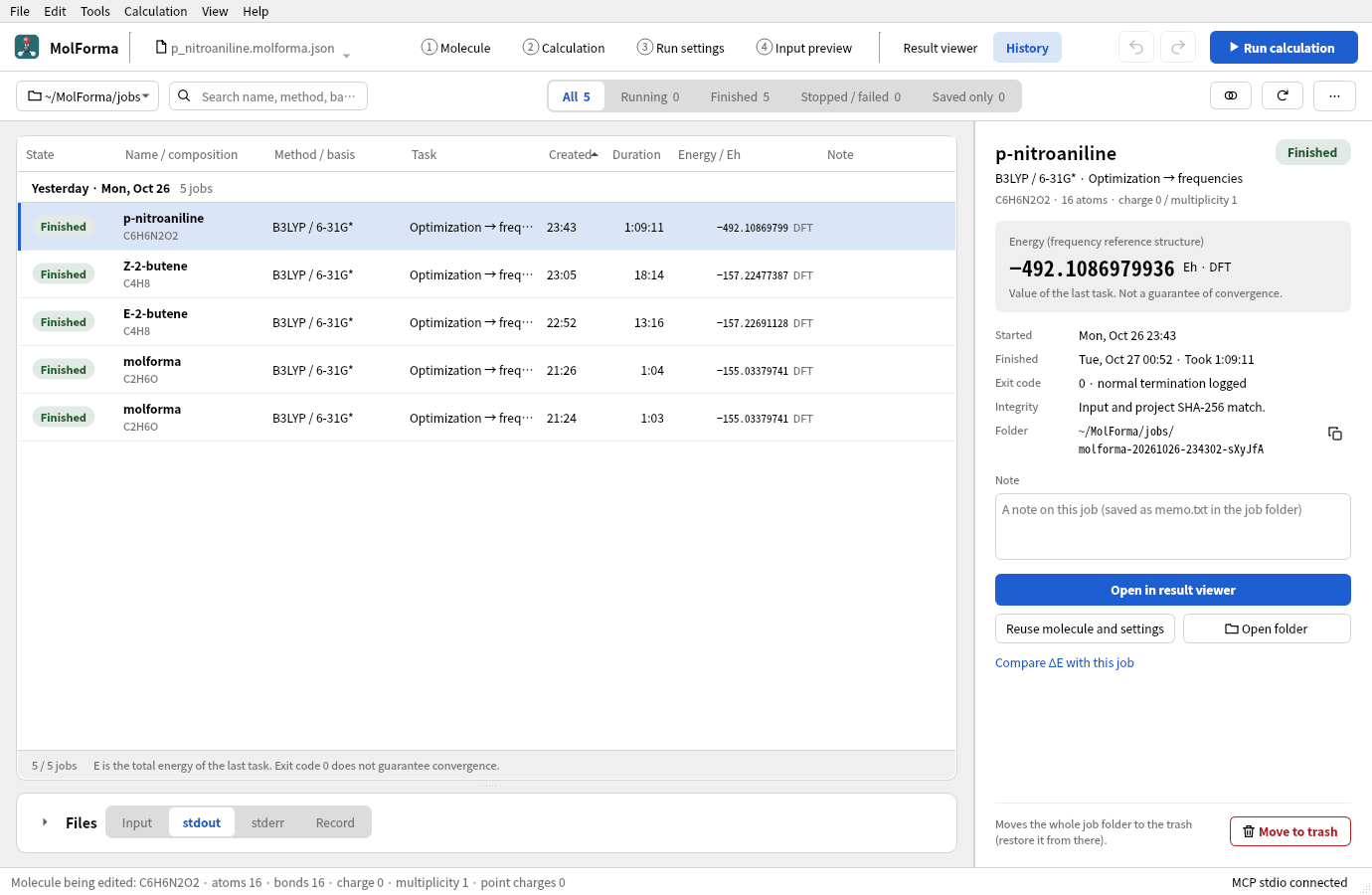
Figure 1 Choosing a job in “History” shows its details and “Open in result viewer” on the right.
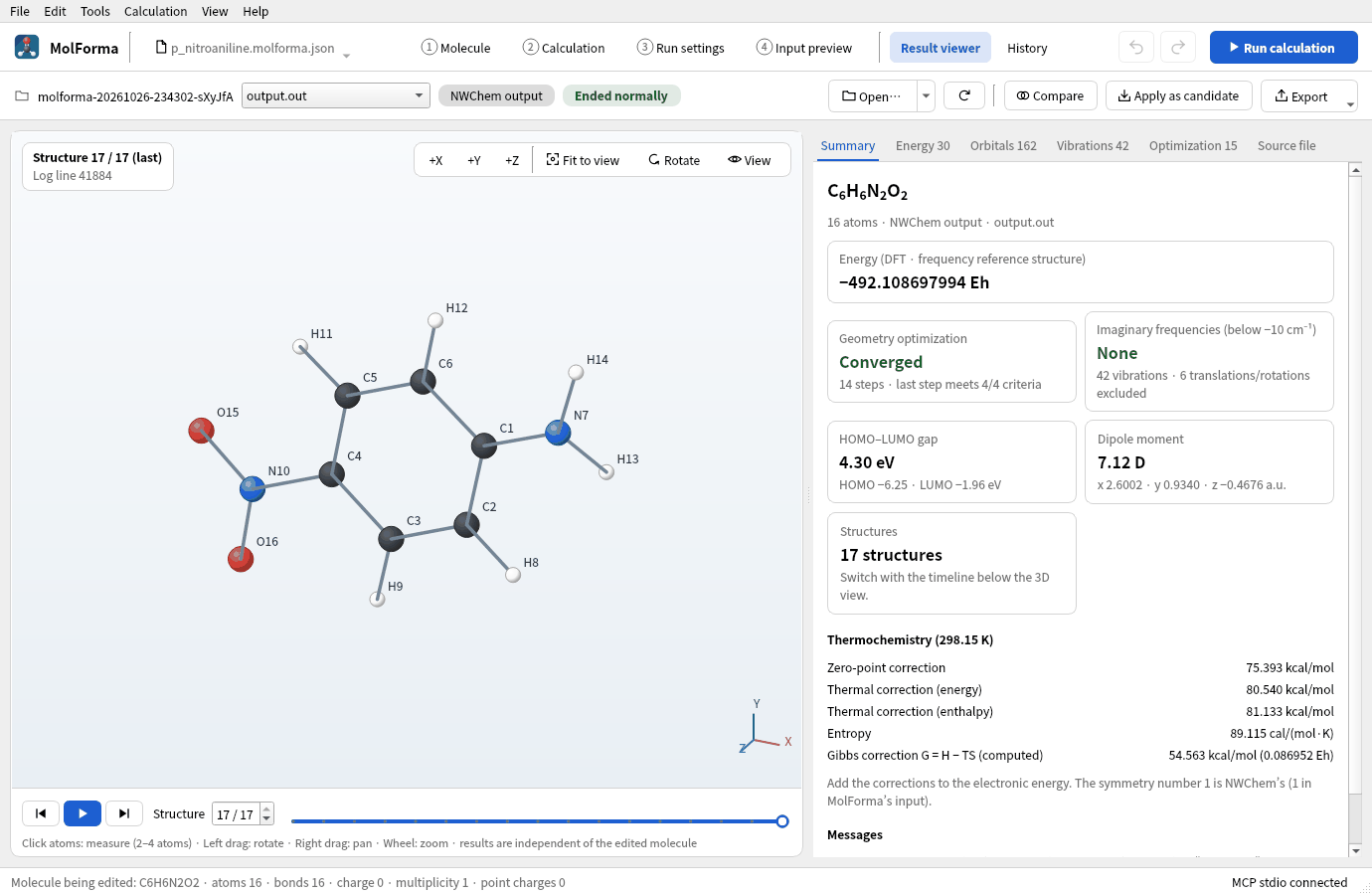
Figure 2 Opened in the “Result viewer”, showing the last structure of the optimization.
-
Press “Apply as candidate” in the bar at the top of the “Result viewer”. The structure shown (the last one of the optimization) becomes a candidate in “1 Molecule”, and the status bar says how far it moved: “The result structure is now a candidate (RMSD 0.0615 Å, largest displacement 0.1180 Å).”
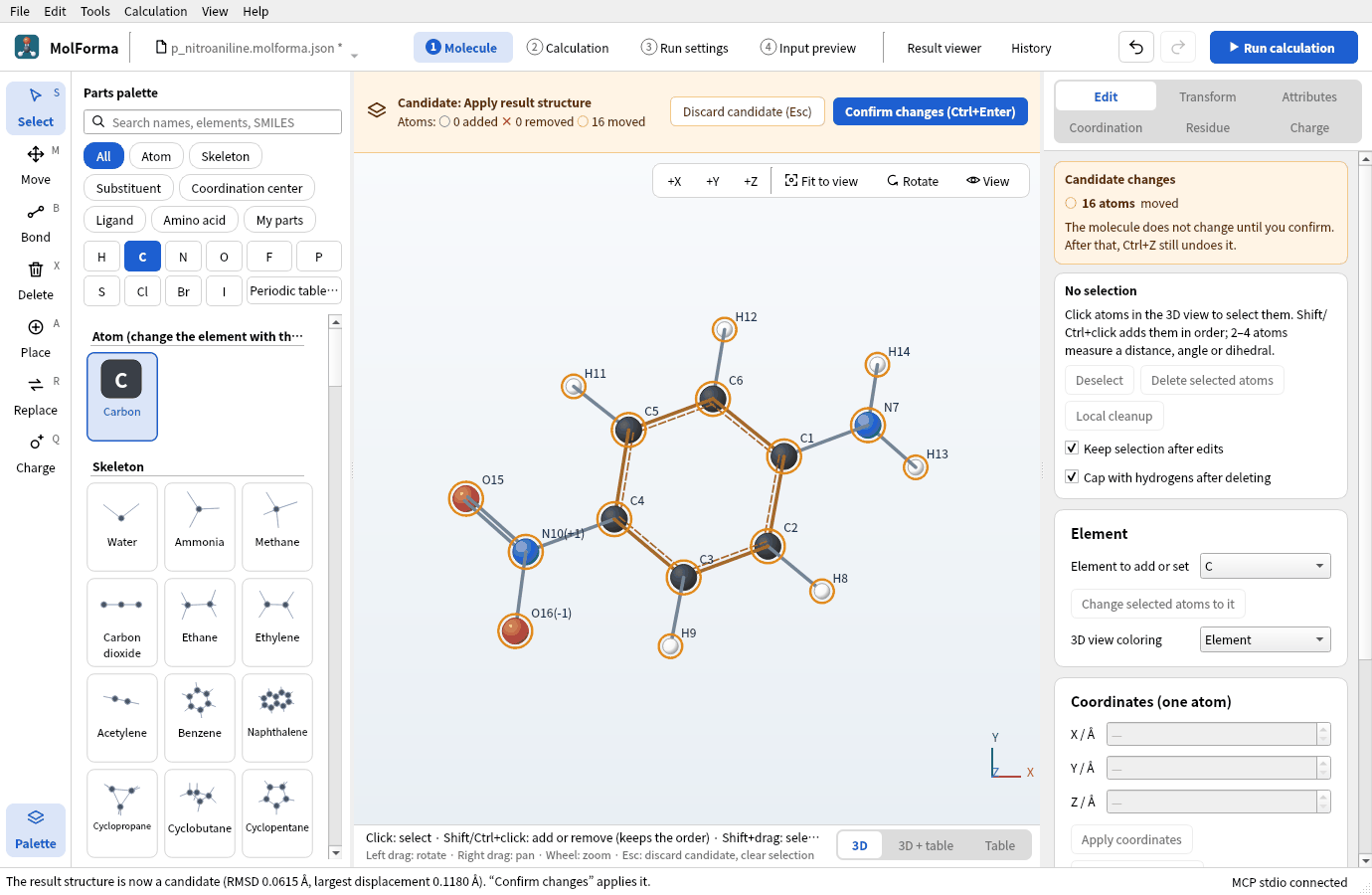
Figure 3 The result structure is shown as a candidate, and the status bar says how far it moved.
- Press “Confirm changes”. Atom IDs, bonds and settings stay; only the coordinates are exchanged.
“Apply as candidate” accepts only results with the same number, order and elements of atoms; results in which fixed atoms moved are refused. “Compare” shows only the RMSD and the largest deviation without taking the structure.
Other ways to pass structures
| Way | What comes over | Note |
|---|---|---|
| “Result viewer” → “Apply as candidate” | Coordinates of the shown structure | Same number and order of atoms only |
| “Result viewer” → “Export” → “Export shown structure as XYZ…” | Structure (XYZ) | Bonds are guessed from distances on opening; no residues, charges or settings |
| “History” → “Reuse molecule and settings” | The project used for the calculation | Opens the molecule and settings from before the run as a new unsaved project |
.nw (NWChem input) with “File → Open…” |
The first geometry and the settings |
Input coordinates are the starting structure |
2. Switch to TDDFT
- In “Basics” of “2 Calculation”, set the task to “Single-point energy”.
- Set the DFT functional to “CAM-B3LYP (range-separated)” and the basis set to “6-31+G*”. Range-separated functionals suit charge-transfer excitations.
-
In “Excited states (TDDFT)” in the list on the left, turn on “Compute excitation energies and oscillator strengths with TDDFT” and set “Excited states (nroots)” to 10. It is closed shell, so leave “Also triplets (closed shell)” off (
notripletin the input).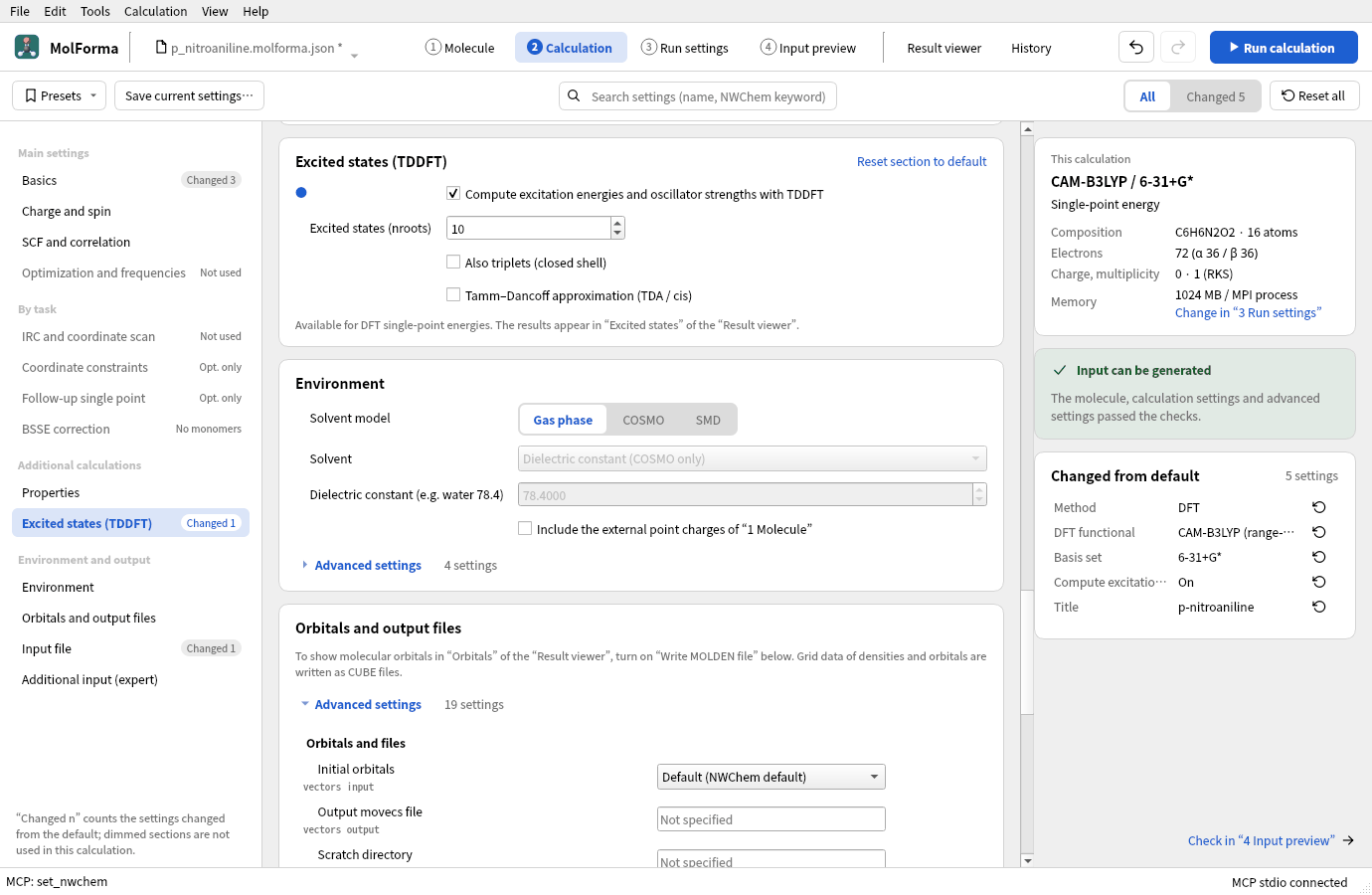
Figure 4 The settings in “Excited states (TDDFT)”.
-
In “4 Input preview”, check the
tddftblock (nroots 10) andtask tddft energy.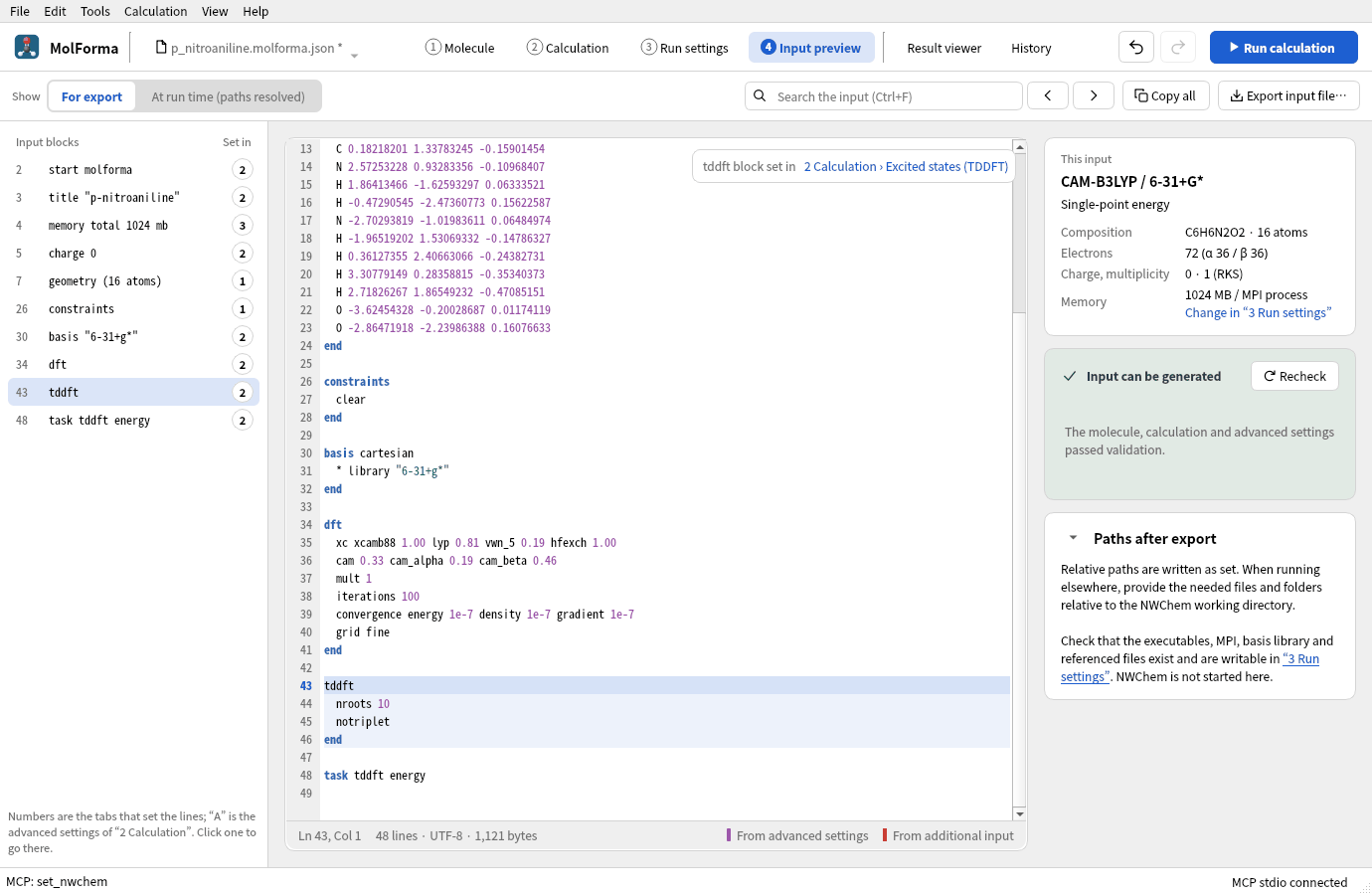
Figure 5 The
tddftblock of the input andtask tddft energy.
TDDFT is available only with the task single-point energy (excited-state optimizations are not covered). Meta-GGAs (TPSS, SCAN, the M06 family, …) stop NWChem’s TDDFT and cannot be chosen.
3. Run and look at the results
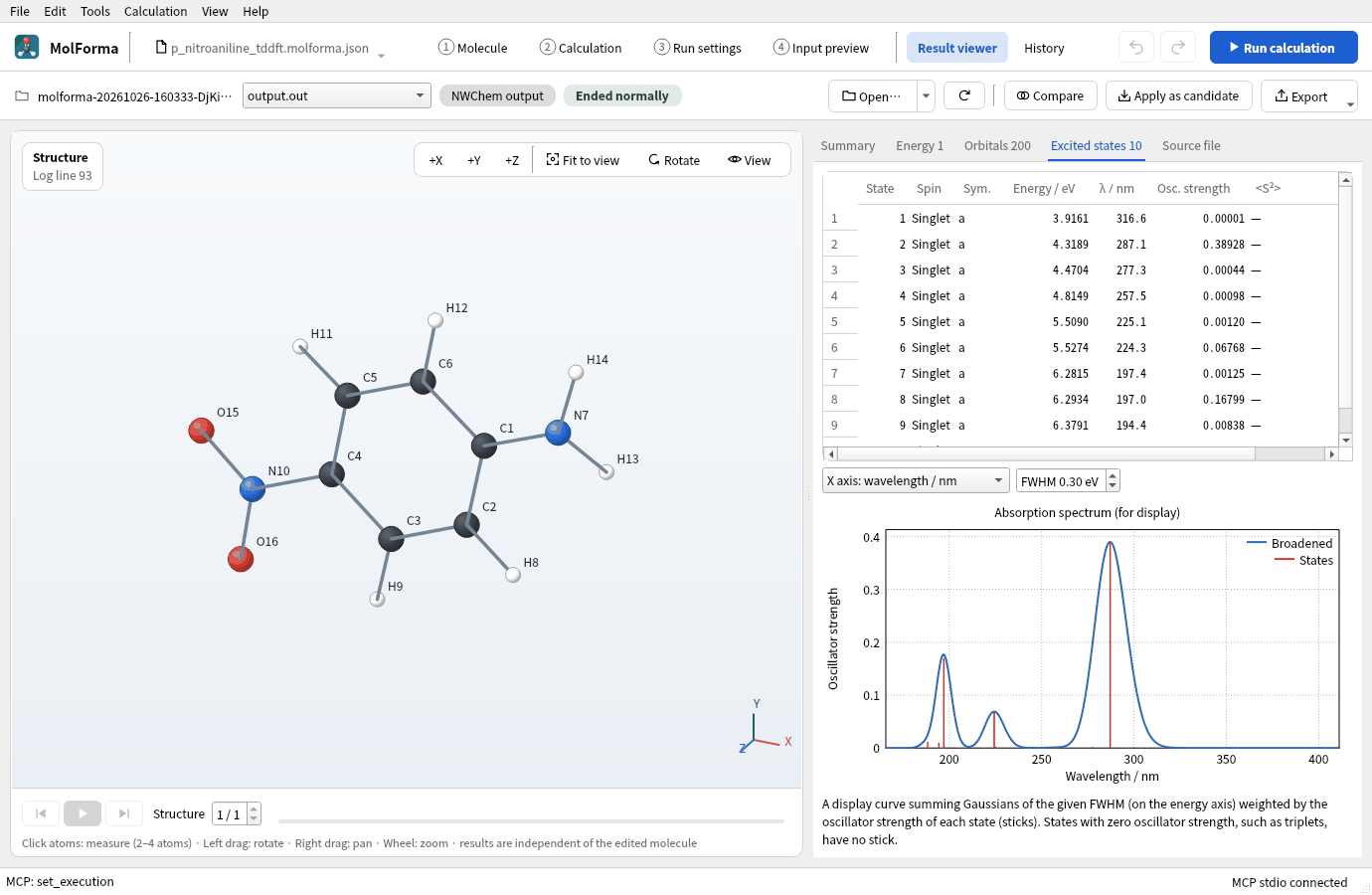
Run with “Run calculation” (F5) and open the “Excited states” tab of the “Result viewer”: a table of excitation energies (eV, nm) and oscillator strengths, and a display spectrum with the oscillator strengths broadened by Gaussians (full width at half maximum in eV, wavelength or energy axis).
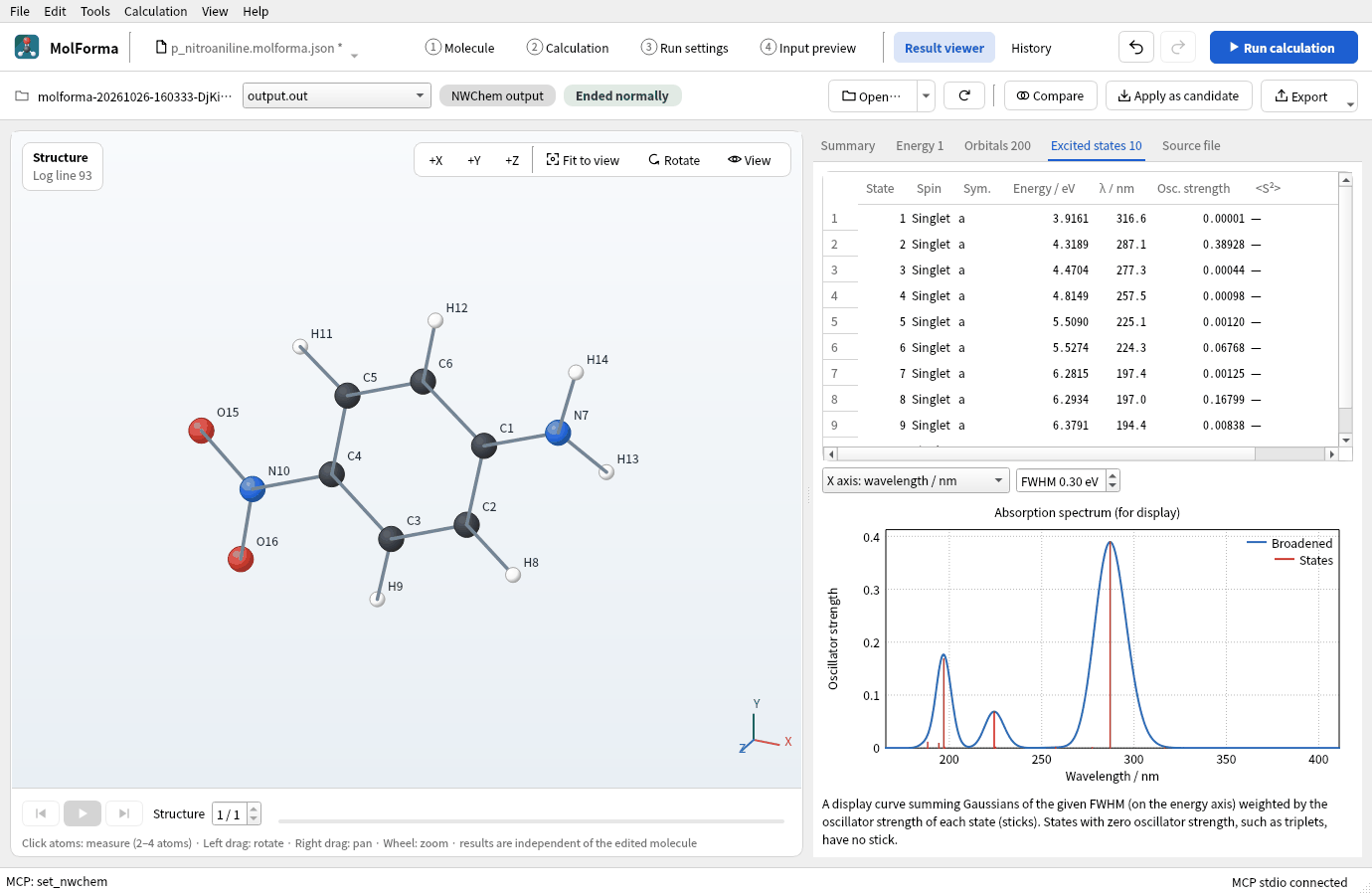
Figure 6 The “Excited states” tab: the table of states and the absorption spectrum broadened from the oscillator strengths.
Results
The ground-state energy is −491.901382279 Eh (CAM-B3LYP/6-31+G*). The main states:
| State | Excitation energy | Wavelength | Oscillator strength |
|---|---|---|---|
| 1 | 3.92 eV | 317 nm | 0.00001 |
| 2 | 4.32 eV | 287 nm | 0.389 |
| 6 | 5.53 eV | 224 nm | 0.068 |
| 8 | 6.29 eV | 197 nm | 0.168 |
The strongest absorption is state 2 (287 nm), a charge-transfer excitation moving an electron from the amino to the nitro group; it agrees well with the gas-phase experiment (about 290 nm). State 1 is an n→π* excitation that absorbs almost no light (oscillator strength nearly 0). In polar solvents such as water, the charge-transfer band shifts strongly to longer wavelengths (about 380 nm), so set a solvent in “Environment” to compare with solutions.
Troubleshooting
- “Apply as candidate” is refusedThe result and the present molecule differ in the number, order or elements of atoms. After adding or sorting atoms, open the project from before, or pass the structure as XYZ.
- The job is not in HistoryCheck that the folder at the top of “History” is the job folder of “3 Run settings”. Another place can be chosen with “Choose folder…”.
- The TDDFT items are disabledThe method is not DFT, or the task is not a single-point energy.
See also: “Result viewer”, “History”, recipe 3 Substituted aromatics, recipe 15 Isotopes.