 MolForma
NWCHEM · MOLECULAR EDITOR
Build a molecule, calculate it, check the results.
MolForma is a desktop app for the quantum chemistry program NWChem. Build a molecule by placing parts, choose the calculation, run NWChem and check the optimized structure, vibrations, orbitals and spectra, all in one window.
Follow the tabs from left to right
The numbered tabs in the header are the order of the work.
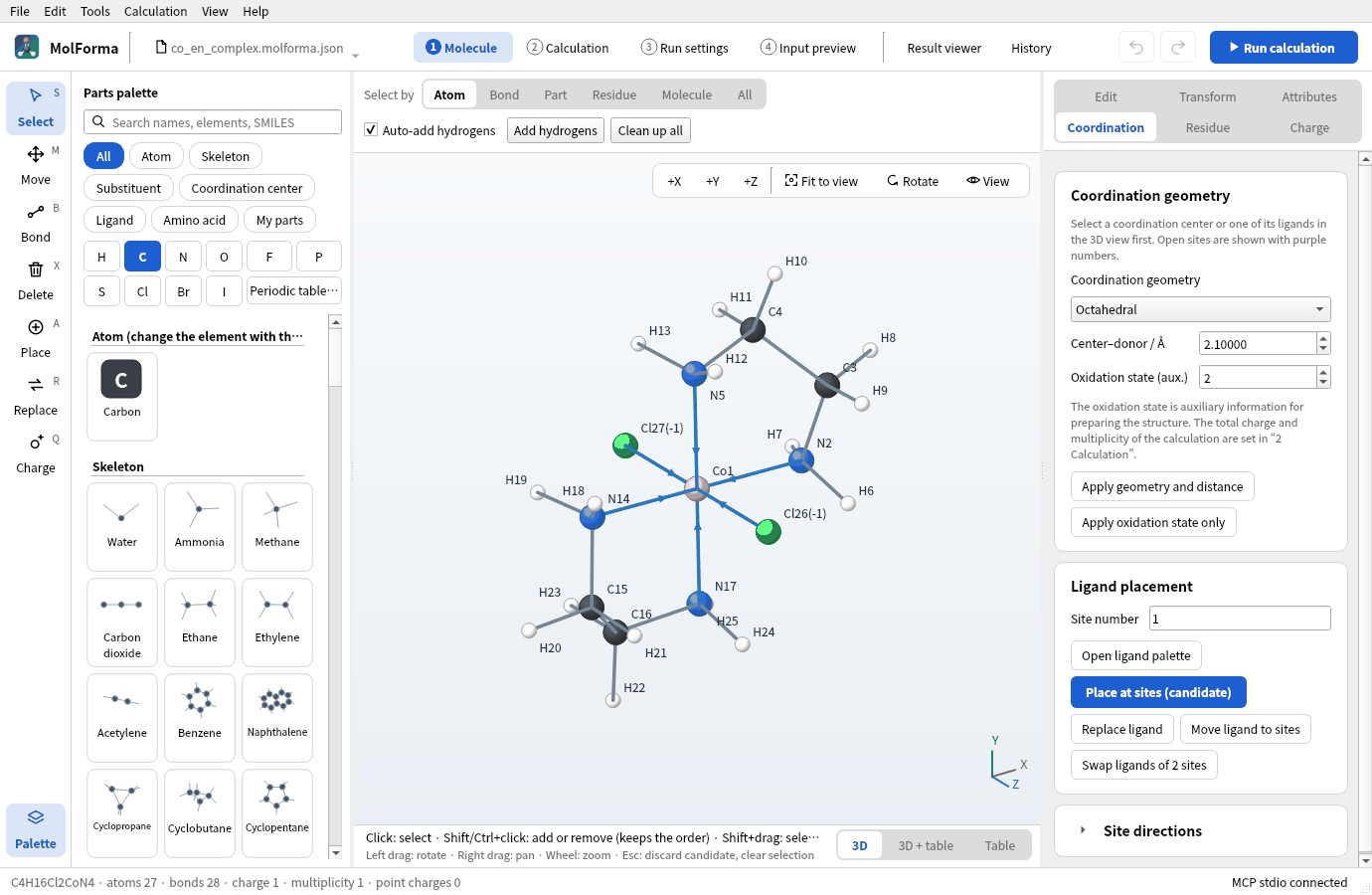
- 1MoleculeBuild a molecule from parts, SMILES or structure files, and clean it up with a force field
- 2CalculationChoose the method, basis, charge and task; the combination is checked
- 3Run settingsThe NWChem executable, MPI processes and job folder
- 4Input previewCheck the generated NWChem input and save it
- Result viewerCheck structures, vibrations, orbitals, spectra and reaction paths
- HistoryCompare past calculations and reuse their molecules and settings
1 Molecule
Place parts, get a molecule ready to calculate
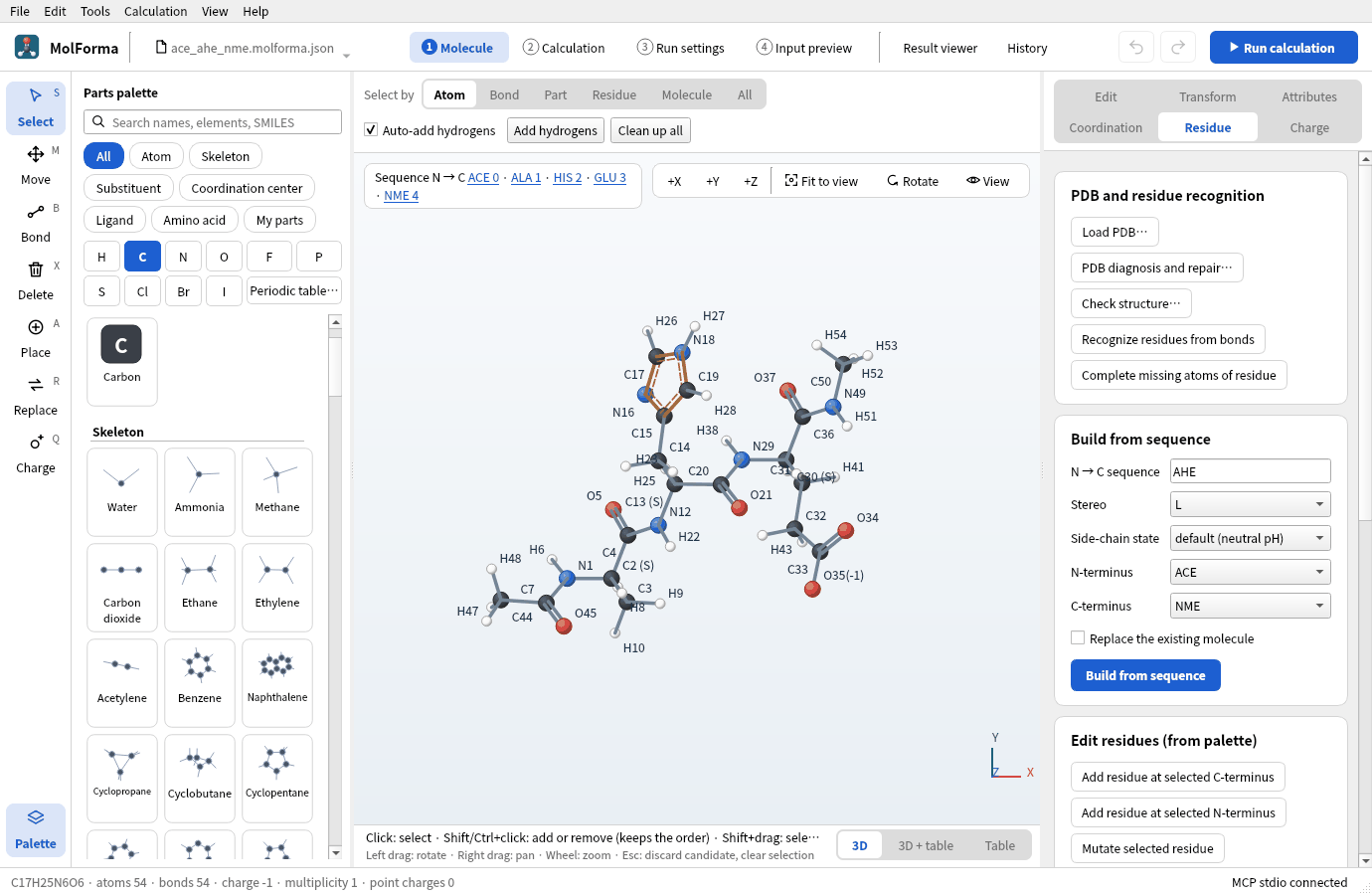
Place atoms, skeletons, substituents, ligands and amino acids with a click, and set bond types, distances, angles and dihedrals by value. Edits are shown as candidates and confirmed after you check them.
- Coordination centers and geometries, bidentate ligands, the total charge following oxidation numbers
- Peptides from a sequence (terminal caps, side-chain states) and residue mutation
- Recording and inverting stereo (R/S, E/Z), isotopes, external point charges, your own parts
- Start from SMILES, XYZ, MOL, SDF or PDB files, or NWChem and Gaussian inputs
# Generated by MolForma for NWChem
start molforma
charge 0

geometry units angstrom nocenter noautosym
  C -0.044927  0.013489  0.036801
  O -0.865382  0.865338 -0.750307
  …
end

basis cartesian
  * library "6-31g*"
end

dft
  xc b3lyp
  mult 1
  grid fine
end

task dft optimize
task dft frequencies
2 Calculation · 4 Input preview
From your choices to a checked NWChem input
Choose the method, basis, charge and multiplicity and the task; MolForma checks the electron count and the combination, and writes a complete input from the coordinates to the task. The input preview traces each line back to its setting.
- HF, DFT, MP2, CCSD(T)
- Optimization, frequencies
- Transition states, IRC
- Scans, constraints
- TDDFT
- COSMO, SMD
- BSSE correction
- ZORA, DKH, X2C
- Mulliken, ESP, NMR, polarizability
Result viewer
Check the results right where you work
Run and stop NWChem locally and follow its progress and log. Open a finished calculation in the result viewer and bring the optimized structure into the next calculation.
- The optimization and its convergence, energies and ΔE
- Animated vibrations, IR spectra and thermochemistry
- Isosurfaces of molecular orbitals and densities (CUBE, MOLDEN)
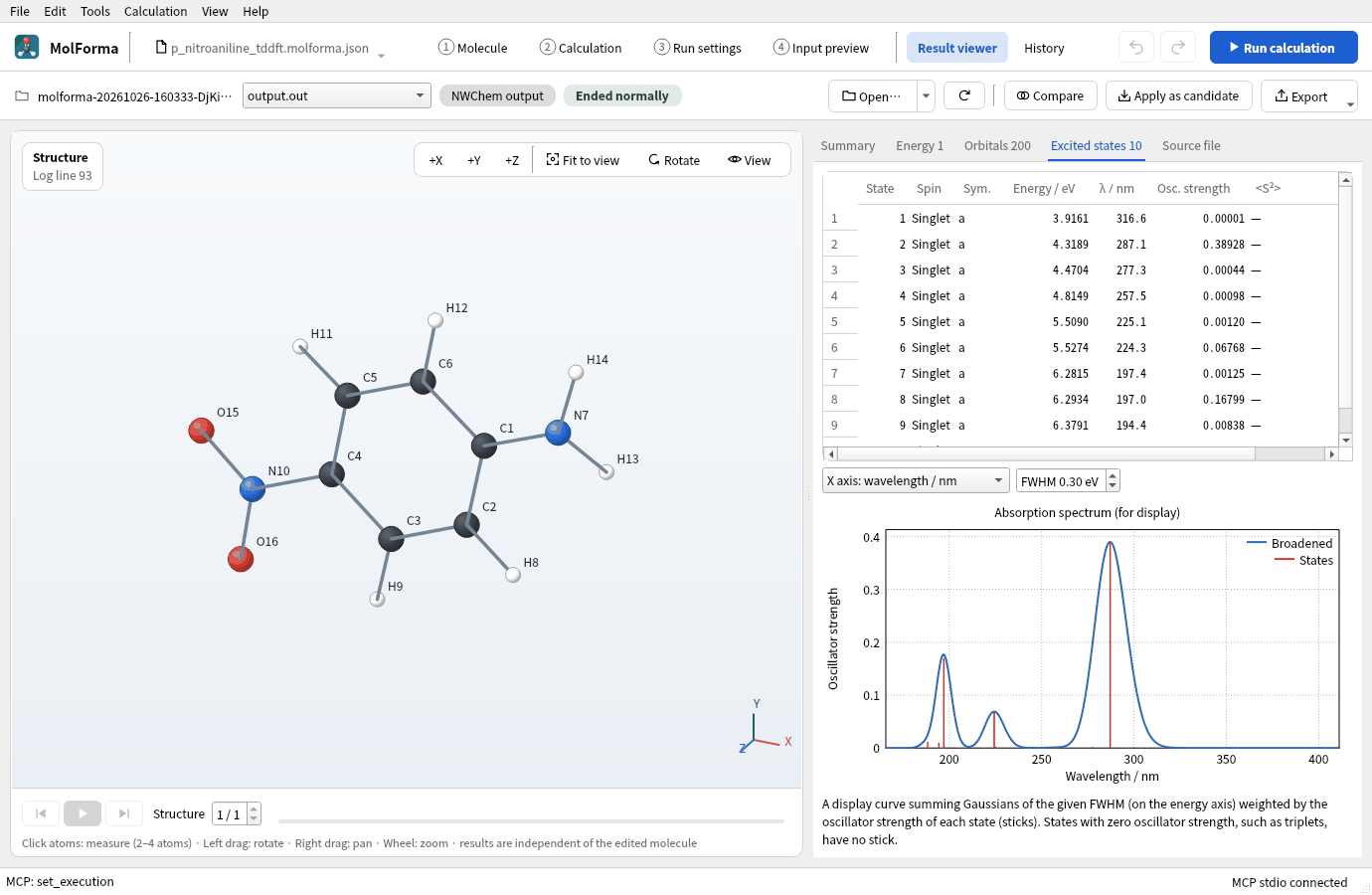
- Excited states and absorption spectra, scan and IRC paths
History
Saved calculations are listed by day, with energy differences (ΔE) between jobs of the same composition, method and basis. The molecule and settings of a calculation can be reused as they are.
About historyOperated by AI (MCP)
MolForma has a built-in MCP server. Registered in Claude Code or Codex, it takes requests in words, from editing a molecule to running a calculation and checking its results. The NWChem executable and the places it reads and writes stay within what you allow.
About the MCP serverFeatures screen by screen
Twelve pages with screenshots describe what the parts of each tab and screen do.
- 1 Molecule“1 Molecule”: layout, tools and selectionWindow layout, tools and parts palette, selection, deletion, candidates and view, periodic table
- 1 MoleculeRight-side pages of “1 Molecule”The Edit, Transform, Attributes, Coordination, Residue and Charge pages, structure tools
- 1 MoleculeCoordinate tableEditing coordinates and attributes, loading and exporting structure files, NWChem geometry blocks
- 2 Calculation“2 Calculation”Methods, basis sets, solvents and relativity, transition states, IRC and scans, properties and BSSE, diagnostics
- 2 CalculationAdvanced settings and CUBE/MOLDEN outputAdvanced settings of each section (56 items), writing CUBE and MOLDEN files
- 3 Run settings“3 Run settings”Launching NWChem and MPI, pre-run checks, the run panel and log
- 4 Input preview“4 Input preview”The generated NWChem input, its blocks and where they are set, copying and exporting
- Result viewer“Result viewer”Summary, optimization, vibrations, excited states, paths and properties, orbitals from MOLDEN
- History“History”The list of jobs, comparing ΔE, reusing molecules and settings, repairing records
- 3D view3D renderingVTK and QPainter rendering, display styles, measurement and hydrogen-bond display
- AllWhole applicationShared parts of the window, interface language, autosave and recovery, the guide and manual
- MCPMCP server overviewOperation from AI clients, the tools it exposes, safety restrictions
Recipes by topic
Sixteen recipes that build a molecule, calculate it with NWChem and check the results. Every page comes with the results of an actual run, screenshots and practice data.
- Recipe 1Building from atoms and bondsEthanol, acetaldehyde, dimethyl etherB3LYP/6-31G* optimization → frequencies
- Recipe 2Coordination compoundstrans-[Co(en)₂Cl₂]⁺ (charge +1)B3LYP/def2-SVP optimization
- Recipe 3Substituted aromaticsp-Nitroaniline and its o and m isomersB3LYP/6-31G* optimization → frequencies
- Recipe 4Heterocycles from SMILES and structure filesCaffeineB3LYP/6-31G* optimization
- Recipe 5Chains and conformersAnti and gauche n-butaneB3LYP/6-31G* relaxed scan
- Recipe 6StereochemistryR/S lactic acid, E/Z 2-buteneB3LYP/6-31G* optimization → frequencies
- Recipe 7PeptidesACE–Ala–His–Glu–NME (charge −1)B3LYP/6-31G* single point (COSMO, water)
- Recipe 8Mutating residues and editing chainsHis→Phe mutant, splitting and relinking chainsB3LYP/6-31G* single point (COSMO, water)
- Recipe 9Complexes of molecules and BSSEBenzene–water dimerMP2/6-31G* single point, BSSE corrected
- Recipe 10Ions and radicalsPhenol, phenoxyl radical, phenolateB3LYP/6-31+G* optimization → frequencies
- Recipe 11Main-group moleculesSF₆ (octahedral), PF₅ (trigonal bipyramidal)B3LYP/6-31G* optimization → frequencies
- Recipe 12Solvated clusters and point charges[Na(H₂O)₄]⁺ and TIP3P point chargesB3LYP/6-31G* optimization and single points
- Recipe 13Transition states and reaction pathsTransition state of F⁻ + CH₃ClM06-2X TS search, IRC
- Recipe 14From a result to the next calculationOptimized p-nitroanilineCAM-B3LYP/6-31+G* TDDFT
- Recipe 15Isotopes and atom orderEthanol-ODB3LYP/6-31G* frequencies
- Recipe 16Your own parts (My parts)TrimethylsilylbenzeneB3LYP/6-31G* optimization
Getting and building
The source code is on GitHub. Install the development packages below and build it. Calculations also need NWChem (and, for MPI builds, the matching MPI launcher).
- Required
- Qt6 (Widgets, 6.4 or later), Eigen3, Open Babel 3, CMake 3.21 or later, a C++20 compiler
- Optional
- RDKit C++ (stereo and residue recognition), VTK 9.1 or later (3D rendering)
# Get the source and build
git clone https://github.com/hnakada123/MolForma.git
cd MolForma
cmake -S . -B build -G Ninja -DCMAKE_BUILD_TYPE=Release
cmake --build build -j 4
./build/molforma
License
MolForma is free software released under the GNU General Public License, version 2 or later (GPL-2.0-or-later).
- You are free to use, modify and redistribute it. There is no need to contact the author to use or modify it.
- If you distribute a modified version, you must make its source code available under the same GPL (version 2 or later). Binaries linked with Open Babel (GPL-2.0-only) are distributed under the terms of GPL version 2.
- The software is provided without any warranty. In no event shall the author be liable for any damage arising from its use.
See the LICENSE file for the full license text, and the NOTICE file for how it relates to the licenses of the libraries MolForma uses.
About NWChem
NWChem is not included with MolForma. Calculations use an NWChem installed separately, which is under its own license (the Educational Community License 2.0). MolForma is an independent project, not affiliated with the developers of NWChem. For how to get and use NWChem, see its home page, https://nwchemgit.github.io/.
When you publish results obtained with NWChem, please cite NWChem: E. Aprà et al., “NWChem: Past, present, and future”, J. Chem. Phys. 152, 184102 (2020), doi:10.1063/5.0004997.