 MolForma
Recipe 4 Heterocycles from SMILES and structure files (caffeine)
Fused ring systems that are not among the skeleton templates come from SMILES (a one-line structure) or from a structure file drawn in another program. Build caffeine in 3D from SMILES, then open a 2D .sdf without hydrogens, add the hydrogens and regenerate the 3D structure, and optimize with B3LYP/6-31G*.
| What you build | Details |
|---|---|
| Molecule | Caffeine C₈H₁₀N₄O₂ (24 atoms, charge 0, singlet) |
| Features | From SMILES, SMILES from the palette search, opening structure files, Add hydrogens, Regenerate 3D, heterocyclic skeleton templates |
| Calculation | B3LYP/6-31G*, geometry optimization |
| Run time | About 59 minutes (6 MPI processes, alongside other runs) |
| Computer | AMD Ryzen 7 2700X (8 cores, 16 threads), 32 GB of memory, NWChem 7.3.1 on Linux |
| Practice data | caffeine.molforma.json (built from SMILES), caffeine_2d.sdf (2D structure without hydrogens) |
1. From SMILES
- Choose “File → From SMILES…” (the file-name menu at the left of the header has it too).
-
Enter
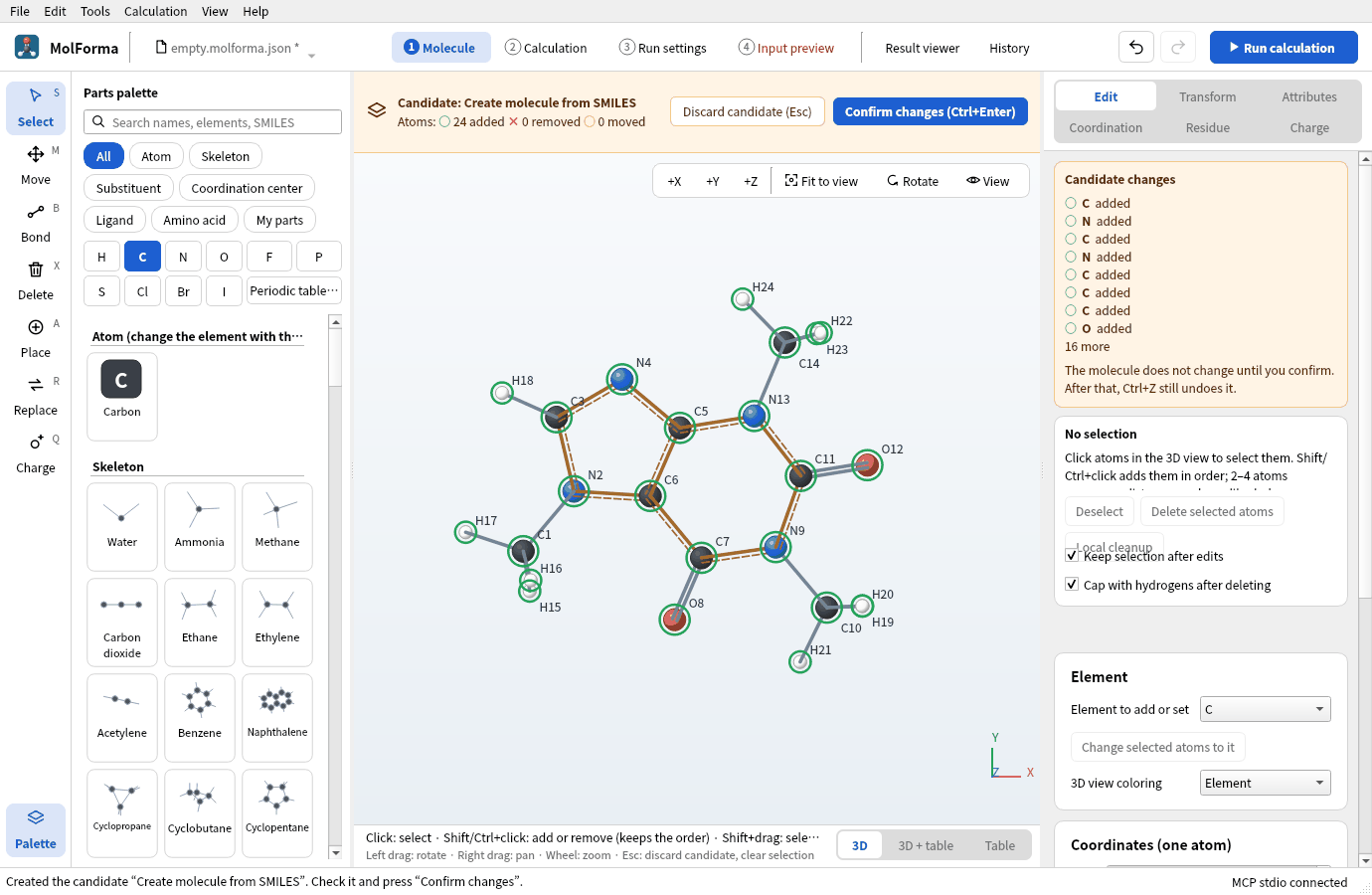
Cn1cnc2c1c(=O)n(C)c(=O)n2Cand press “Build 3D”. Open Babel adds hydrogens, builds 3D coordinates and cleans them up with a force field (MMFF94); the result is a candidate (“Candidate: Create molecule from SMILES”). It runs in a separate process; for slow molecules, “Stop cleanup” above the 3D view stops it.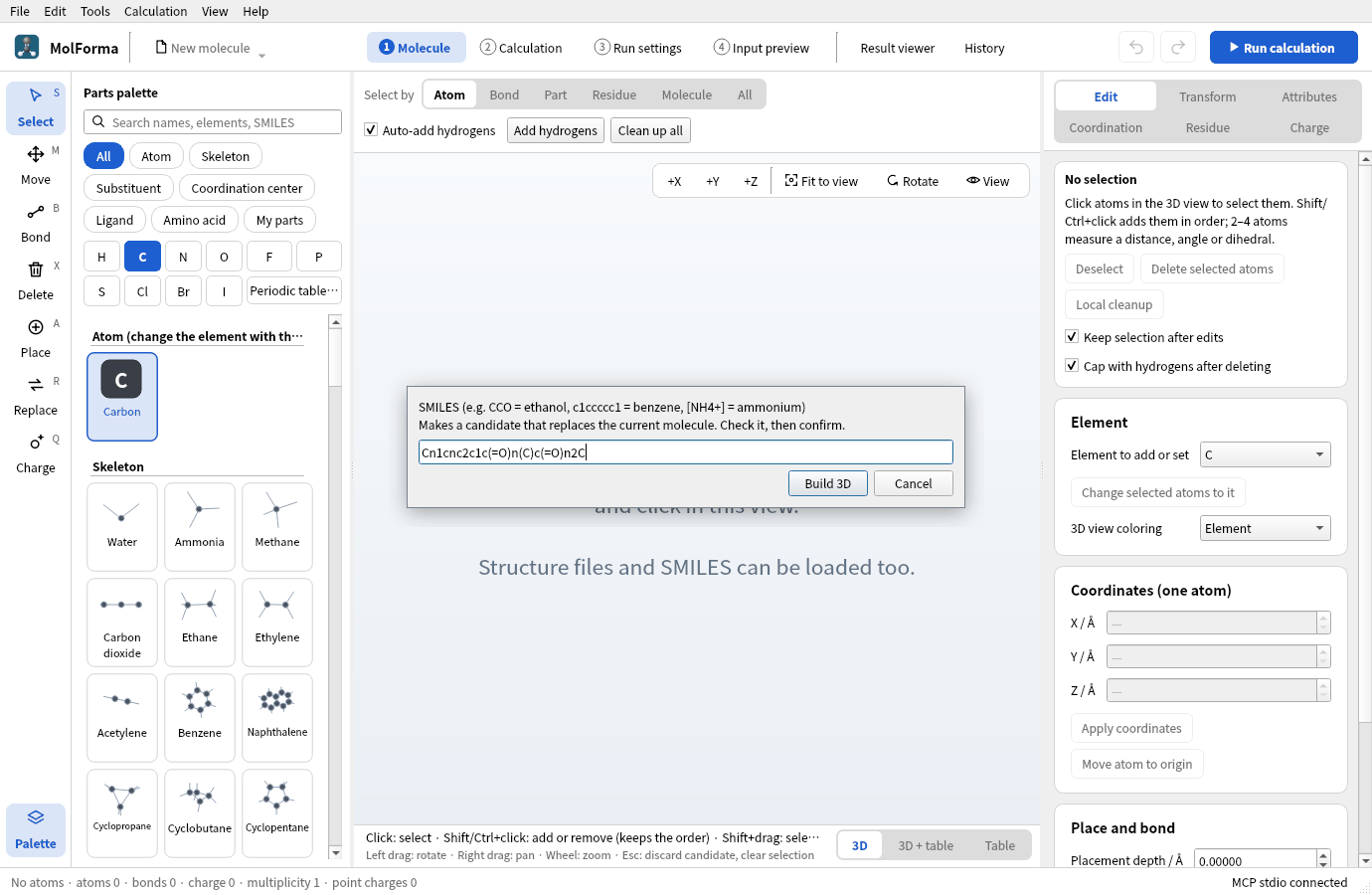
Figure 1 Enter the SMILES in the dialog of “File → From SMILES…” and press “Build 3D”.
-
Check that the candidate is C8H10N4O2 · 24 atoms · 25 bonds and press “Confirm changes”. Aromatic bonds are drawn as a double line with a dashed side.
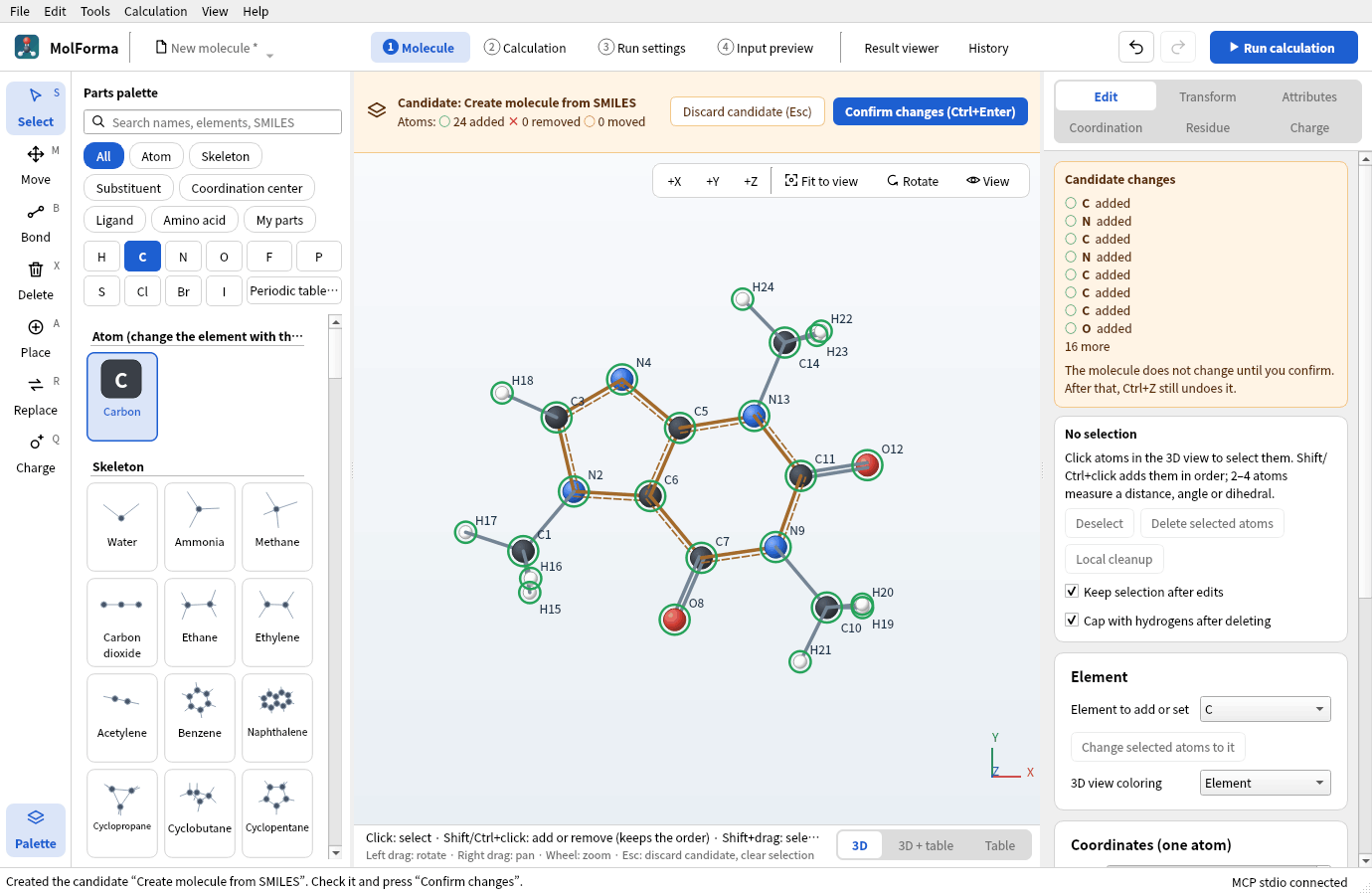
Figure 2 The 3D structure is shown as a candidate. Check the atom and bond counts and confirm it.
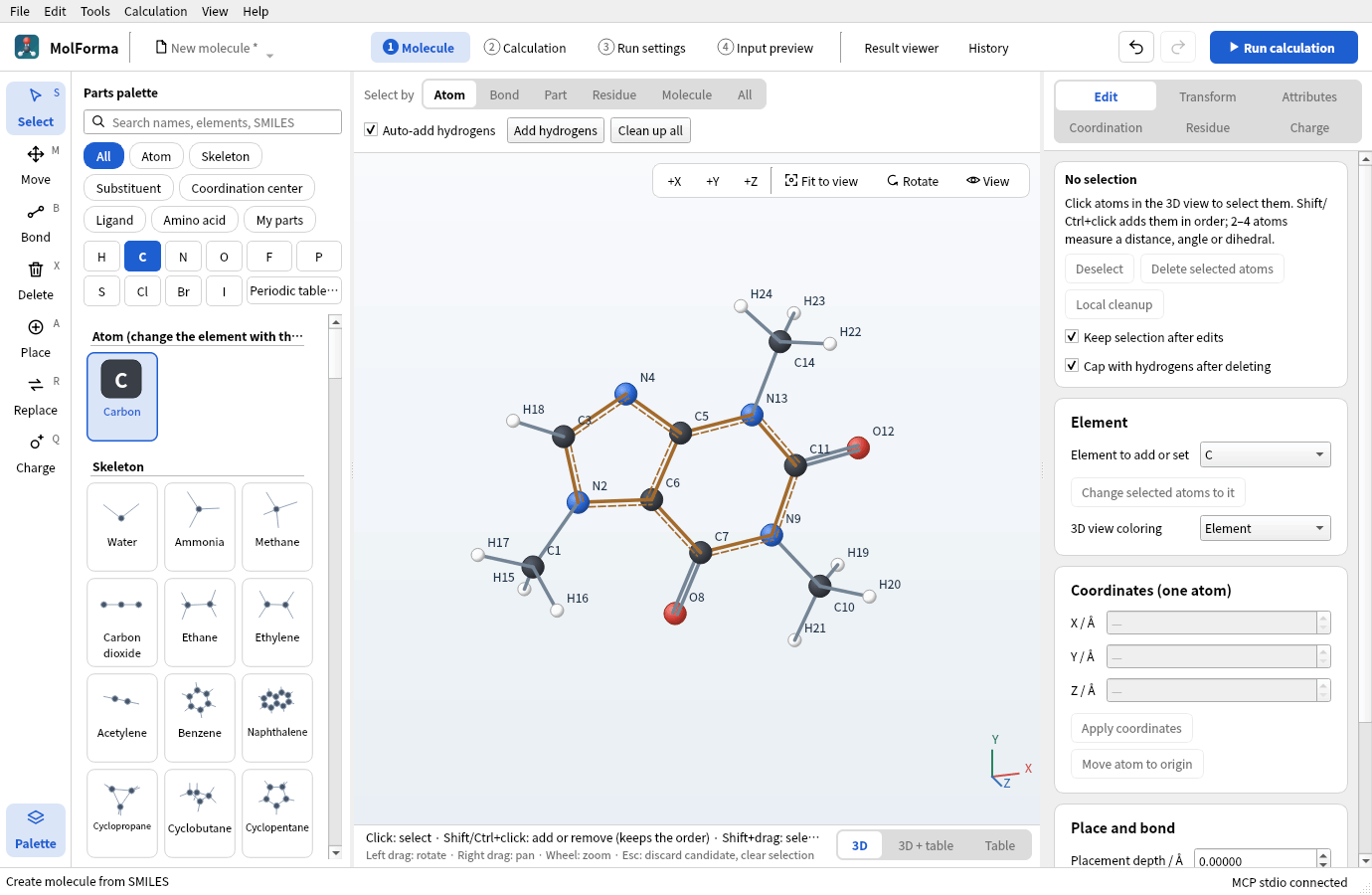
Figure 3 Confirmed caffeine (C8H10N4O2 · 24 atoms).
An unreadable SMILES gives the reason, and “Edit SMILES…” lets you correct it. To add a molecule beside the current one, use “File → Add fragment from SMILES…”. A SMILES typed into the palette search that matches no part offers “Build 3D from SMILES “…””, which makes a candidate beside the current molecule.
2. From a 2D structure file
Files exported from structure editors (.sdf, .mol) often have flat coordinates (z = 0) and no hydrogens.
-
Open
caffeine_2d.sdfwith “File → Open…”. The 14 heavy atoms (C8N4O2) lie in a plane.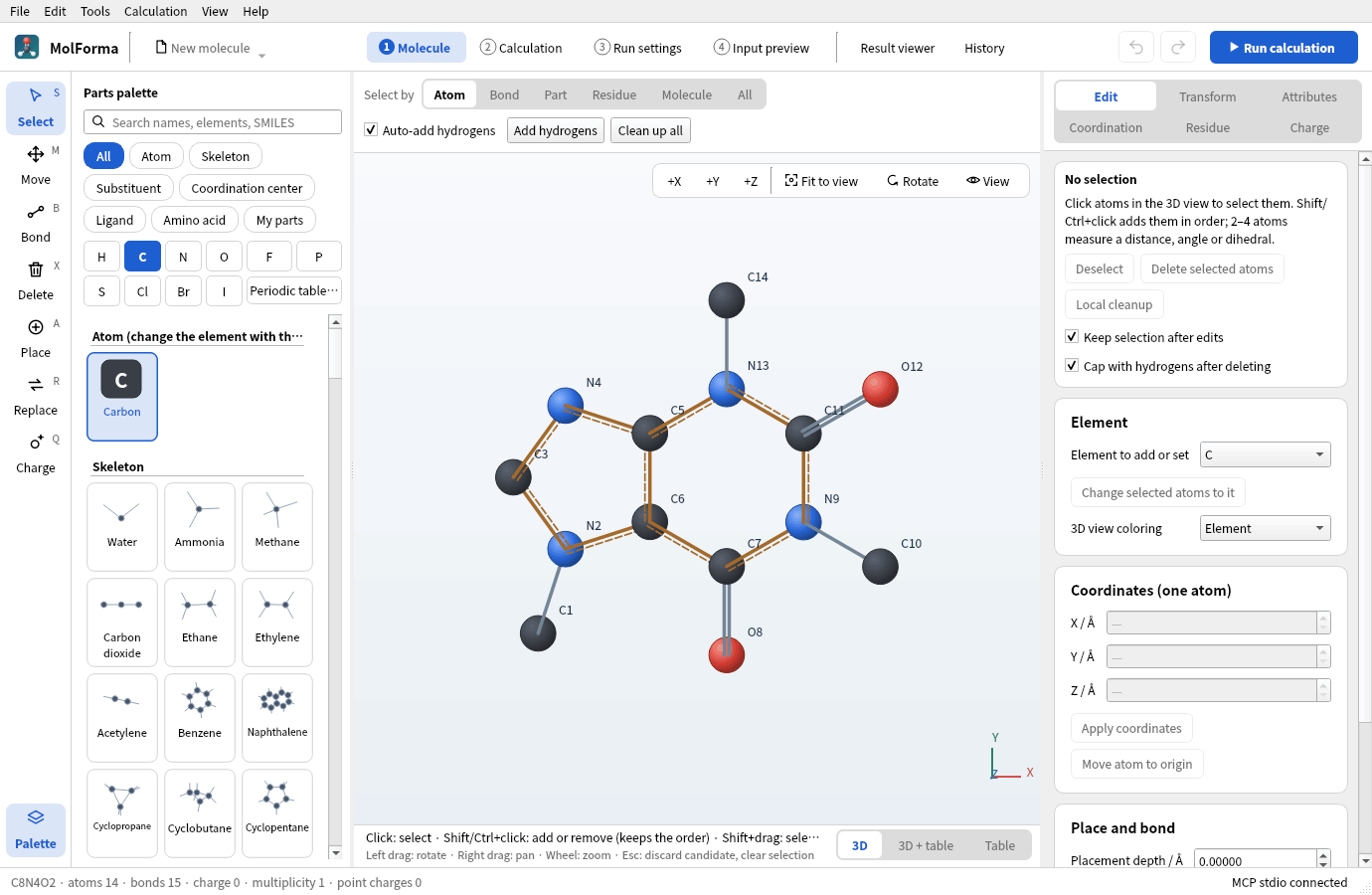
Figure 4 The 2D structure file opened: no hydrogens, and the atoms lie in a plane.
-
Press “Add hydrogens” above the 3D view. The missing hydrogens are added: C8H10N4O2 · 24 atoms (all atoms when none is selected).
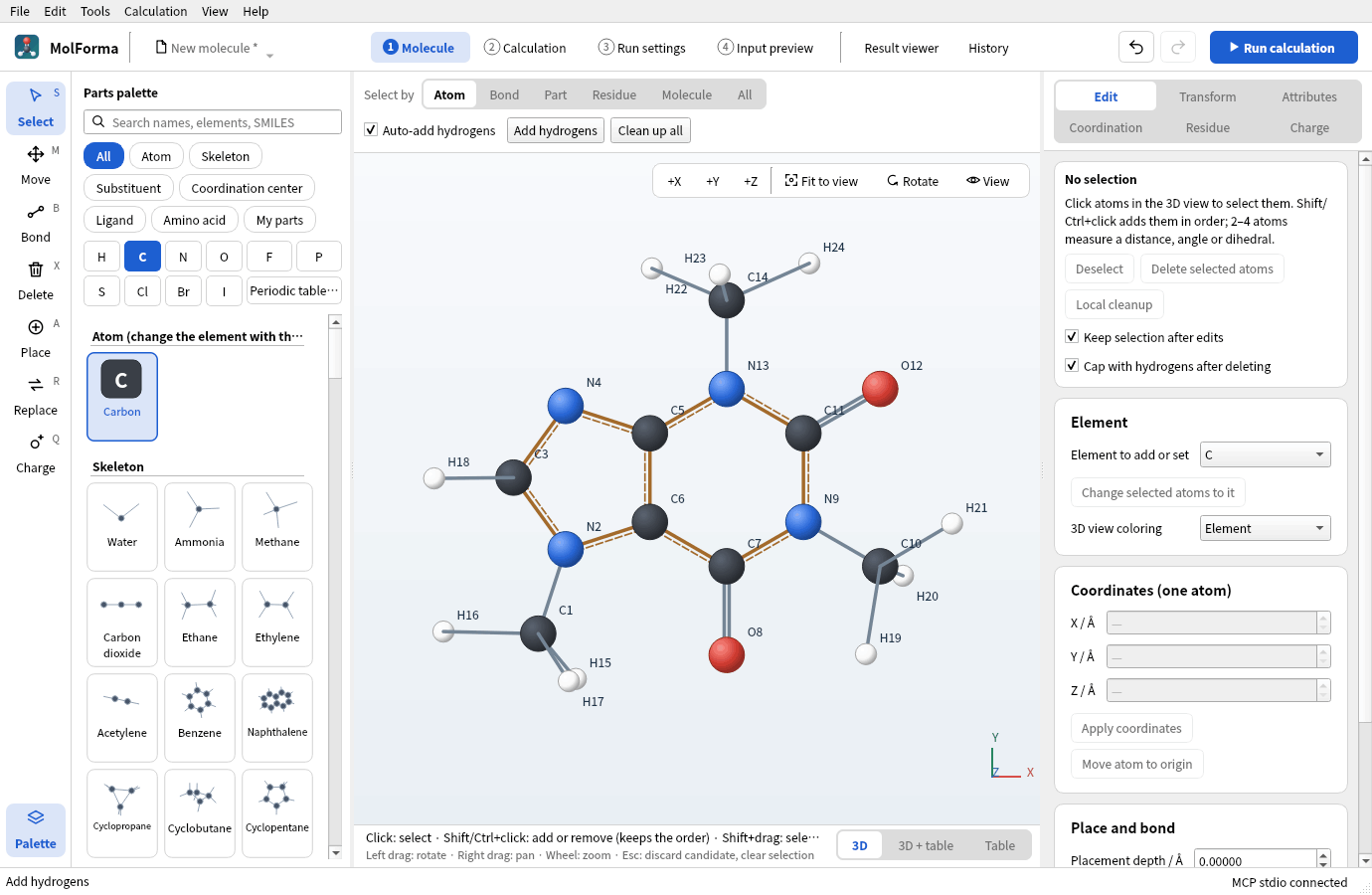
Figure 5 “Add hydrogens” adds the missing hydrogens: 24 atoms. The shape is still flat.
-
Choose “Tools → Regenerate 3D”. The 3D coordinates are rebuilt from the bonds and cleaned up with the force field; the result is a candidate (“Candidate: Regenerate 3D”). Check it and confirm.
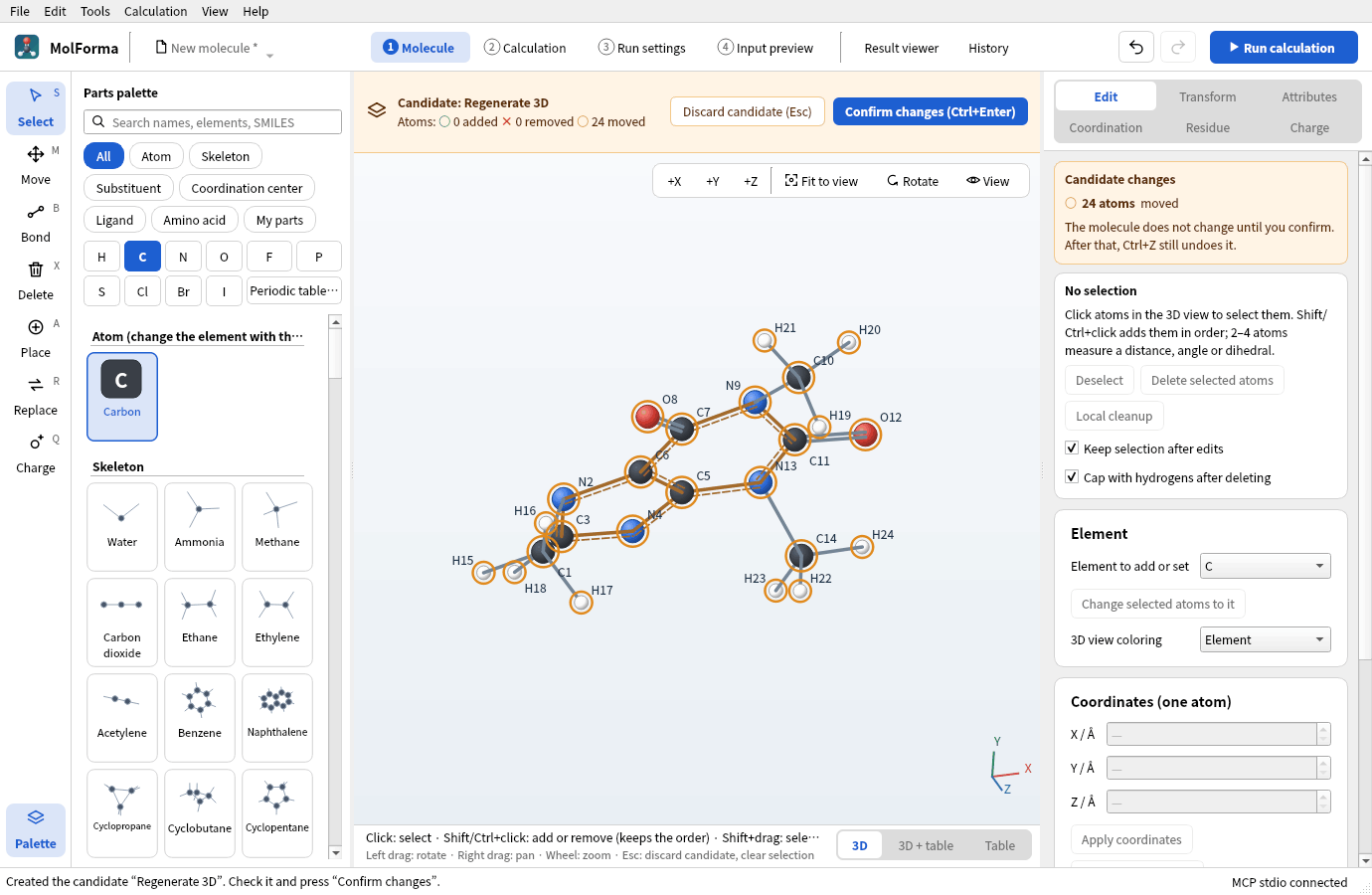
Figure 6 The result of “Tools → Regenerate 3D” is shown as a candidate.
Readable formats are XYZ, MOL, SDF, Mol2, CML, PDB, NWChem input (.nw) and Gaussian input (.gjf). XYZ bonds are guessed from distances; for ions, set formal charges before adding hydrogens. Reading with “Structure → Import structure file…” of the coordinate table replaces only the structure and keeps the calculation settings.
3. Templates or SMILES
The skeleton templates have single heterocycles (pyridine, pyrrole, furan, thiophene, imidazole, pyrimidine) and naphthalene. Molecules made from these with substituents are built from templates (recipe 3); fused heterocycles such as the purine of caffeine and larger molecules come from SMILES or files.
4. Run and look at the results
- In “2 Calculation”, set the task to “Geometry optimization”, the method to “DFT” (B3LYP) and the basis set to “6-31G*”. Total charge 0, multiplicity 1.
-
Run with “Run calculation” (F5).
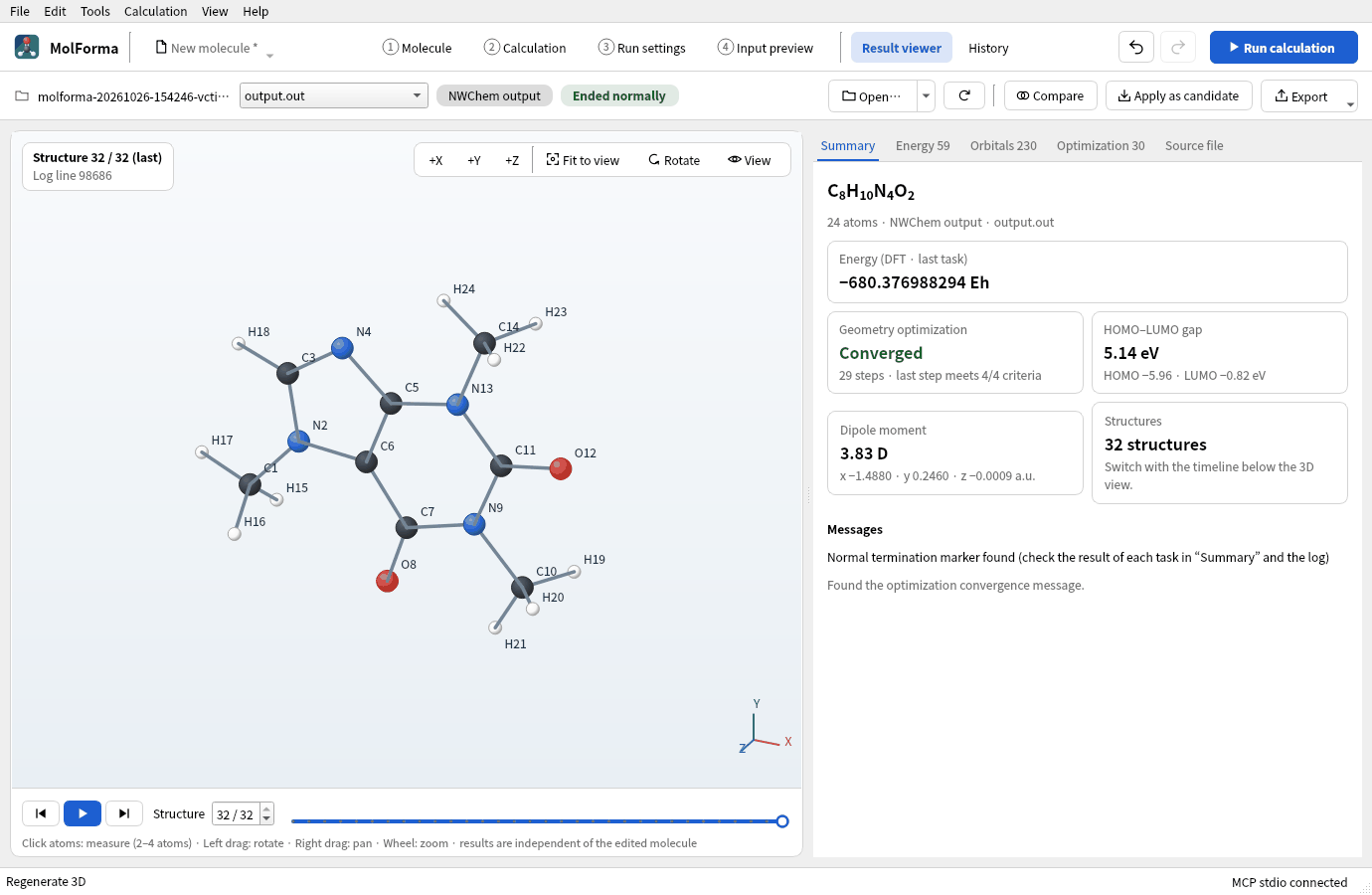
Figure 7 “Summary” of the “Result viewer” after the run.
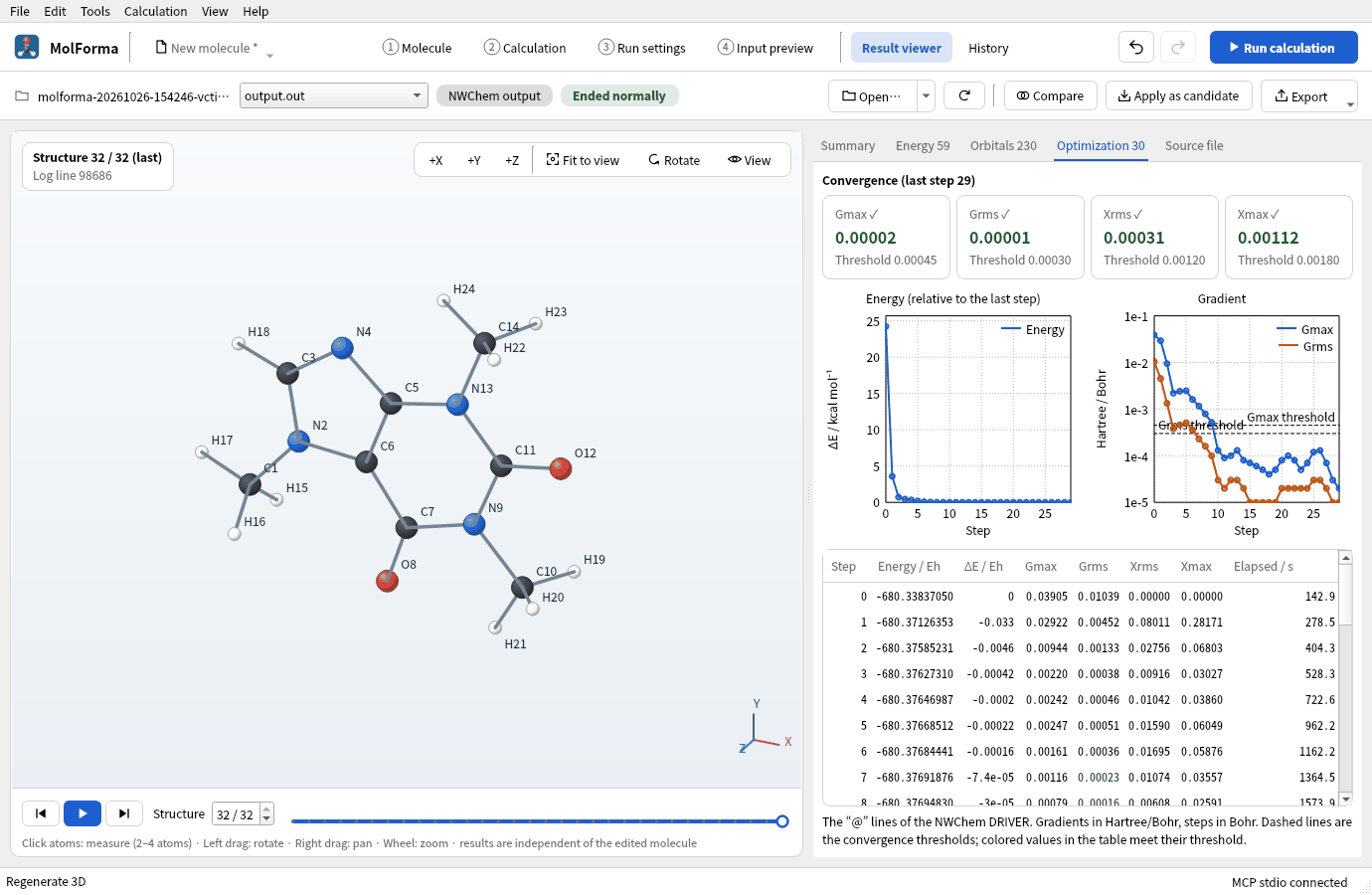
Figure 8 The “Optimization” tab. The energy falls steeply in the first steps; the rest are small adjustments such as methyl rotations.
Results
| Item | Value |
|---|---|
| Energy of the calculation | −680.376988294 Eh |
| Optimization | Converged in 29 steps |
| Dipole moment | 3.83 D |
The fused rings are almost settled in the starting structure (3D from SMILES); most steps go into rotating the three methyl groups. Adding frequencies confirms a minimum (no imaginary frequencies).
Troubleshooting
- “Cannot parse the SMILES.”Check that brackets and ring-closure digits pair up and how aromatic atoms are written in lower case (
c,n). Write charges in square brackets as in[NH4+]. - It stays flatUse “Regenerate 3D”. “Clean up all” only tidies the present coordinates with the force field and does not lift a flat start into 3D.
- Regenerate 3D is refused with fixed atomsIt rebuilds all coordinates, so fixed atoms are not allowed.
See also: structure tools in Right-side pages of “1 Molecule”, Coordinate table, recipe 14 From a result to the next calculation.